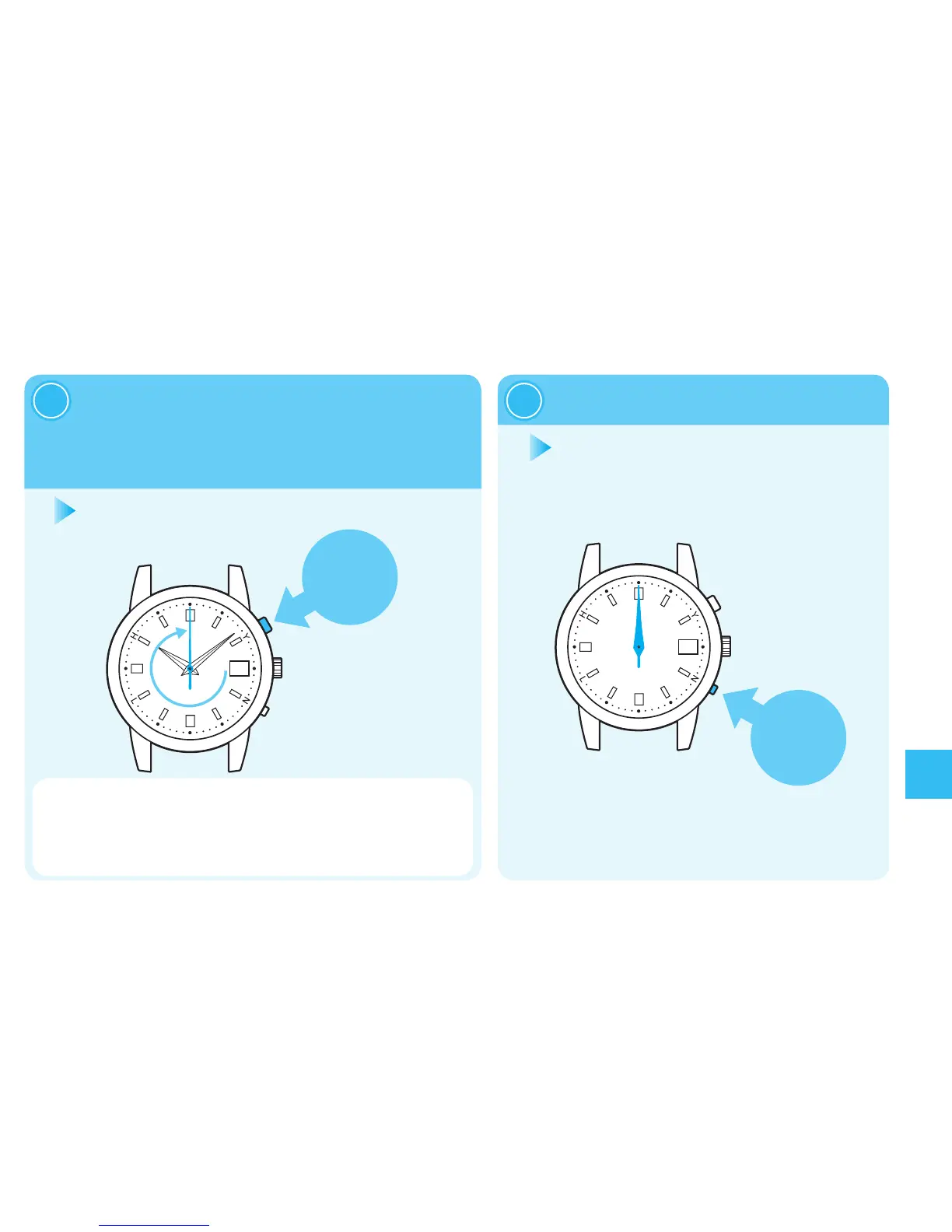
Enterthemodetoadjustthepreliminary
positionsofthehourandminutehands.
Afterthedatestops,pressandhold
ButtonA untilthesecondhand stopsat
the0-secondposition(fortwoseconds).
2
PressButtonBOnce.
3
Thepreliminarypositionsofthehourand
minutehandsareautomaticallyadjusted.The
hourandminutehandsstarttomove,andthen
allhandswillstopatthe0-secondposition.
After10secondswhentheallhands
willstopatthe0-secondposition,the
watchwillreturntodisplaythetime.
・
Whiledatesareadvancing,nobuttonoperationcanbemade.
・
Afterthedatestops,whenthewatchhasnooperationandnomovementof
thehandsfortensecondsorlonger,itautomaticallydisplaysthetimeagain.
・
Whenitisinthemiddleofoperation,re-attempttheoperationfromprocedure“1.”
Troubleshooting



 To Next Page