21
ASTRON 8X53 GPS SOLAR
BASIC OPERATION (HOW TO SET THE TIME/HOW TO RECEIVE GPS SIGNALS, ETC.)
CONTENTS
4
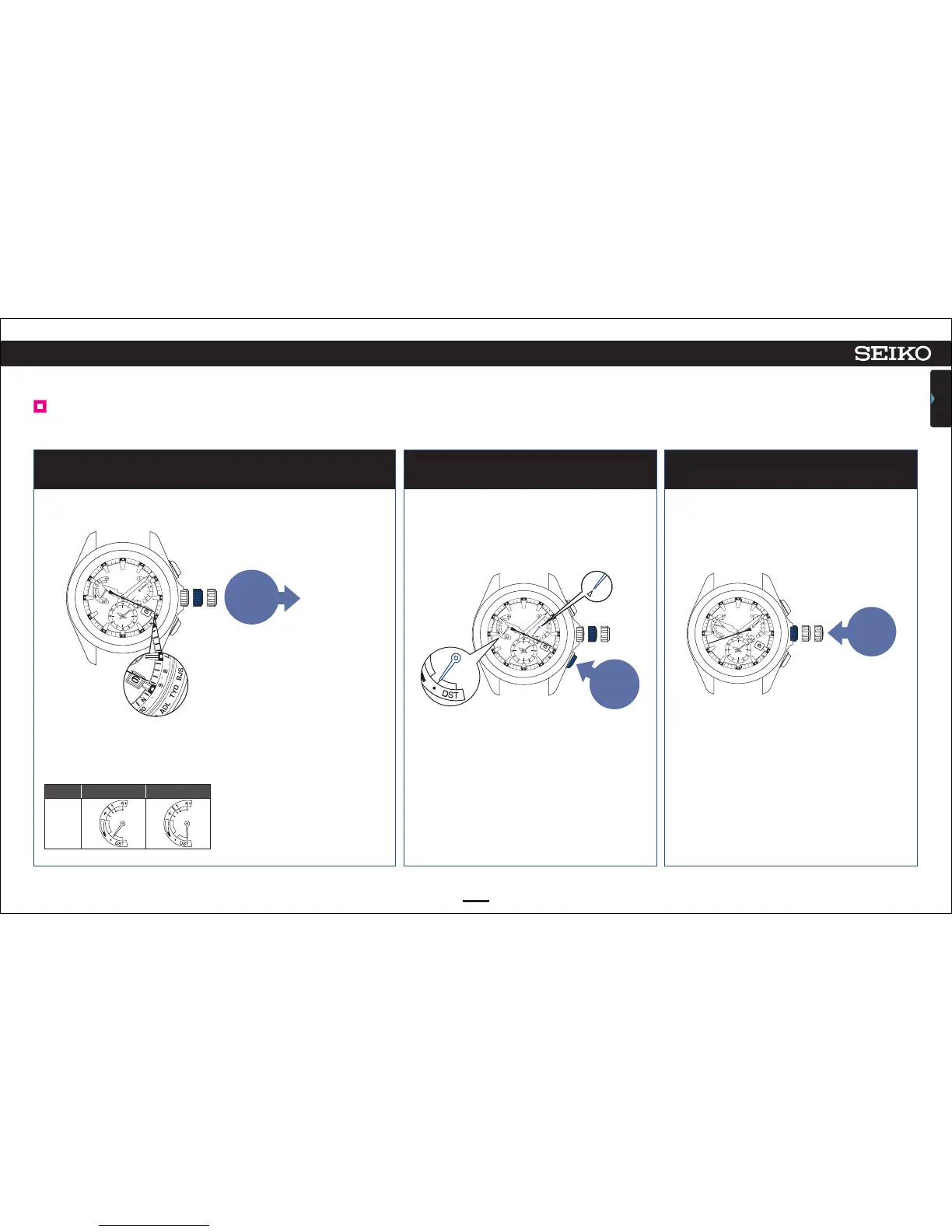
Push the crown back inPull out the crown to the first click
1
The indicator hand indicates DST (Daylight Saving Time) setting.
3
Check the time zone and DST (Daylight Saving Time) settings
<
Display of the indicator hand
>
Displays ON/OFF setting of
DST (Daylight Saving Time).
DST
・
(OFF) DST (ON)
Display
To change the time zone setting
• When you are in a place where GPS
signals can be easily received
How to adjust the time zone P.18
• When you are in a place where GPS
signals cannot be received
How to manually set the time
zone P. 2 3
For the relationship between the stop
watch 1/5-second hand position and
time zone, refer to the “Time zone
display and list of time zones around
the world P. 1 2 ”.
0 1 2
Pull out
to the
1st click
0 1 2
Push
back in
Press Button B
2
0 1 2
Press
Button B
The second hand moves to display the
currently set time zone of the sub-dial.
The indicator hand indicates the DST (Daylight
Saving Time) setting state of the sub-dial.
The day hand points to ∆.
The second hand returns to the time display
mode.
The indicator hand returns to the display of
charging status.
Also the current time zone of the main-dial and the DST (Daylight Saving Time) can be checked by just pressing and releasing Button B.



 To Next Page