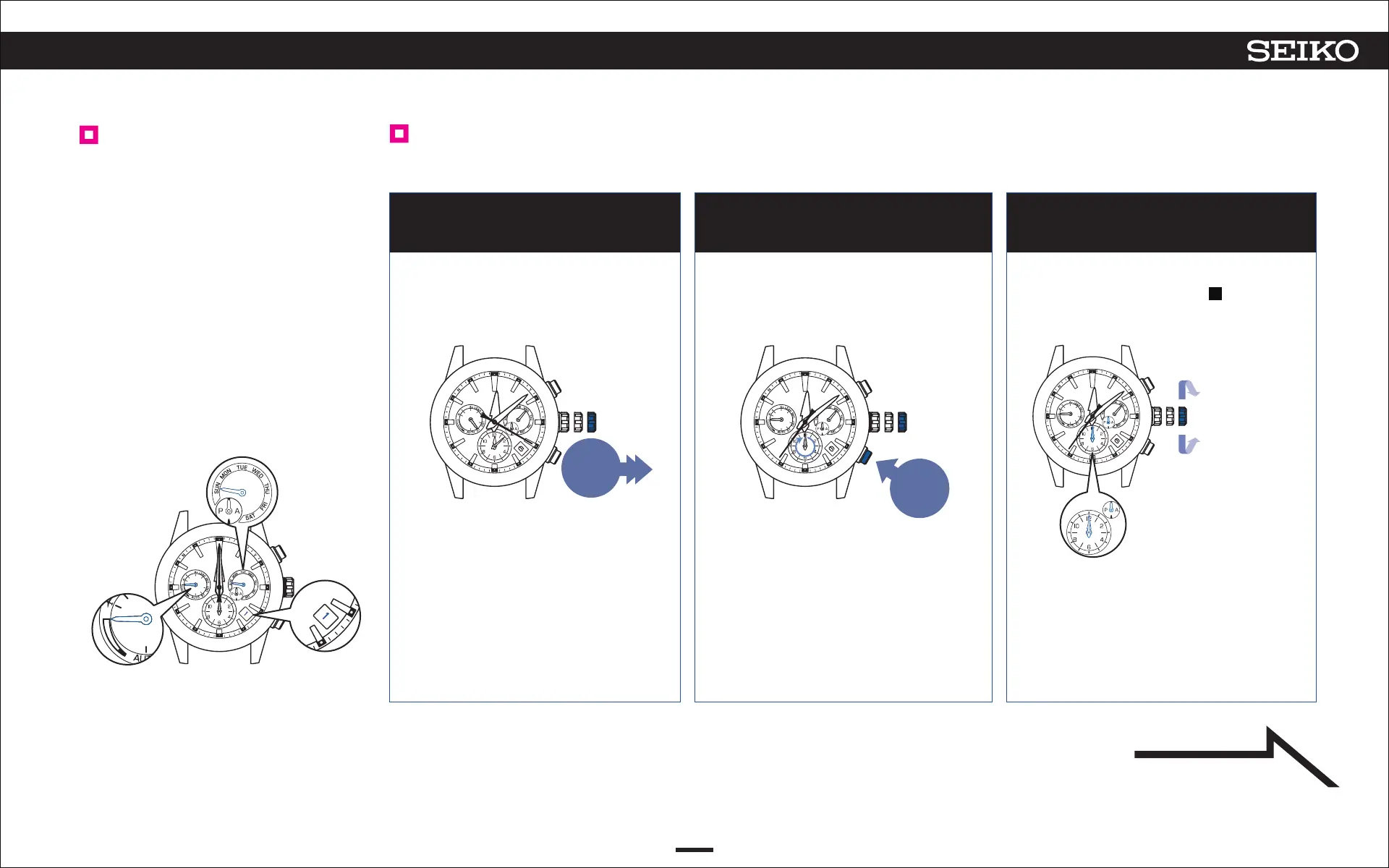
Pull out the crown to the second
click
Continue to press Button B
(3seconds)
1 2 3
48
ASTRON 5X53 GPS SOLAR
TROUBLESHOOTING
7
Adjust the preliminary position of the sub-dial, day hand, date, indicator hand, and
hour/minute hands
The second hand moves to display
the sub-dial of the currently set
time zone.
The watch enters the mode to adjust
the preliminary position of the sub-
dial.
Preliminary position of
this watch
Turn the crown
clockwise to
advance 1 step.
Turn the crown
quickly to move
it continuously.
Turn the crown
again to stop.
Turn the crown
counterclockwise
to set back 1 step.
The preliminary position of the date is
“1” (1
st
).
The preliminary position of the
indicator hand is “full.”
The preliminary position of the hour/
minute hands is “12:00 AM.”
The preliminary position for the sub-
dial and the AM/PM hand is “12:00
AM.”
The preliminary position of the day
hand is “SUN (Sunday).”
Turn the crown to adjust the
sub-dial and AM/PM hand to
“12:00 AM”
When the sub-dial and AM/PM hand are
“12:00 AM,” go to operation
4
.
The second hand stops at the
36-second position.
The sub-dial and the AM/PM
hand turn and stop to indicate the
preliminary position.
At this time, the sub-dial and AM/
PM hand move along together.
Correctly adjust them to “12:00 AM.”
Pull out
the crown to
the second
click
Press for
3 seconds
0 1 2
Continued on the
following page














 To Next Page