6
TROUBLESHOOTING
54
English
6
TROUBLESHOOTING
55
English
Pointstobechecked
●Receptionwassuccessful(thereceptionresultis
displayedasY),buttimehasgainedorlost.
Adjustingthepreliminarypositionof
thedateandindicatorhand
Preliminaryposition
Whenthewatchisunabletodisplaytheprecisetime
ordateevenwhenithassuccessfullyreceivedGPS
signals,thepreliminarypositionmaybemisaligned.
Whenthetime/dateorindicatorhandpositionismisaligned
Sincethepreliminarypositionofthedateandindicator hand is not
automaticallyadjusted,itmustbeadjustedmanually.
Automatichandpositionalignmentfunction
Thehour,minute,andsecondhandshaveanautomatichandposition
adjustment function, which automaticallycorrects an incorrect
preliminaryposition.
Theautomatichandpositionadjustmentfunctionis activated oncea
minuteforthesecondhandandat12:00bothfortheAMandPMfor
thehourandminutehands.
※This function workswhen the preliminaryhandpositionis
misaligneddueto externalfactorssuchasstrongimpactor
magneticinfluence.Itdoesnotworkto adjustaccuracyof
thewatchorslightmisalignmentwhichmayoccurduringthe
manufacturingprocess.
※The preliminarypositionsof the hour/minute handscan be
manuallyadjusted.→Adjustthepreliminarypositionofthedate,
indicatorhand,andhour/minutehands
P.55
→Adjustthepreliminarypositionofthedate,indicatorhand,andhour/
minutehands
P.55
Thepreliminarypositionismisalignedduetothefollowingreasons.
Strongimpactsuchasdroppingorhitting
Thingsaroundyouwhichgeneratemagnetism
→
Examplesofcommonmagneticproductsthatmayaffectwatches
・Checkthetimezonesetting.→P.40
Ifthecurrentlysettimezonedoesnotcorrespondtotheregionwhere
youare,setthetimezonebyeitherofthefollowingoperations.
PlacewhereGPSsignalscanbeeasilyreceived
→Howtoadjustthetimezone
P.40
PlacewhereGPSsignalscannotbereceived
→Howtomanuallysetthetimezone
P.43
・CheckDaylightSavingTime(DST)setting →P.41
IfDaylightSavingTime(DST)settingdoesnotcorrespondtothe
additionconditionsofDaylightSavingTime(DST)oftheregion
whereyouare,setDaylightSavingTime(DST)withreferenceto
SetDaylightSavingTime(DST)
P.41
・Automatictimeadjustmentfunctionmaynothavebeenactivated
forafewdays.
→ Automatictimeadjustment
P.46
Theautomatictimeadjustmentfunctionisunlikelytobeactivateddue
tolowenergystoredinthewatchordependingontheenvironment.
Toimmediatelyadjustthetime,refertotheHowtoadjustthe
timezone
P.40」
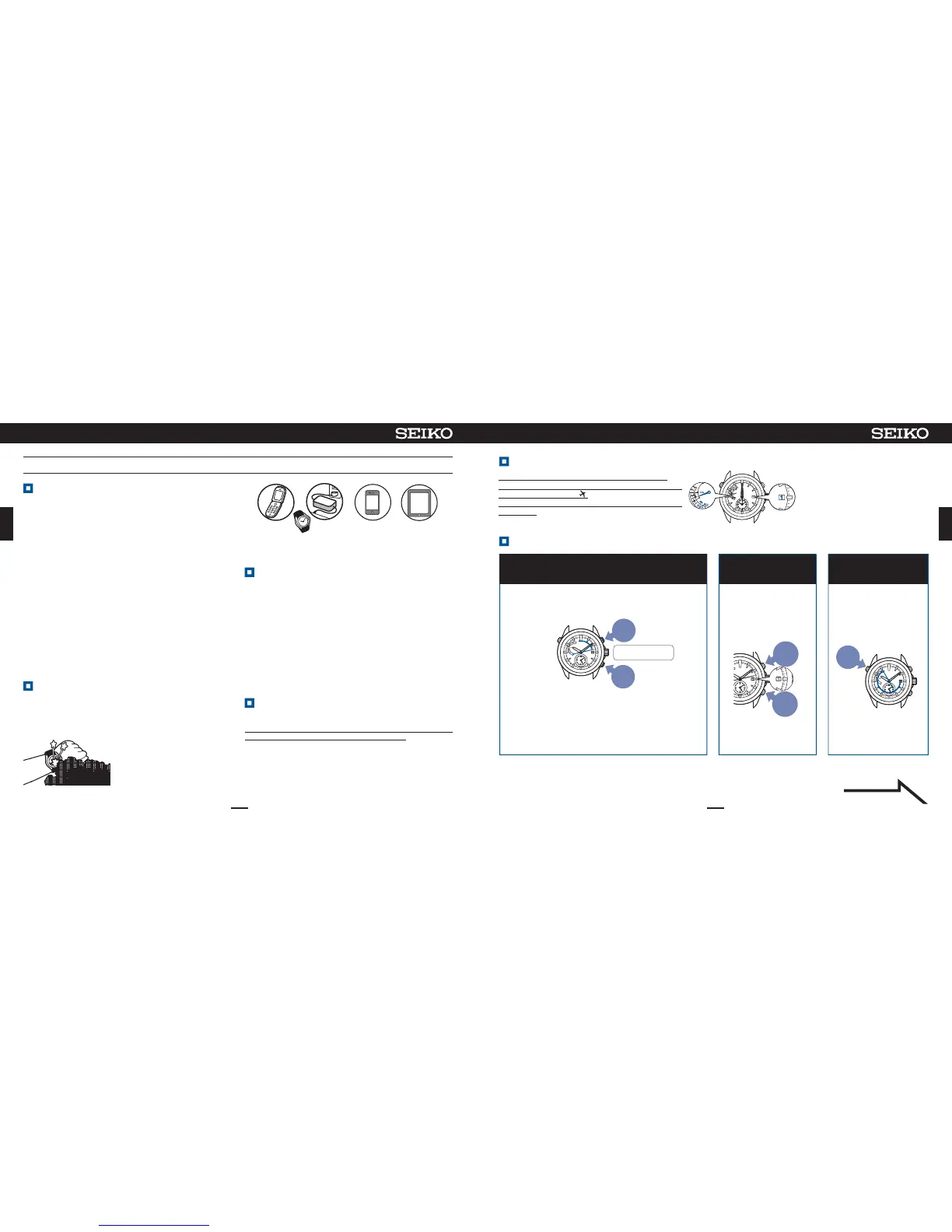
Thepreliminarypositionofthedateis1(1st).
Thepreliminaryposition of theindicator hand is
betweenE(low)and .
Thepreliminarypositionofthehour/minutehandsis
0:00am.
Continuetopress Button A
(2sec)and release itwhen
thesecondhand moves to
the55-secposition
3
Thewatchentersthemode
toadjustthepreliminary
positionoftheindicator
hand.
Press
for
2sec
※
Ifnooperationisperformedformorethan1minuteorwhenButton
Aispressedonce,thewatchreturnstothetimedisplaymode.
Whenthewatchhasreturnedtothetimedisplaymode,restart
operation.
ContinuetopressButtonBandCsimultaneously
(3sec),andthenreleaseitwhenthesecondhand
movestothe13-secposition
1
※Duringmovementofthedate,thebuttonscannotbe
operated.
※Neverpullthecrownout.
Thewatchentersthemodetoadjustthepreliminary
positionofthedate.
Thedatemoves,andstopsatthepreliminaryposition.
※Whenthedateiscontinuouslystoppedfor1minute
orlonger,thewatchreturnstothetimedisplaymode.
Whenthewatchhasautomaticallyreturnedtothetime
displaymode,restartoperation
Button
C
Button
B
Presssimultaneously
for3sec
PressButtonBorCto
setthedateto1.
2
Adjustthedatesothatthe
positionof1willlocateat
thecenterofthewindow.
※If1isdisplayed,go
tooperationof③.
To
return
thedate
slightly
To
advance
thedate
slightly
Ifthebuttoniskeptpressed
fortwosecondsorlonger,the
datewillmovecontinuously.
Pressthebuttonagaintostop
thedate.
Preliminarypositionofthiswatch
Adjustthepreliminarypositionofthedate,indicatorhand,andhour/minutehands
Continuedonthefollowingpage


 To Next Page
 Loading...