(6)
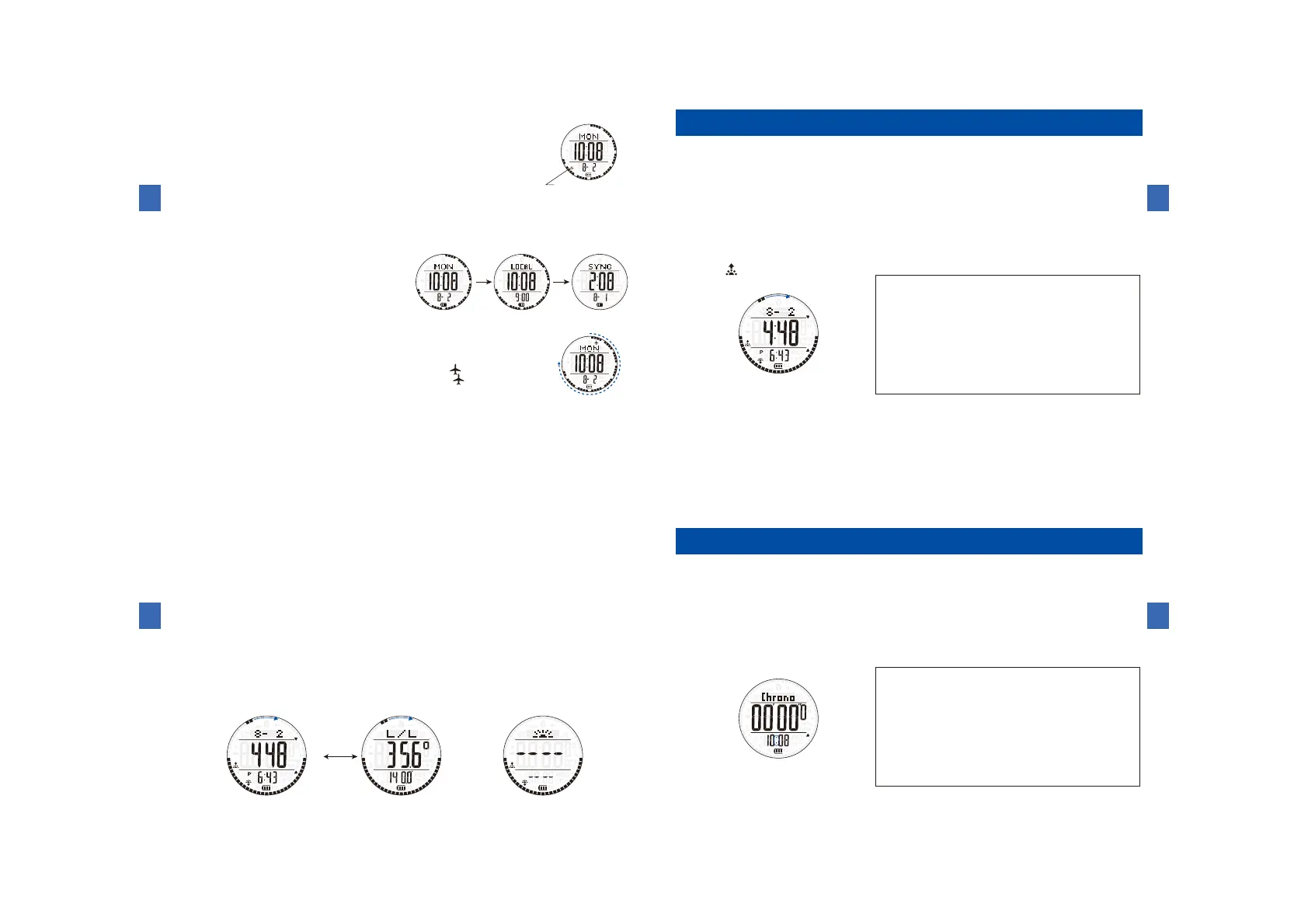
Howtotestthealarmsoundandhowtoengage/disengagethehourlytimesignalandconfirmationsoundforbuttonoperations
Ⓒ
Ⓔ
Themarkappearswhenthe
hourlytimesignalisturnedON.
(8)Howtosetin-flightmode
(7)Howtocheckcityselectedforhome/connectiontime
Ⓒ
Lastsynchronizationtime
Thecityselectedforthehome
Ⓒ Ⓒ
Howtousethecurrentlocationsunriseandsunsettimemode
(1)Buttonsandfunctions
ButtonⒷ
ButtonⒶ
ButtonⒸ
ButtonⒹ
ButtonⒺ
ButtonⒶ:Toswitchtothesensorfunction
ButtonⒷ:Toswitchtothestopwatchmode
ButtonⒷ(Pressandhold):Toswitchtothetime
andcalendarmode
ButtonⒸ:Date(advance)
ButtonⒹ:Toswitchlatitude/longitudedisplay
ButtonⒺ:Date(moveback)
ButtonⒻ:Toturnonthebuilt-inilluminatinglight
ButtonⒻ(Pressandhold):Toswitchtothe
Bluetoothmode
ButtonⒻ
(2)Howtousecurrentlocationsunriseandsunsettimemode
Ⓓ
Sunriseandsunsettimedisplay
Longitude/Latitudeindication
Inthecasethatthesettingisnotsynchronized
Ⓓ
Howtousethestopwatchmode
(1)Namesofthebuttonsandtheirfunctions
ButtonⒷ
ButtonⒶ
ButtonⒸ
ButtonⒹ
ButtonⒺ
ButtonⒻ
ButtonⒶ:Toswitchtothesensorfunction
ButtonⒷ:Toswitchtothealarmmode
ButtonⒷ(Pressandhold):Toswitchtothetime
/calendarmode
ButtonⒸ:Reset
ButtonⒹ:Nofunction
ButtonⒺ:Start/Stop
ButtonⒻ:Toturnonthebuilt-inilluminatinglight
ButtonⒻ(Pressandhold):Toswitchtothe
Bluetoothmode



 To Next Page