TCD02B0001SE 034070 130220
10
TIME SCHEDULE EDITING - BRIEF DESCRIPTION
Push “
“ to enter the editing of the time program.
Rotate the knob to select the desired time without modifying the default time program.
Push “
“ to set the comfort mode (on the time histogram bar it is shown the segment on the upper strip).
Push “ “ to set the economy mode (on the time histogram bar it is shown the segment on the lower strip).
At every push of the button “ “ or “ “ the clock moves on the next half hour.
Every segment, shown on the time histogram, represents half an hour.
In order to conrm the changes push the knob or wait 10 seconds without pushing any button.
In order to cancel the modications, resetting to the last time schedule set and exit from “Time schedule” edit mode, push the button “
“.
PROGRAMMING EXAMPLE:
1.
During normal operation, push “
“ to enter the
time schedule edit mode.
2.
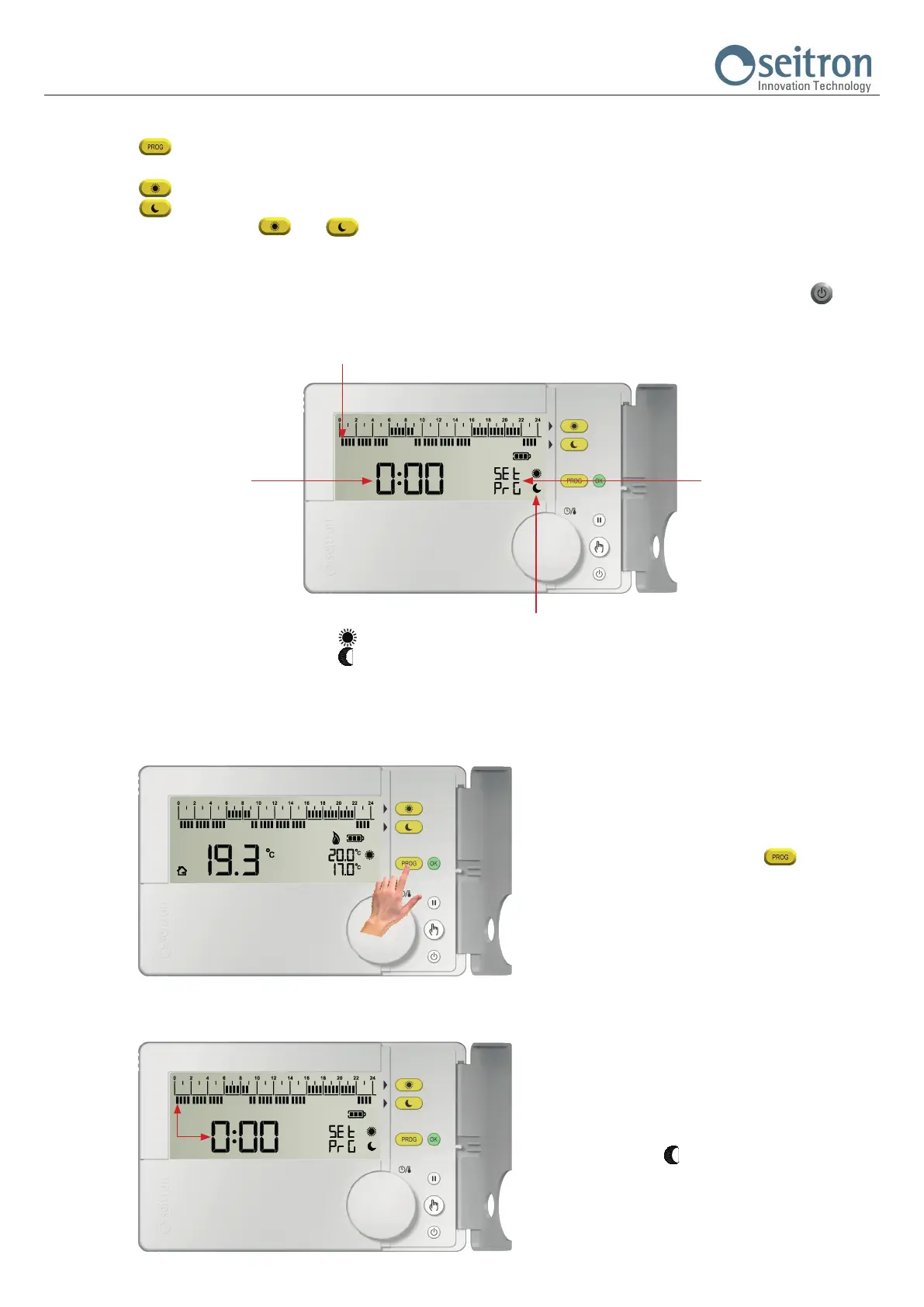
The display shows:
- “SEt PrG” indicating that the time schedule edit mode
has been accessed.
- Hour 0:00.
- The blinking segment corresponds to hour 0:00.
- The symbol “
“ indicates the regulation mode which
has been set.
The time schedule is set starting at hour 0:00 towards
24:00, with 30 minutes steps.
Hours corresponding to
the shown segment on the
histogram
First segment blinking
It shows that the “hourly pro-
gram” mode is active
Temperature regulation mode set for the selected half hour:
“ “: Comfort mode
“ “: Economy mode


 To Next Page