EasyManua.ls Logo

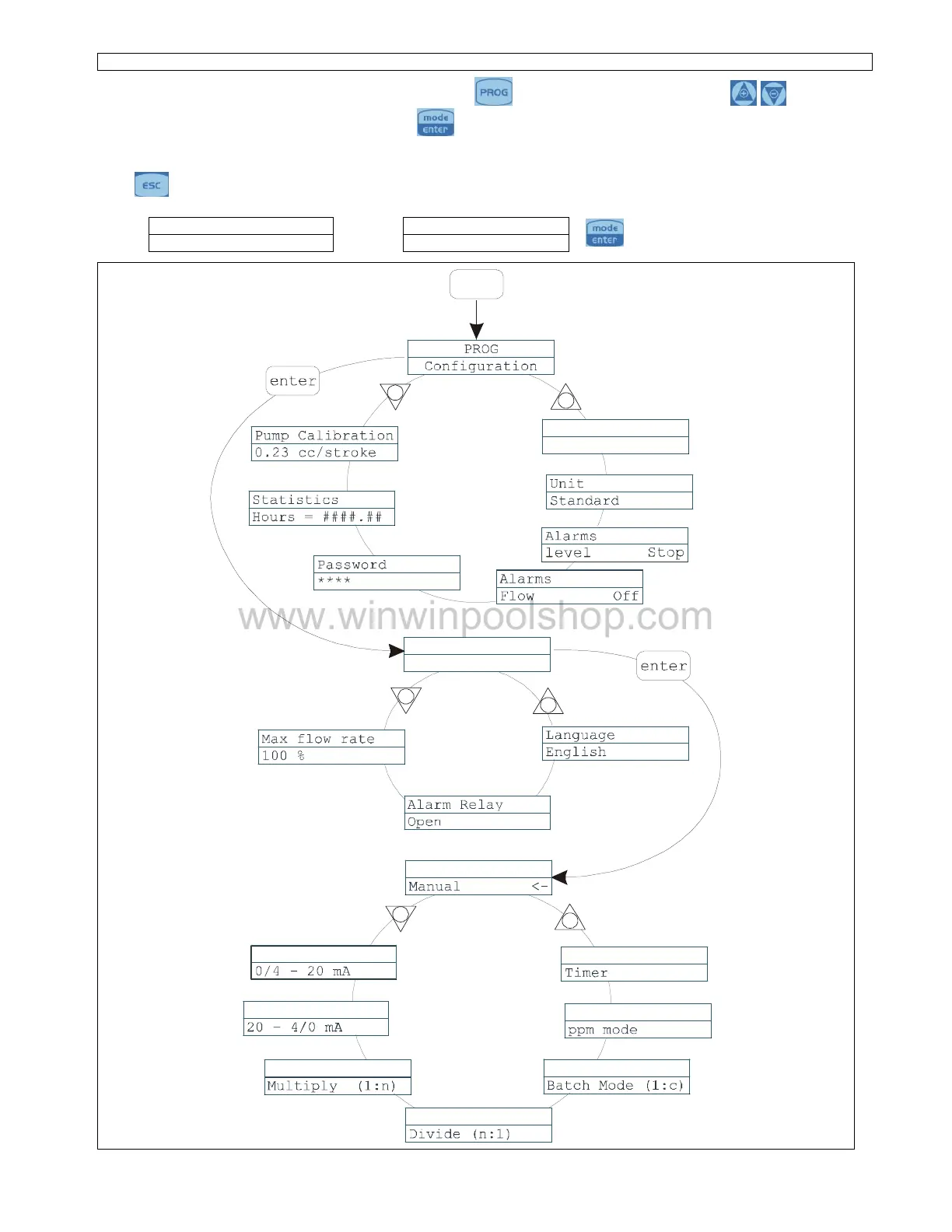
Seko TEKNA EVO TPG - Programming Menu Structure; Main Menu Navigation; Setting Menu Options; Functions Menu Categories

Seko TEKNA EVO TPG
12 pages
Print Icon
To Next Page IconTo Next Page
To Previous Page IconTo Previous Page
Loading...
EM00136061
rev. 2.5
EN
2
Programming menu
TPG
You can access the programming menu by pressing the
key for over three seconds. The
ke
ys can
be used to run through the menu items, with the
key being used to access changes.
The pump is programmed in constant mode in the factory. The pump automatically returns to the operating mode
after 1 minute of no activity. Any data entered in these
circumstances will not be saved.
The
key can be used to exit the various programming levels. Upon exiting programming, the display will
show
:
Exit
Exit
to confirm the selection
Don’t Save
Save
+
-
+
-
Pump Funtions
Configuration
+
-
Pump
Functions
Pump
Functions
Paragrafo 1
Paragraph 10
Paragraph 11
Paragraph 12
Paragrafo 13
Paragraph 14
Paragraph 15
Paragraph 16
Paragraph 9
Paragraph 2
Paragraph 3
Paragraph 4
Paragraph 5
Paragraph 6
Paragraph 7
Paragraph 8
Pump
Functions
Pump
Functions
Pump
Functions
Pump
Functions
Pump
Functions
Pump
Functions
PROG
Main
Menu
Setting
Menu
Functions
Menu
Paragraph 17
Paus
N.Open
www.winwinpoolshop.com

Related product manuals