Rev B2
Page 5 of 11
1.3 Mechanical Mounting
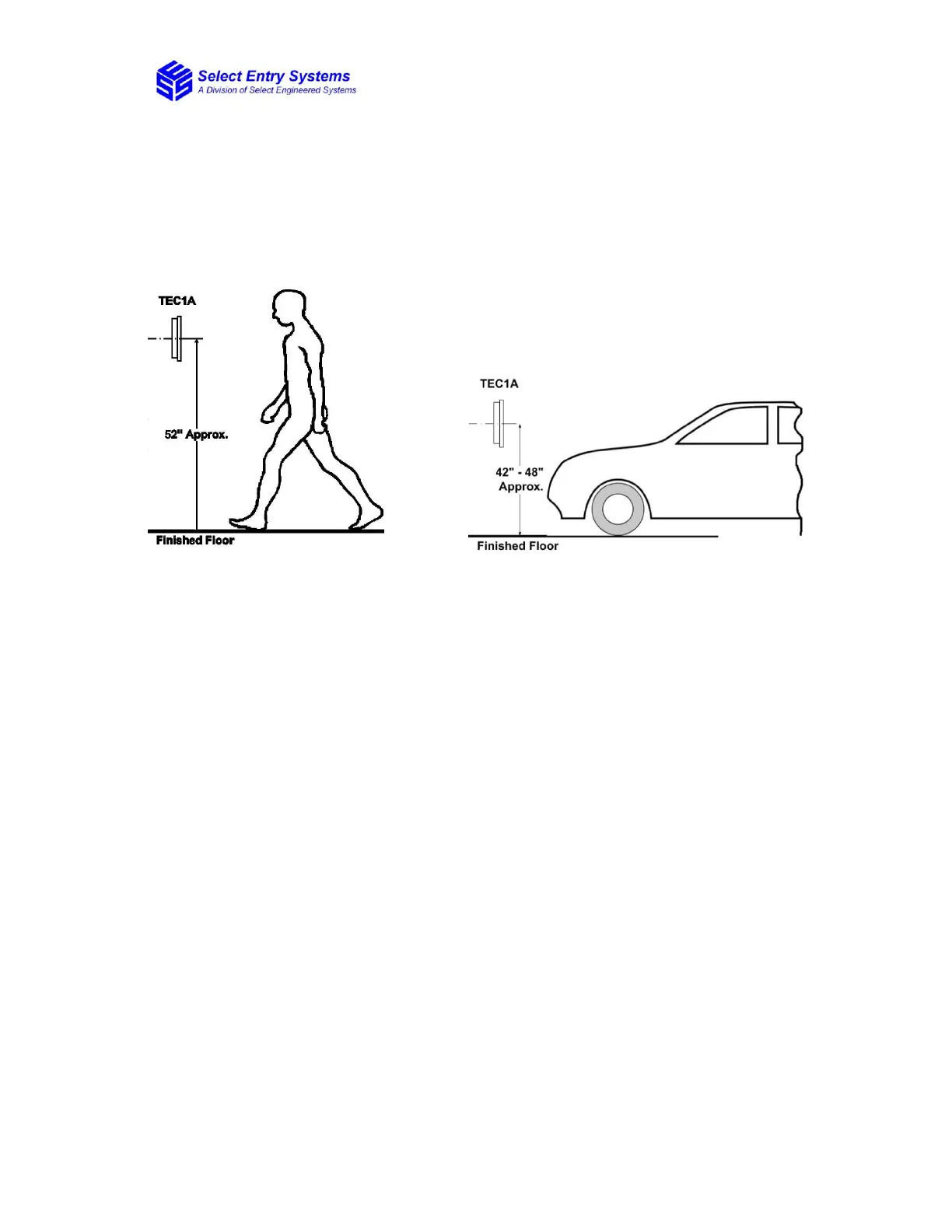
1.3.1 Installation Heights
Figure 1 shows the recommended installation heights for TEC1A series access
controllers.
Figure 1: Installation Height for Pedestrian and Drive-Up Applications
1.3.2 Surface Mount
Mount the back-box using the holes provided.
1.3.3 Flush Mount
Cut a hole the size of the back box 8 ½" (w) x 11 ¾" (h) in the wall, then mount the
TEC1A in the hole.
1.3.4 Optional Weather Hood Recommendation
It is recommended that an optional weather hood be used when mounting a TEC1A in a
stand-alone application to protect it from direct exposure to rain and snow. Please call
Factory for availability.
1.3.5 Sealing
All openings and penetrations of the TEC1A enclosure should be sealed with suitable
RTV silicon sealant.


 To Next Page