14
CHANGING A FAVORITE POSITION
If there is only a single shade on the channel proceed to changing favorites below.
If there is more than one shade on the channel, all shades on that channel will
need to be unlinked.
To unlink a shade, Press and release the CONFIRM button. Continue to press
and release until the shades jog.
All shades previously linked to selected channel will now be unlinked.
Follow the steps in STEP 3: LINK REMOTE found on pages 5-7 to link only the
shade that needs a favorite position set.
Use the UP or DOWN buttons to position the shade at the desired “favorite”
position. While holding the LIMIT button, quickly press and hold the UP button.
Release both buttons when the shade jogs.
To erase a “favorite” position, bring the shade to the upper limit. Press and hold
the LIMIT button on the back of the remote, then press and hold the UP button.
Release both buttons when the shade jogs.
When complete, relink “turned o ” shades by following the steps in section 3
LINK REMOTE found on pages 5-7.
1
2
3
4
5
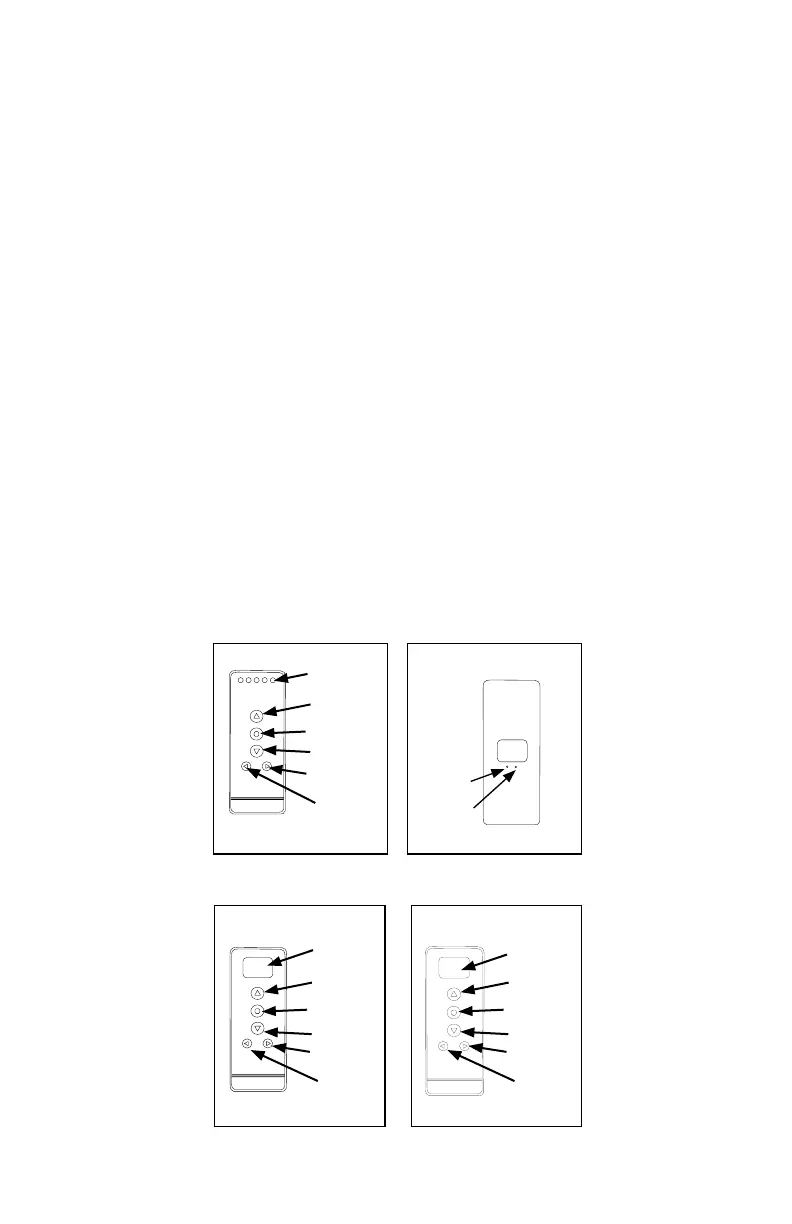
Channel
Display
Up
Stop/Favorite
Down
Channel +
Channel -
5 Channel Remote (front)
C
L
Conrm
Limit
Back of all Remotes
Channel
Display
Stop/Favorite
Down
Channel
Rail
Selector
14 Channel Remote (front)
Up
00:00
MANUAL
Display
Screen
Stop/Favorite
Down
Channel
Mode
Timer Remote (front)
Up



 To Next Page