17
PROGRAMMING TIMER REMOTE
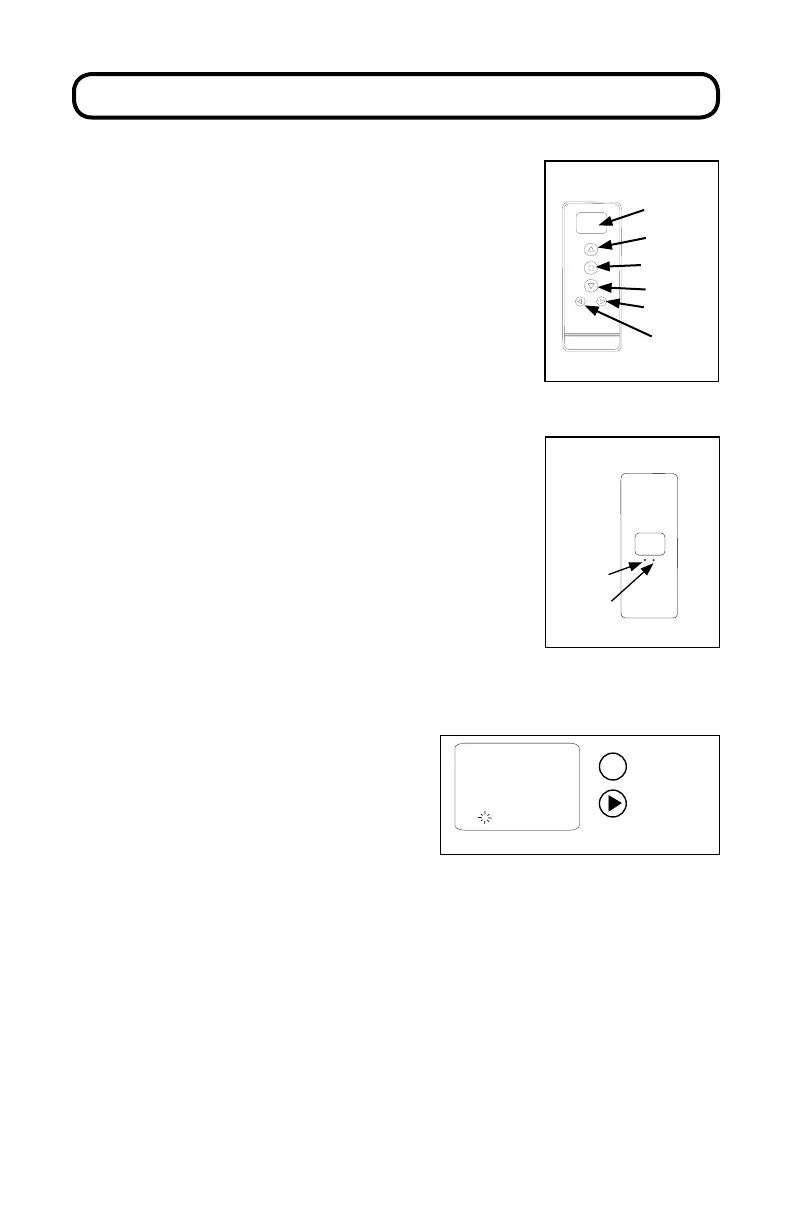
SETTING CLOCK
Press any button to turn on the remote.
Tap the MODE button until you see
“MANUAL” in the display.
Push and hold the LIMIT button. While
holding the LIMIT button, push the MODE
button for 3 seconds and release. e hour
digits will ash.
Use the UP and DOWN buttons to set the
current hour. NOTE: Time is in 24 hour
format (military time). For example: 1:00
PM will be displayed as 13:00.
Press CHANNEL button to conrm hour
and advance to minutes.
FF:FF
Auto
1
STOP
Channel
= Select
= Conrm
Use the UP and DOWN buttons to set
the current minute.
Press CHANNEL button to conrm
minute and advance to day.
Use the UP and DOWN buttons to set
the current day.
Hold the MODE button for 3 seconds.
Display will ash and then display the
current time and day.
C
L
Conrm
Limit
Remote (back)
00:00
MANUAL
Display
Screen
Stop/Favorite
Down
Channel
Mode
Up
6 Channel Timer Remote
(front)



 To Next Page