21
HOLD DOWN BRACKETS (OPTIONAL)
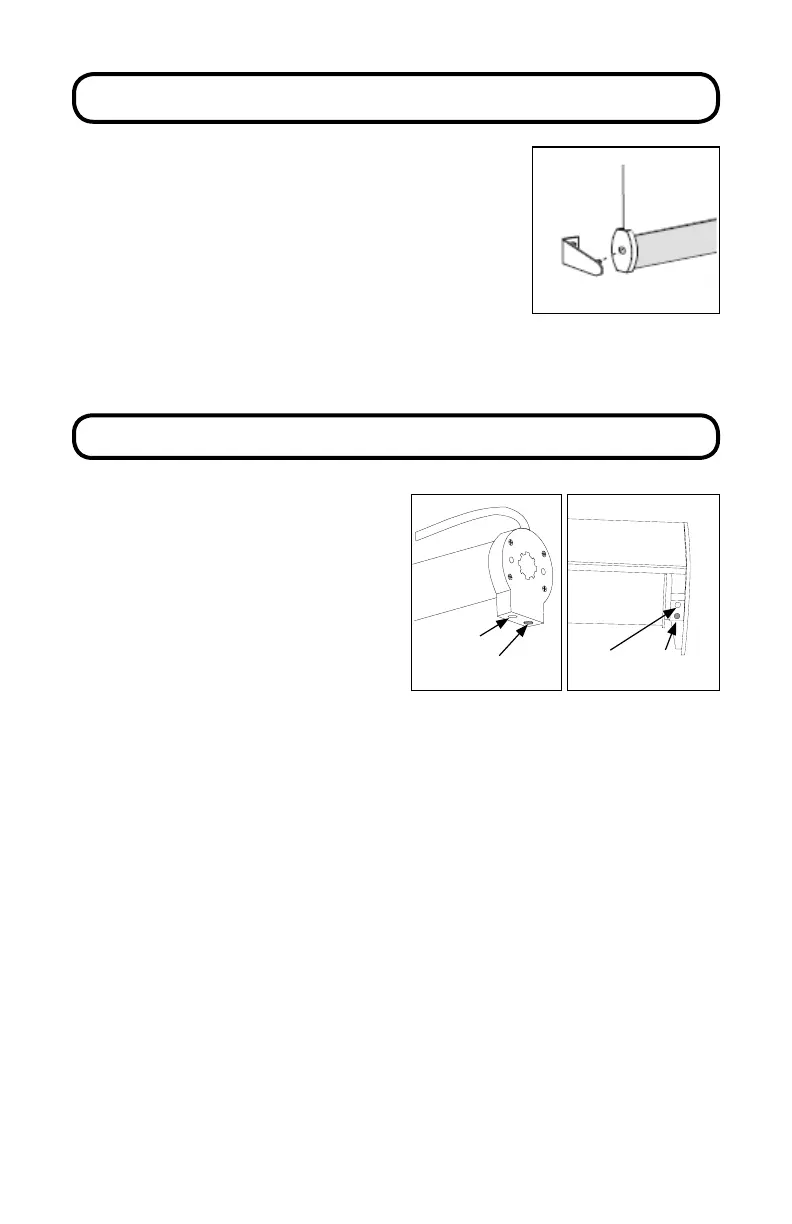
Optional hold down brackets are mounted with the
supplied screws.
With the shade at its proper drop, place the pin of each
hold down into the hole in each end cap and mark the
screw holes.
Make sure the pins are level and aligned.
Raise the shade, then screw the hold down bracket into
the mounting surface.
CHARGING THE MOTOR
When the shade begins to operate
slower than normal it is time to charge
the motor.
Plug the 8.4v charger into the port on
the motor.
Plug the charger into an electrical outlet.
P
Setting
(red button)
Setting
(red button)
Charging
Port
Charging
Port
A red light on the charger indicates that the battery is charging.
Allow the batteries to charge until the light on the charger turns green. A typical
charge cycle can take between 4-6 hours.
Do not leave the charger plugged in for more than 24 hours. is could
prematurely age the battery.



 To Next Page