IN0051 Revision 05 (005293)– 21 of 26
POWER PERFORMANCE PASSION
SP PRO Interactive Inverter Charger
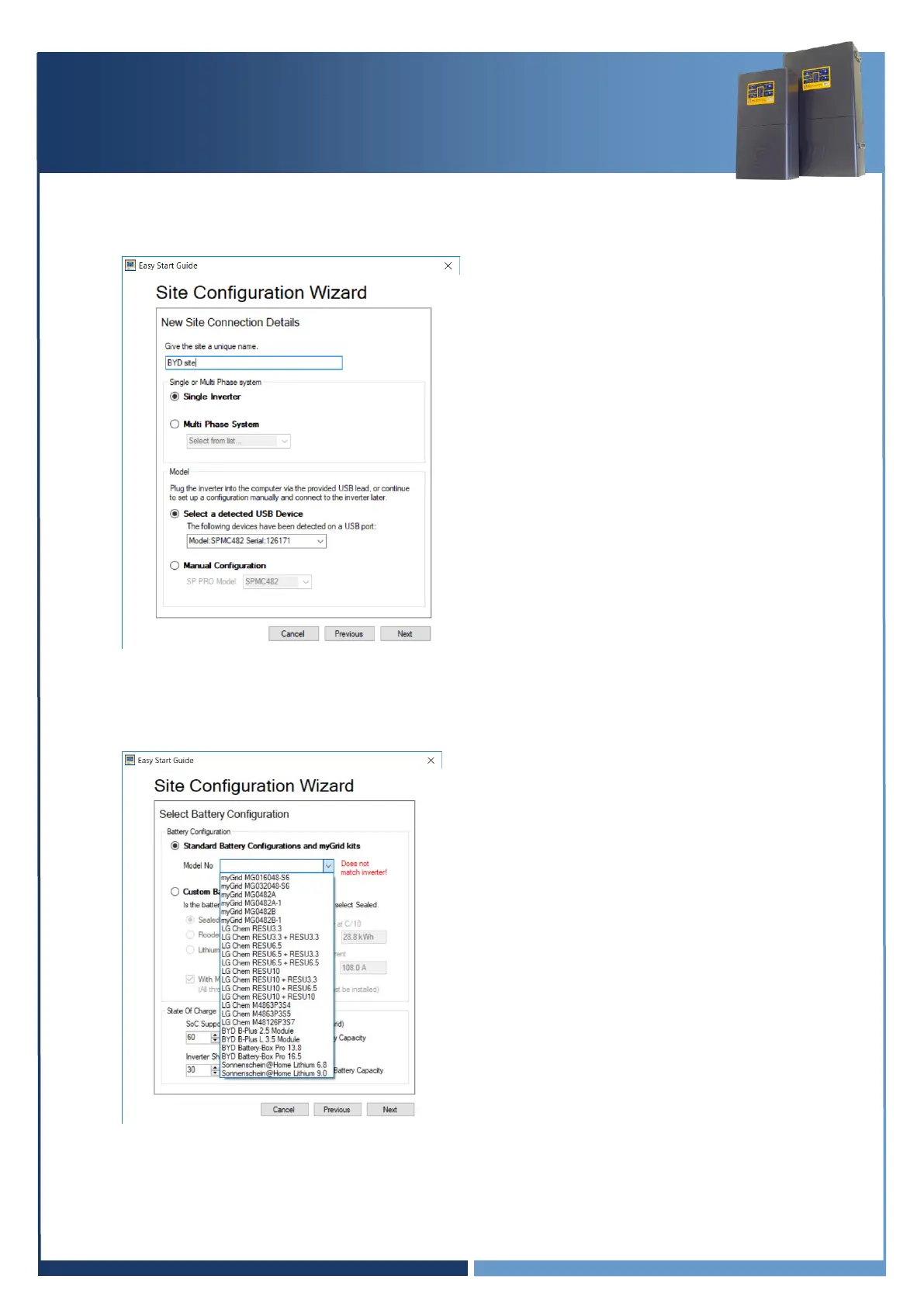
5. Enter the site name
6. Select “Select a detected USB Device”
7. Select NEXT
Note: The image is used as an example only, settings may differ.
8. Select “Standard Battery Configurations and myGrid Kits”
9. Select battery Model No, AND the Quantity (as required) then select NEXT





 To Next Page