IN0051 Revision 05 (005293)– 20 of 26
POWER PERFORMANCE PASSION
SP PRO Interactive Inverter Charger
SP PRO Configuration
1. Make sure the USB lead is connected between the SP PRO and PC.
2. Make sure the DC power is present at the SP PRO.
If NOT then connect the DC power to the SP PRO as follows:
For Sonnenschein@home – Leave the system DC circuit breaker or fuses OFF and turn
the battery ON by pressing the ON button (adjacent to the fuse holder). When the relay
inside the battery clicks indicating the batteries have come ON, turn ON the system DC
breaker or fuses.
For LG RESU – Turn ON the system DC breaker of fuses to the SP PRO then turn ON the
battery bank circuit breaker(s).
For BYD B-Plus 2.5 modules, BYD B-Plus 13.8 BYD B-Plus 15.5, turn ON the battery bank
by pressing the ON button. Turn on the Pre-charge / Battery Sense (If the system is AMP)
and wait until the SP PRO comes on, then turn on the Battery Breaker or switch.
For LG Chem Rack Mount – Turn ON the system DC breaker or fuses to the SP PRO then
turn ON the battery bank by pressing the ON button.
Wait until the front panel LEDs are stable.
NOTE:
a. During the SP PRO power up, the front panel display cycles through three stages. First, all
LEDs turn green from bottom up, second, all LEDs turn red from bottom up and third, some
LED’s will be flashing while the battery LEDs are ON solid green. The third stage is what is
referred to as stable.
b. Perform the following tasks quickly as the batteries might shutdown in 5-10 minutes without
the CANBUS communications. If this happens, turn the batteries ON and restart the process.
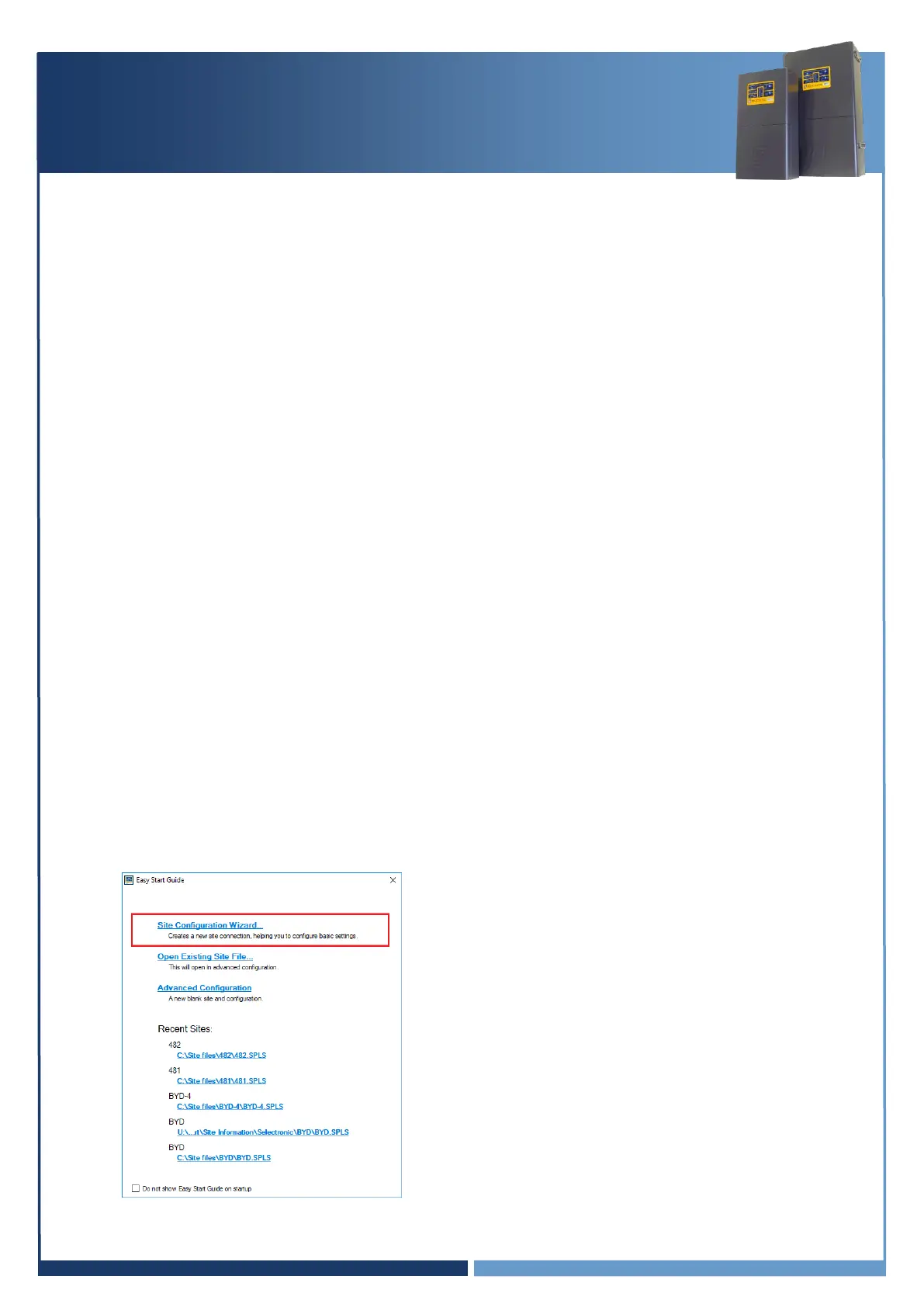
3. Start Selectronic SP LINK.
4. Select “Site Configuration Wizard”





 To Next Page