IN0051 Revision 05 (005293)– 24 of 26
POWER PERFORMANCE PASSION
SP PRO Interactive Inverter Charger
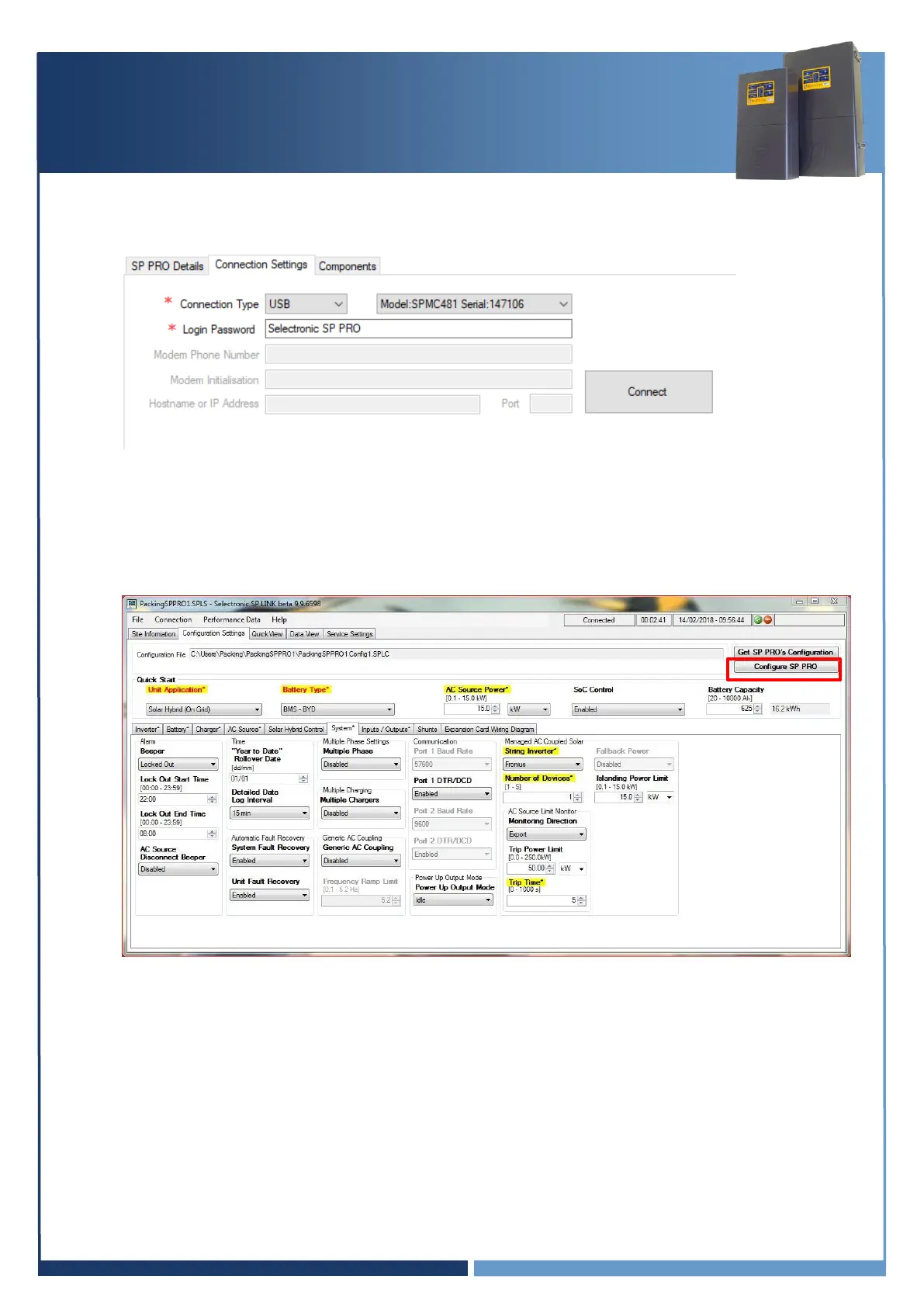
14. SP LINK will automatically detect when the SP PRO is ON and the USB cable is connected.
Click “Connect” to connect to the SP PRO.
Note: The image is used as an example only, settings may differ.
15. At the Configuration Settings tab, click the “Configure SP PRO” button.
The default settings passcode is 74.
Note: The image is used as an example only, settings may differ.
16. NOTE: If you have changed the AC coupled string inverter to one not supported by the firmware
currently in the SP PRO, you may be prompted to replace the firmware after you have uploaded
the configuration.
If so, follow the prompts to upload firmware and restart on completion, just as before.





 To Next Page