IN0051 Revision 05 (005293)– 25 of 26
POWER PERFORMANCE PASSION
SP PRO Interactive Inverter Charger
Testing the Batteries
1. Turn OFF the main DC breaker, waiting 20 seconds and turn back ON.
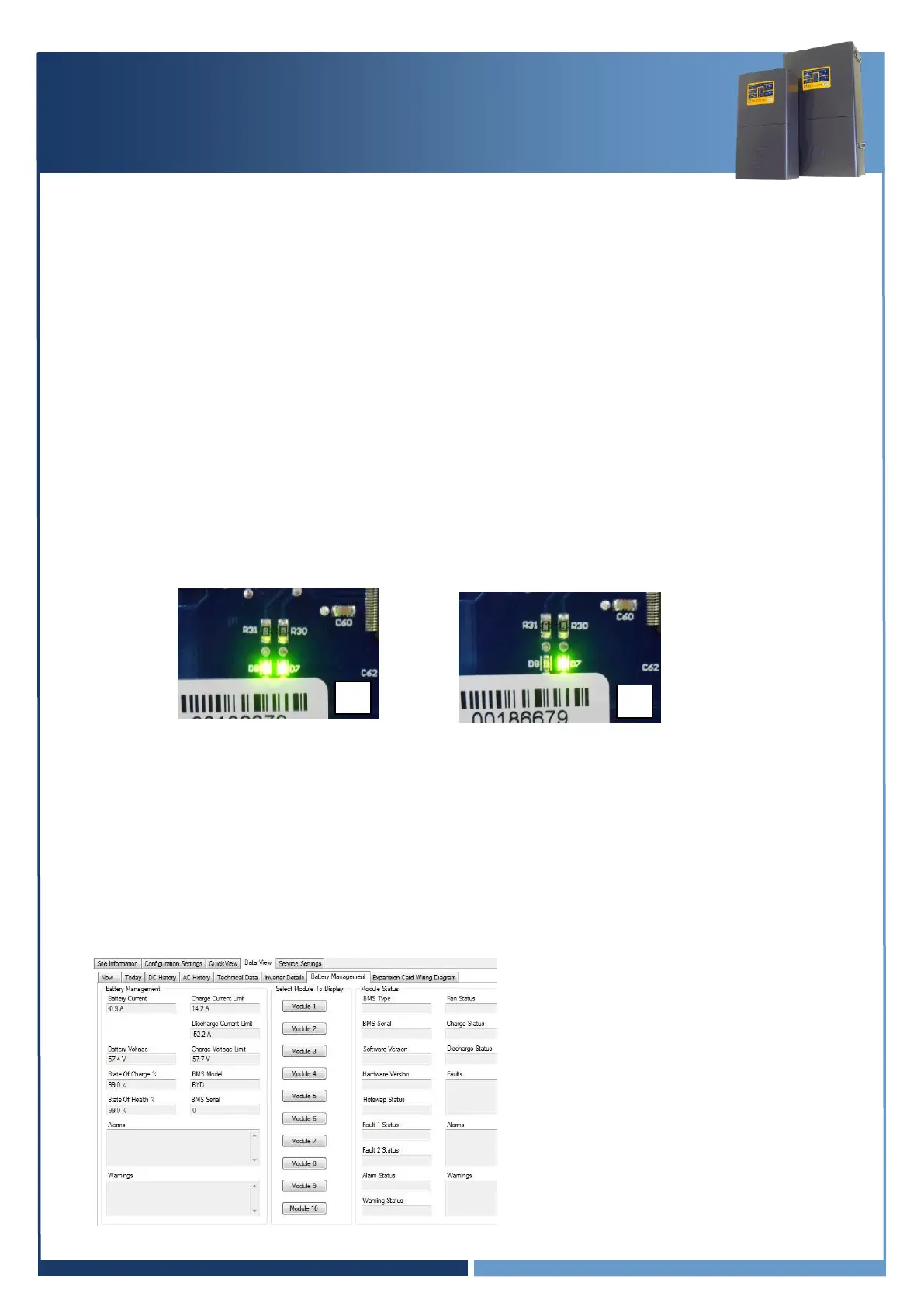
2. After the SP PRO has powered up and the front panel LEDs are stable, check the green LEDs on
the blue or black comm card.
Note: During the SP PRO power up, the front panel display cycles through three stages. First, all
LEDs turn green from bottom up, second, all LEDs turn red from bottom up and third, some
LED’s will be flashing while the battery LEDs are ON solid green. The third stage is what is
referred to as stable.
The right LED should be steadily ON.
The left LED should flash approximately once per second.
NOTE: There may be a delay of up to 60 seconds after power on before the left LED
starts flashing.
3. Navigate to “Data view > Battery Management”. If the system is working correctly, the values on
this screen will be valid for the batteries.
4. The Module Status readings are greyed out as they are not used with the batteries.
5. The values displayed under Battery Management are those read from the batteries.
The SP PRO uses these values to adjust the charge current and to limit the discharge current in
the battery.
Note: The SP PRO will be beeping and
the batteries will turn off after 5-10
minutes if there is a problem with the
communications between the SP PRO and
the batteries.
Note: The image is used as an example
only, settings may differ.





 To Next Page