IN0051 Revision 05 (005293)– 6 of 26
POWER PERFORMANCE PASSION
SP PRO Interactive Inverter Charger
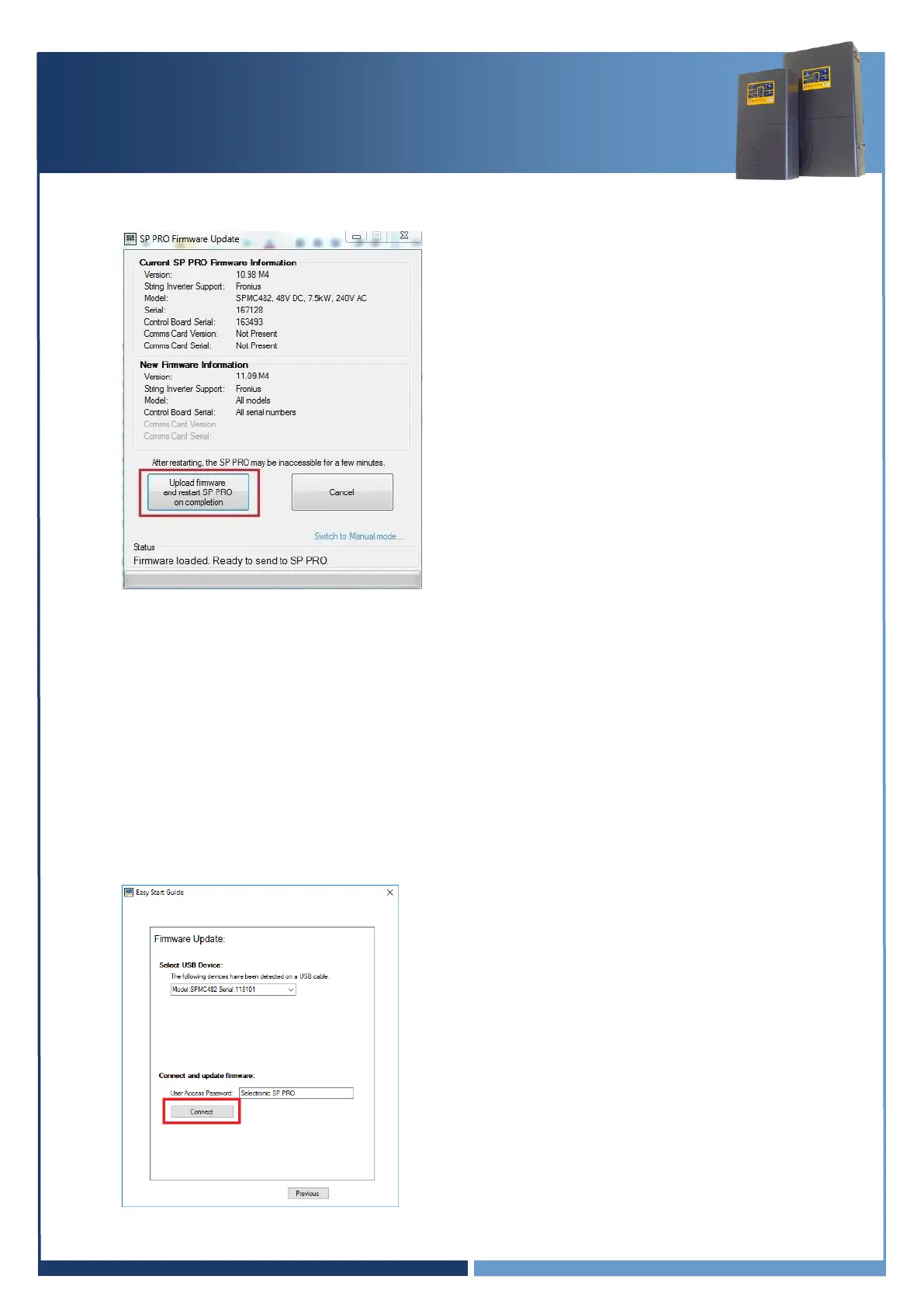
8. In the SP PRO Firmware Update screen, click on the Upload firmware and restart SP PRO
on completion button.
Important:
a. Some batteries may turn themselves OFF during the firmware update. If this occurs, turn
the batteries ON, close the SP PRO Firmware Update window and reconnect to the
SP PRO. Continue the firmware update (step 7 and 8), repeat the process until the
firmware is updated.
b. In the case where the SP PRO firmware upload is complete and the batteries turn OFF
while the SP PRO is performing a firmware upgrade, turn the batteries ON and wait until
the front panel LEDs are stable. This may take a few minutes.
9. Verify the firmware has updated successfully. Once the SP PRO has restarted, wait another 20
seconds then click “Connect” again at the Easy Start Guide.





 To Next Page