TN0027 Revision 05 – 3 of 6
POWER PERFORMANCE PASSION
SP PRO Interactive Inverter Charger
Technical Note
Perle IOLAN DS1 Configuration
The IOLAN must be connected to the
network and powered before performing
these steps.
Run the Perle Device Manager.
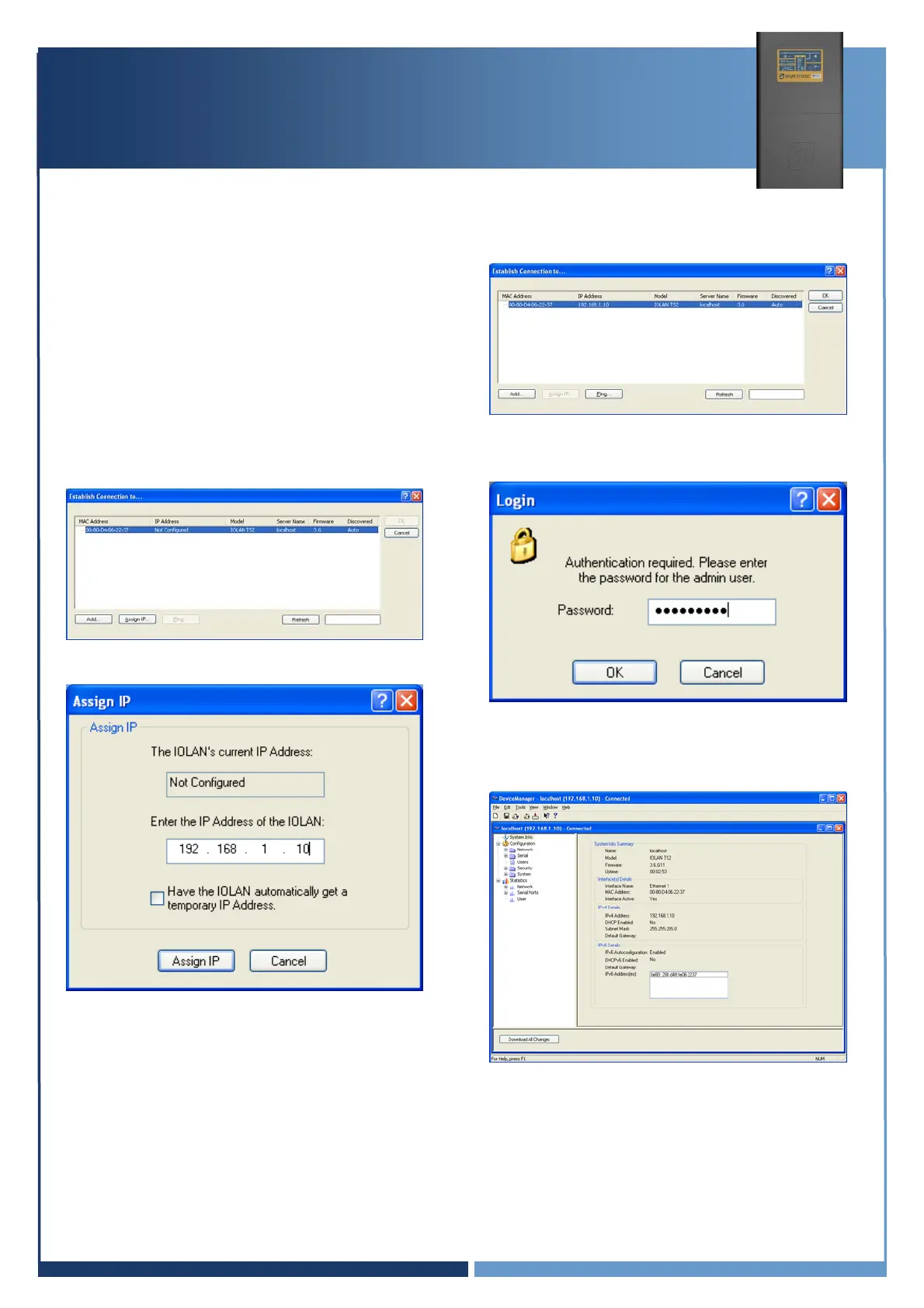
If the IOLAN can be found on the network,
the following screen will be shown, listing
the IOLAN.
1. Select the IOLAN and click Assign IP
2. Enter the IP address for your IOLAN.
The above shows address used in this
example. Click Assign IP.
3. Click Ok to connect to IOLAN. A
password will be required.
4. Default IOLAN password is “superuser”.
The system will then present you with the
following configuration screen.
5. Double click Serial, then select Serial
Ports.





 To Next Page