TN0027 Revision 05 – 4 of 6
SP PRO Interactive Inverter Charger
Technical Note
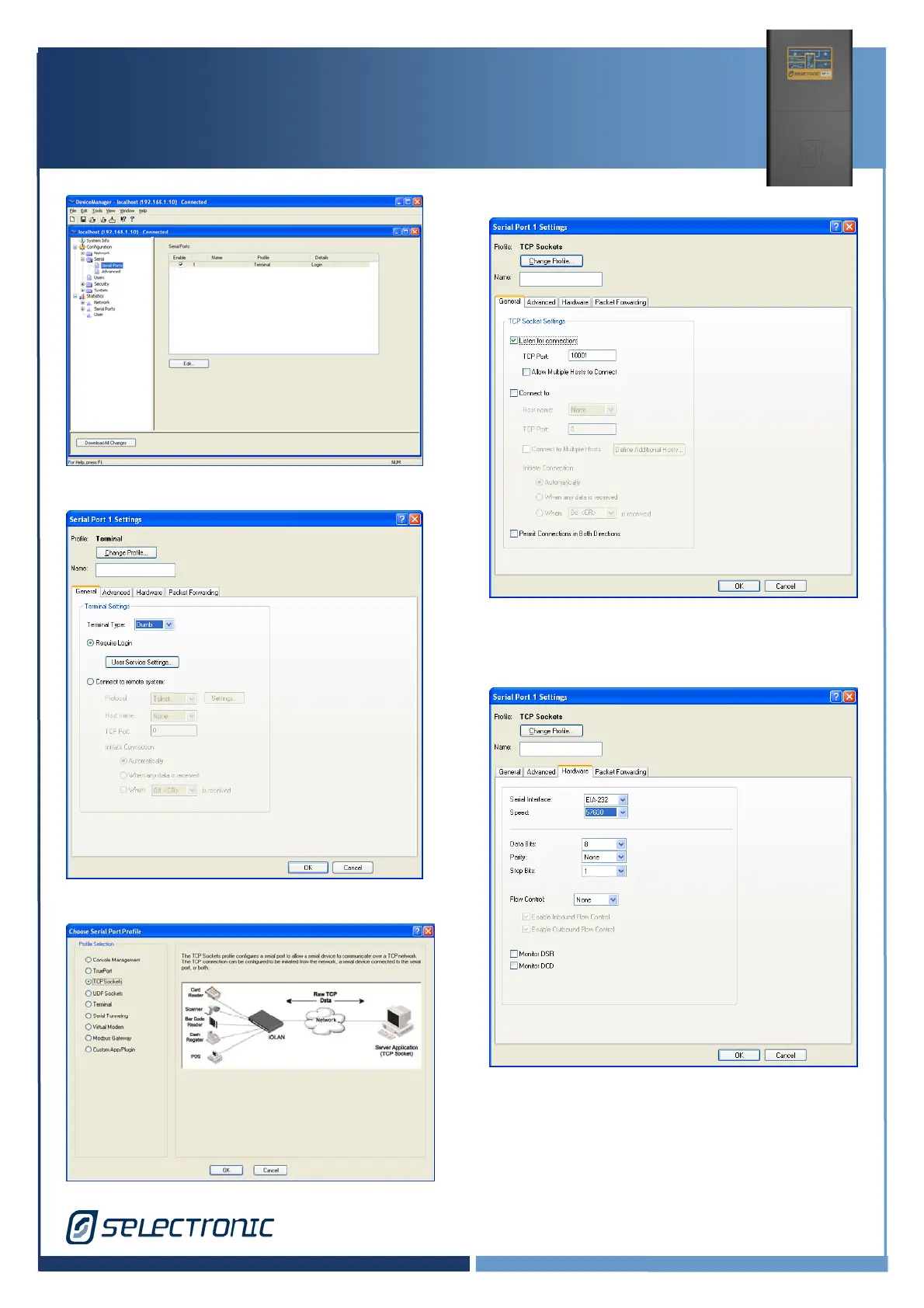
6. Select Port 1 and press Edit…
7. Click Change Profile.
8. Click on TCP Socket, then Ok.
9. Select Listen for connection,
set TCP Port 10001 then click on
Hardware
10. Select same Speed as SP PRO Port then
OK. The above shows 57600 as used in this
example.





 To Next Page