TN0027 Revision 05 – 6 of 6
SP PRO Interactive Inverter Charger
Technical Note
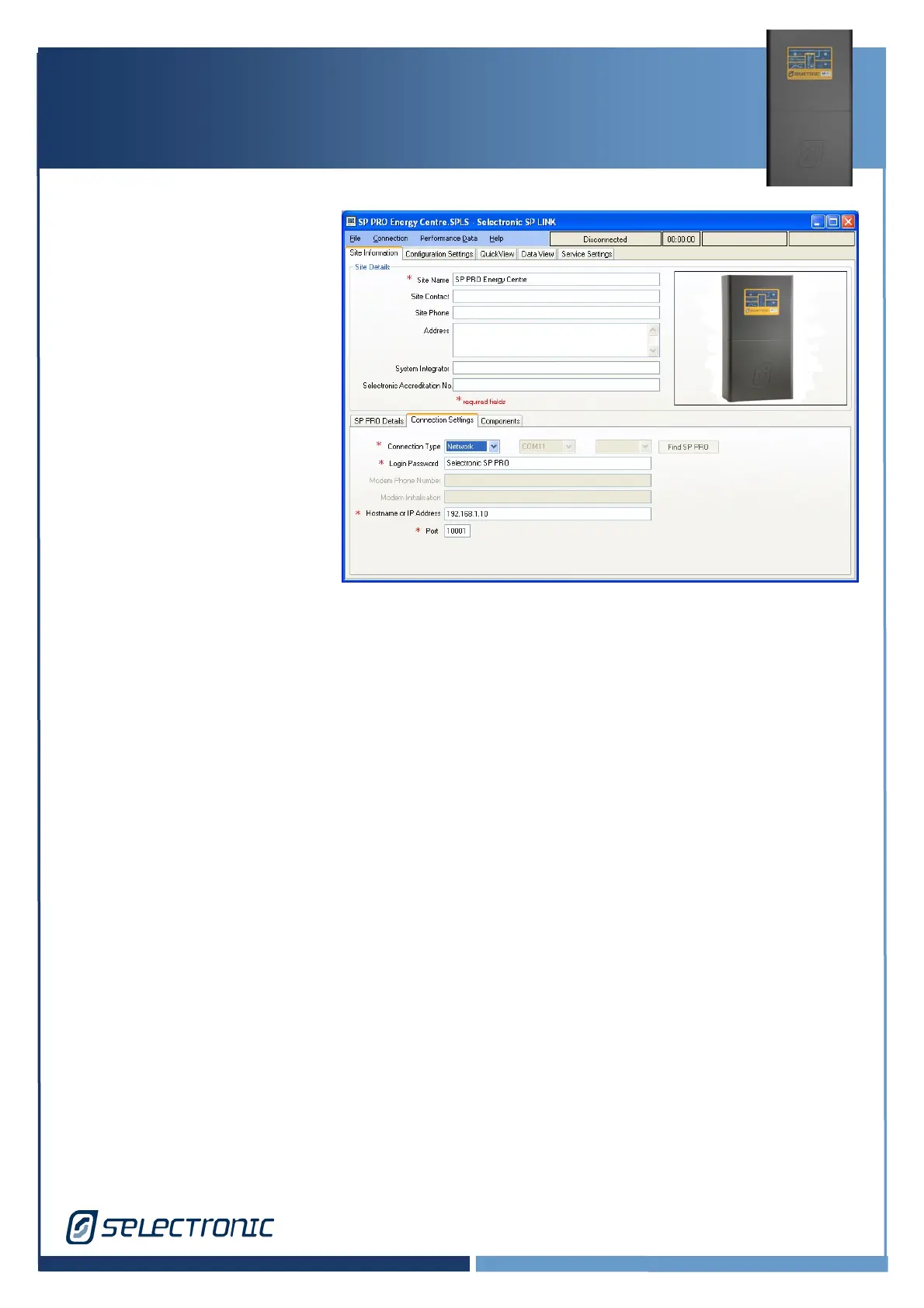
SP LINK Connection Settings
Run SP LINK
Select Site Information
Select Connection Settings
Set Connection Type to
Network
Enter IP Address – Enter
address for your IOLAN
Enter Port 10001
Note: SP LINK Port and IOLAN
TCP Port must match.
SP LINK is now set to connect
through to the IOLAN device.
Click Connection, Connect. SP LINK will connect through to the IOLAN then the SP PRO in
the normal way.
Additional Information
If you experience difficulties with the above, please consult with an IT specialist.
SP LINK and the SP PRO(via a serial to ethernet adaptor) supports connection via a network.
The document is provided AS IS and Selectronic are unable to provide any further support other
than send you the document due to the many complexities involved with correctly establishing
the IP connection.
Selectronic does not provide IT support and it is for this reason that the documentation can
only be provided AS IS.





 To Previous Page