“Dynamic”
Electronic control for towel heaters
Electronic
Via Pacinotti, 24 - 35030 Rubano (PD) Italy- Tel 049.8976761, Fax 049.8976085 - www.selmo.it
1 2 3 4 5 6 7 8 9 10 11 12 13 14 15 16 17 18 19 20 21 22 23 24
1 2 3 4 5 6 7 8 9 10 11 12 13 14 15 16 17 18 19 20 21 22 23 24
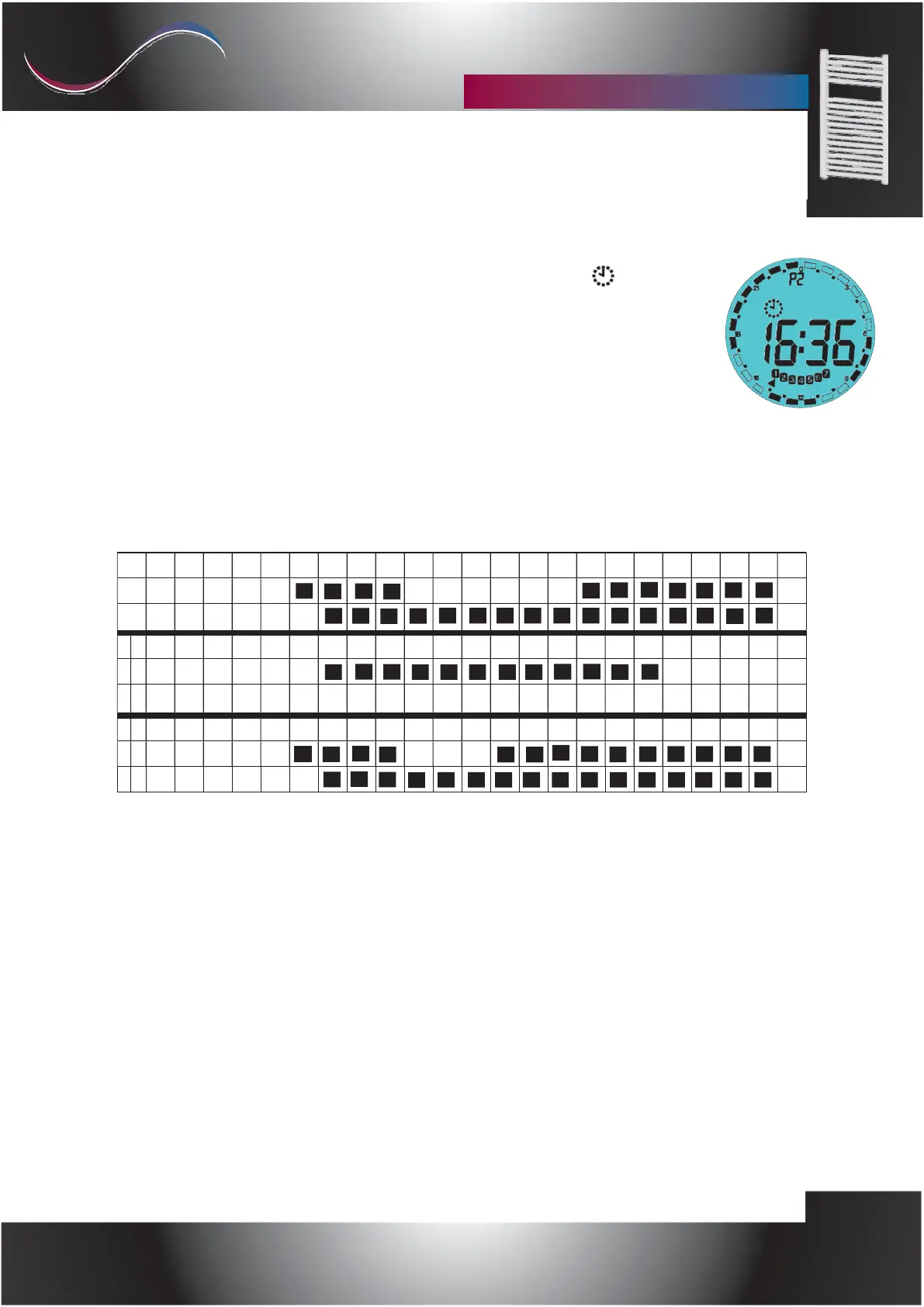
CHRONO MODE
c)
To use a predefined mode (P1 P2 P3) or the programmable mode (P4) press the
[Stand-By / ON] key and exit stand-by mode, press the [Prog] key until symbol
appears in the display. At the top of the display the program in use is displayed (from
P1 to P4),
programs are selected by pressing the [Chrono] key, in the external part of the display
you can see, for each program, the time operation bars of the indicated program.
Chrono mode preset programs
P1
lun-ven
sab-dom
lun-ven
sab-dom
lun-ven
sab-dom
1
2
3
4
5
6
7
8
9
10
11
12
13
14
15
16
17
18
19
20
21
22
23
24
1
2
3
4
5
6
7
8
9
10
11
12
13
14
15
16
17
18
19
20
21
22
23
24
1
2
3
4
5
6
7
8
9
10
11
12
13
14
15
16
17
18
19
20
21
22 23 24



 To Next Page