EasyManua.ls Logo

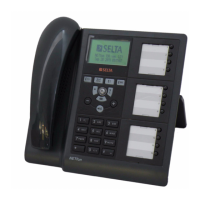
Selta NETFON 130 - User Manual

Selta NETFON 130
102 pages
Go to English
Print Icon
To Next Page IconTo Next Page
Loading...
NETFON 130
User Guide

Table of Contents

Question and Answer IconNeed help?

Do you have a question about the Selta NETFON 130 and is the answer not in the manual?

Summary

Performance Information

Safety

Conformity Declaration

Class A Information Product

Safety Declaration

Environmental Impacts and End Life Disposal

An Overview of NETfon 130

Understanding Buttons

Explains the function of various buttons on the NETfon 130 telephone.

Understanding State Icons

Describes the icons displayed on the NETfon 130 phone screen.

Quick Access to Local Programming Menu

Install the Support of the Phone

User Operations

Changing NETfon 130 Settings

How to customize various settings on the NETfon 130 telephone.

Customizing Your Password

Steps to change the password for menu access and call logs.

Customizing the Rings

How to set different ringtones for internal and trunk calls.

Customizing the Screen

Customizing the Language

How to change the display language of the NETfon 130.

Customizing Call Ring Pattern

How to change the incoming call ring pattern.

Adjusting Volume Settings

Automatic Enblock

How to activate or deactivate the automatic enblock feature.

Login-Logout Service

Call Handling

Make a Phone Call Using the Handset

Instructions for making a call using the handset.

Make a Phone Call with Active Automatic Enblock

How to make a call when automatic enblock is active.

Make a Phone Call in Headset Mode

Instructions for making a call using a headset.

Make a Phone Call from Personal Directory

How to call a contact from the personal directory.

Advanced Call Procedures

Make a Phone Call from Corporate Directory

How to make a call from the corporate or LDAP directory.

Make a Quick Dial

How to program and use function keys for quick dialing.

End a Phone Call

Procedures for ending a phone call.

Call Management Operations

Answer a Phone Call

How to answer an incoming call.

Hold and Resume the Call

How to put a call on hold and resume it.

Enable;Disable Microphone (Mute)

How to mute or unmute the microphone.

Transfer the Phone Call in Progress

Steps to transfer an active call.

Redial Last Number

How to redial the last called number.

Listening to Voice Messages

About the Phone

Available Features with Handset in Place

Enblock Call

How to make an enblock call if automatic enblock is not set.

Forwarding Calls

How to set up or cancel call forwarding services.

Forwarding Calls to Another Number

Do Not Disturb Service

Activate Do Not Disturb

Changing Class of Service

Features by Lifting the Handset

Call Back

How to book a call back when a number is busy or unanswered.

Intrusion

Procedure to intrude into calls in progress.

Forced Release

How to execute a forced release after an intrusion.

DND Override

How to override the Do Not Disturb service.

3-Way Conference

How to establish a three-way conference call.

Queue Call

How to signal urgency for a busy call.

Swap Hold

How to place a call on hold and switch between calls.

Call Pick Up and Mute

DTMF ON;OFF

How to activate or deactivate DTMF dialling.

Local Telephone Book

How to enter and execute local telephone book services.

Main Telephone Book

How to enter and execute main telephone book services.

Call List

How to enter and execute call list services.

Configuring Function Keys

Fast Dial

How to program a function key with a contact from the local directory.

Programming Keys

How to program function keys with contacts, sequences, or services.

Managing Your Personal Directory

Managing the Call List

Call

How to make a call from the call list.

Read

How to view details of a call in the list.

Delete

How to remove a call record from the list.

Store

How to save a call record into the personal address book.

Additional Options

Delete Lists

How to delete specific call lists (outgoing, answered, unanswered).

Delete Data

How to delete all programmed data on the telephone.

Delete Keys

How to delete all direct call buttons.

Filter

How to apply filters to the call list.

System Administrator and Installer Operations

Connecting the Telephone

How to connect the IP NETfon 130 telephone.

Settings Data

Description of <NETWORK SETTINGS> Menu

Details the options available within the NETWORK SETTINGS menu.

Factory Reset Procedure

Summary

Performance Information

Safety

Conformity Declaration

Class A Information Product

Safety Declaration

Environmental Impacts and End Life Disposal

An Overview of NETfon 130

Understanding Buttons

Explains the function of various buttons on the NETfon 130 telephone.

Understanding State Icons

Describes the icons displayed on the NETfon 130 phone screen.

Quick Access to Local Programming Menu

Install the Support of the Phone

User Operations

Changing NETfon 130 Settings

How to customize various settings on the NETfon 130 telephone.

Customizing Your Password

Steps to change the password for menu access and call logs.

Customizing the Rings

How to set different ringtones for internal and trunk calls.

Customizing the Screen

Customizing the Language

How to change the display language of the NETfon 130.

Customizing Call Ring Pattern

How to change the incoming call ring pattern.

Adjusting Volume Settings

Automatic Enblock

How to activate or deactivate the automatic enblock feature.

Login-Logout Service

Call Handling

Make a Phone Call Using the Handset

Instructions for making a call using the handset.

Make a Phone Call with Active Automatic Enblock

How to make a call when automatic enblock is active.

Make a Phone Call in Headset Mode

Instructions for making a call using a headset.

Make a Phone Call from Personal Directory

How to call a contact from the personal directory.

Advanced Call Procedures

Make a Phone Call from Corporate Directory

How to make a call from the corporate or LDAP directory.

Make a Quick Dial

How to program and use function keys for quick dialing.

End a Phone Call

Procedures for ending a phone call.

Call Management Operations

Answer a Phone Call

How to answer an incoming call.

Hold and Resume the Call

How to put a call on hold and resume it.

Enable;Disable Microphone (Mute)

How to mute or unmute the microphone.

Transfer the Phone Call in Progress

Steps to transfer an active call.

Redial Last Number

How to redial the last called number.

Listening to Voice Messages

About the Phone

Available Features with Handset in Place

Enblock Call

How to make an enblock call if automatic enblock is not set.

Forwarding Calls

How to set up or cancel call forwarding services.

Forwarding Calls to Another Number

Do Not Disturb Service

Activate Do Not Disturb

Changing Class of Service

Features by Lifting the Handset

Call Back

How to book a call back when a number is busy or unanswered.

Intrusion

Procedure to intrude into calls in progress.

Forced Release

How to execute a forced release after an intrusion.

DND Override

How to override the Do Not Disturb service.

3-Way Conference

How to establish a three-way conference call.

Queue Call

How to signal urgency for a busy call.

Swap Hold

How to place a call on hold and switch between calls.

Call Pick Up and Mute

DTMF ON;OFF

How to activate or deactivate DTMF dialling.

Local Telephone Book

How to enter and execute local telephone book services.

Main Telephone Book

How to enter and execute main telephone book services.

Call List

How to enter and execute call list services.

Configuring Function Keys

Fast Dial

How to program a function key with a contact from the local directory.

Programming Keys

How to program function keys with contacts, sequences, or services.

Managing Your Personal Directory

Managing the Call List

Call

How to make a call from the call list.

Read

How to view details of a call in the list.

Delete

How to remove a call record from the list.

Store

How to save a call record into the personal address book.

Additional Options

Delete Lists

How to delete specific call lists (outgoing, answered, unanswered).

Delete Data

How to delete all programmed data on the telephone.

Delete Keys

How to delete all direct call buttons.

Filter

How to apply filters to the call list.

System Administrator and Installer Operations

Connecting the Telephone

How to connect the IP NETfon 130 telephone.

Settings Data

Description of <NETWORK SETTINGS> Menu

Details the options available within the NETWORK SETTINGS menu.

Factory Reset Procedure

Selta NETFON 130 Specifications

General IconGeneral
BrandSelta
ModelNETFON 130
CategoryCordless Telephone
LanguageEnglish