SAEfon CL - Operating instruction 53
English
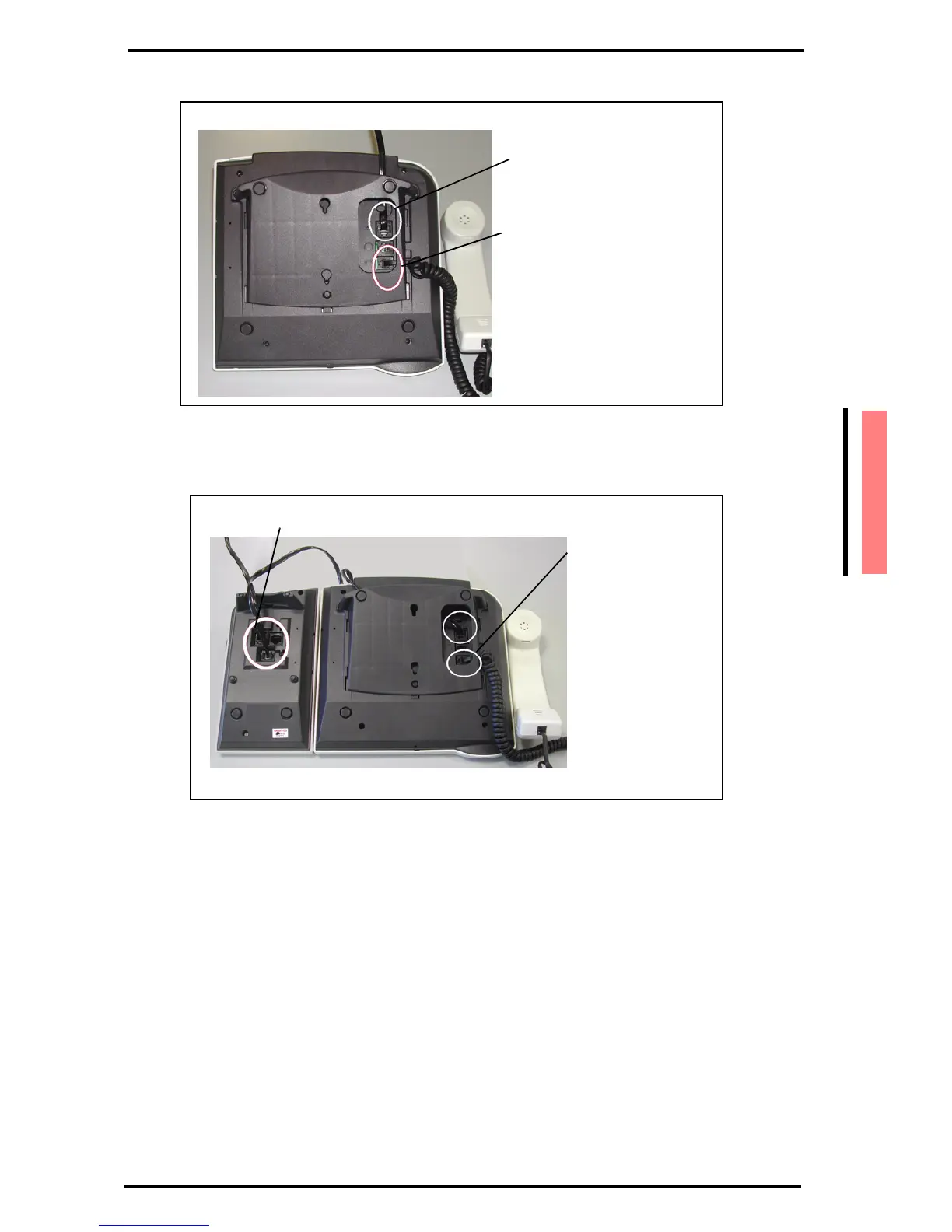
Figure 1-2 Connecting SAEfon CL 16D-28D cables
Figure 1-3 Connecting SAEfon CL 76D and K module
Warning!
Before inserting the line cable into the RJ45 socket, make sure that
this is configured for numeric telephones and not for other kind of
terminations (such as trunk lines or analog telephones).
plug for handset cable
plug for line cable
plug for line cable
plug for handset cable



 To Next Page