4
CONTROL PANEL OVERVIEW
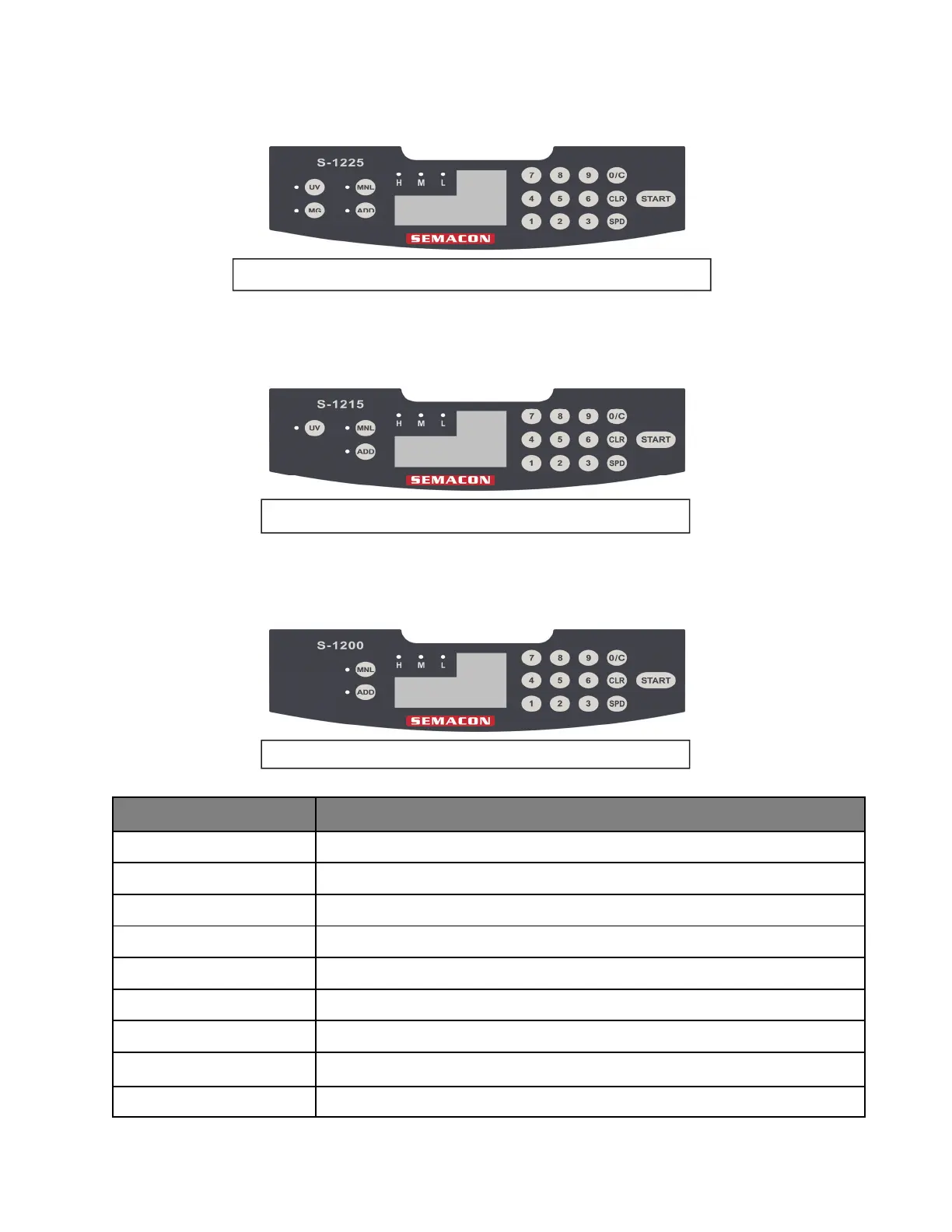
KEY FUNCTION
START
Starts the counting process
CLR
Clears the counting number display
ADD
Selects add mode or normal counting mode
SPD
Changes the counting speed
MNL
Selects auto or manual feed mode
0/C - 9
Number buttons for selecting the batch stop setting
0/C
Clears the batch stop setting or functions as 0 when setting batch limit
UV
Turns on/off UV counterfeit detection (models S-1215 and S-1225)
MG
Turns on/off MG counterfeit detection (model S-1225 only)
Model S-1200
Model S-1215 with Ultraviolet Counterfeit Detection
Model S-1225 with Ultraviolet and Magnetic Counterfeit Detection



 To Next Page