5
CONTROL PANEL FUNCTIONS
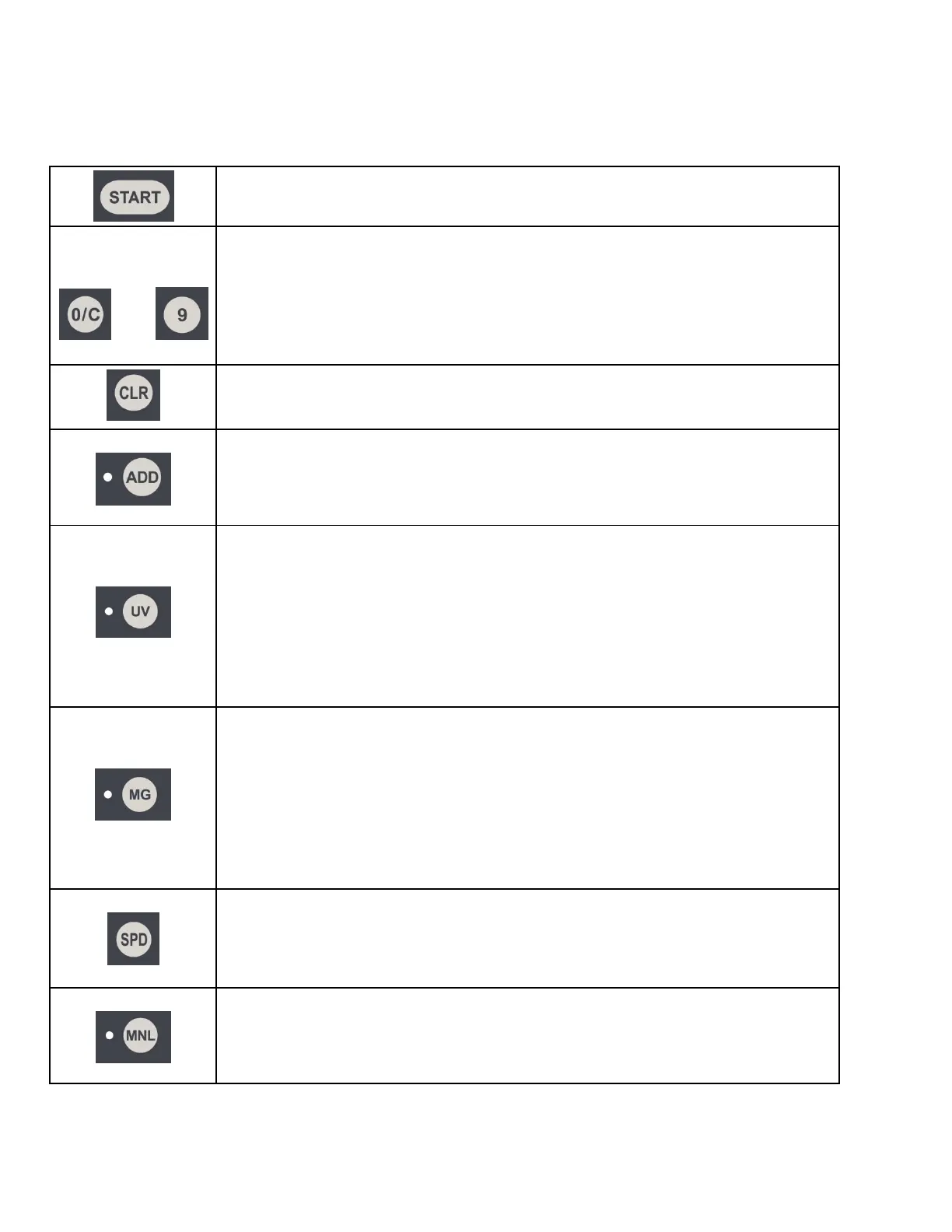
The START button is used to restart the counting process after the machine stops
during batch counting or after an error, and for manual feed mode.
THRU
The number buttons are used for selecting the batch stop setting. In this mode, the
counter will stop each time the batch stop setting is reached and the operator then
removes the batch from the stacker. Batch stop settings between 1 and 999 bills
can be entered. The batch stop setting will appear on the upper display. The
selected batch number can be cleared by pressing the 0/C button; this will remove
the batch setting and deactivate the batch stop mode.
The quantity of banknotes counted, which appears on the lower display, will be
reset to zero when the CLR button is pressed.
The ADD button switches between ADD mode and normal mode. When the
machine is in ADD mode, the machine will add the count for each stack of bills to
the previous total. In normal mode, the total is cleared each time a stack of bills
is removed from the stacker.
The UV button turns on/off Ultraviolet Counterfeit Detection. When Ultraviolet
Counterfeit Detection is activated, a green light will appear next to UV on the
control panel and the counter will scrutinize the paper of each banknote during the
counting process to determine if there are any suspect counterfeit notes. If a
suspect counterfeit banknote is detected, the counter will stop and alert the
operator. If you are experiencing too many false UV suspects, the UV detection
feature should be adjusted or deactivated.
(This feature applies to models S-1215 and S-1225 only)
The MG button turns on/off Magnetic Counterfeit Detection. When Magnetic
Counterfeit Detection is activated, a green light will appear next to MG on the
control panel and the counter will scrutinize the ink of each banknote during the
counting process to determine if there are any suspect counterfeit notes. If a
suspect counterfeit banknote is detected, the counter will stop and alert the
operator. If you are experiencing too many false MG suspects, the MG detection
feature should be adjusted or deactivated.
(This feature applies to model S-1225 only)
The SPD button adjusts the counting speed of the machine. When this button is
pressed, the green lights above the count display will switch between H (1600),
M (1200), and L (800), with 800 being the slowest counting speed and 1600 being
the fastest. The recommended setting is M (1200).
The MNL button switches between auto and manual feed mode. When the green
light is off the machine will start counting the bills as soon as they are placed in
the hopper. When the green light is on, the machine will not start counting until
the START button is pressed.



 To Next Page