EasyManua.ls Logo

Semtech SX1276 - Page 17

Semtech SX1276
54 pages
Print Icon
To Next Page IconTo Next Page
To Previous Page IconTo Previous Page
Loading...
W
W
IRELESS,
Revision
©2014 S
e
In case o
f
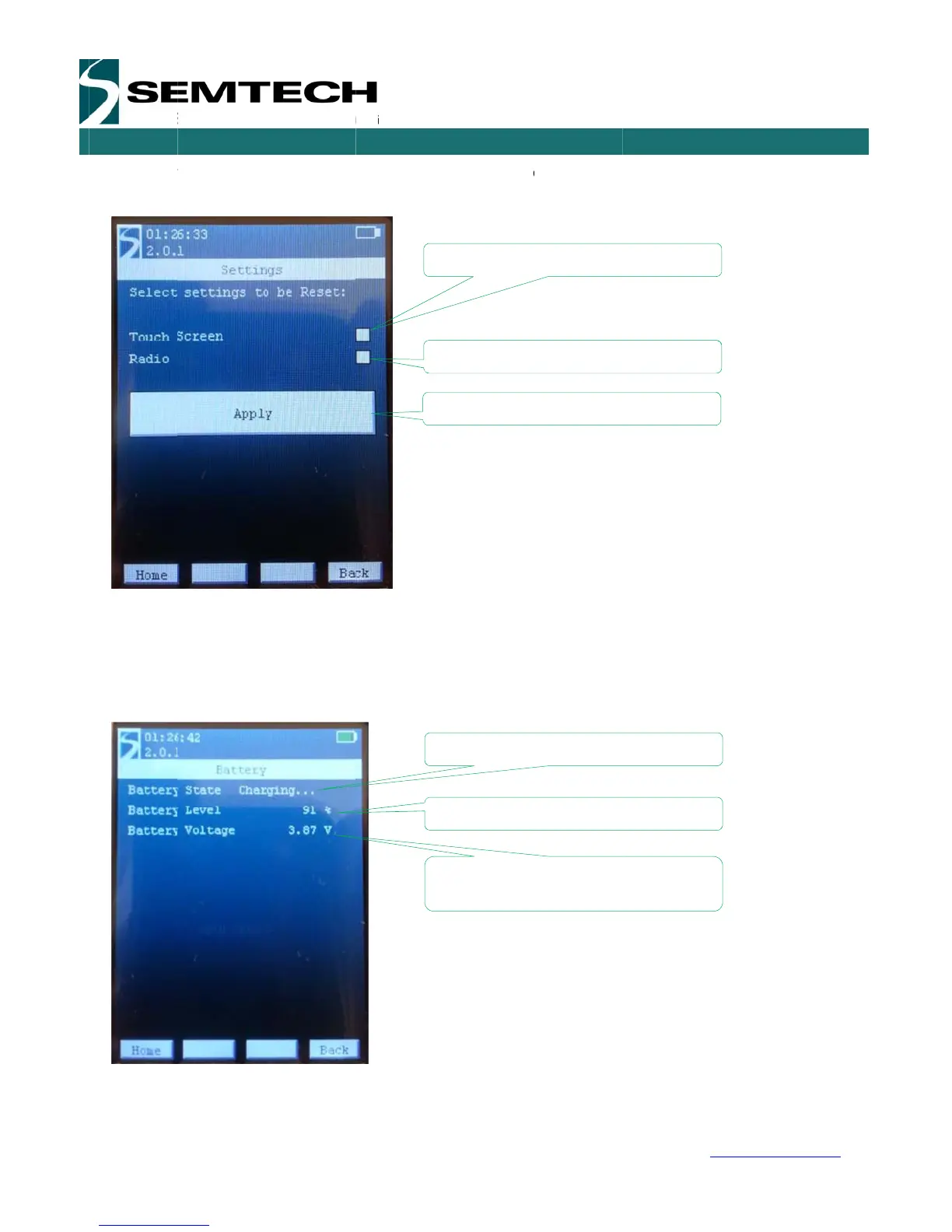
the touch
Once a b
o
then go u
5.2.1.2
SENSING
&
1
.1 – May 20
e
mtech Corp
o
f
miss-opera
t
screen para
m
o
x is ticked,
n-ticked.
Battery
&
TIMING P
R
14
o
ration
t
ion or to sim
m
eters or to r
e
clicking” on t
ODUCTS
P
a
ply reset the
e
set the devi
c
he Apply but
t
R
R
I
n
I
n
I
n
b
A
a
ge 17 of 53
Eiger modul
e
c
e paramete
r
t
on will reset
R
eset the tou
c
R
eset to the d
n
dicates the
b
n
dicates the
b
n
dicates the
v
b
attery
A
pply the res
e
e into a kno
w
r
s to their def
a
the selected
c
h screen cal
i
efault param
e
b
attery state
b
attery level
v
oltage deliv
e
e
t
SX127
6
w
w
n state, it is
a
ult paramet
e
parameters.
i
bration
e
ters
e
red by the
6
Develop
m
USE
R
w
ww.semtec
h
possible the
e
rs.
The ticked b
o
m
ent Kit
R
GUIDE
h
.com
reset
o
x will

Related product manuals