EasyManua.ls Logo

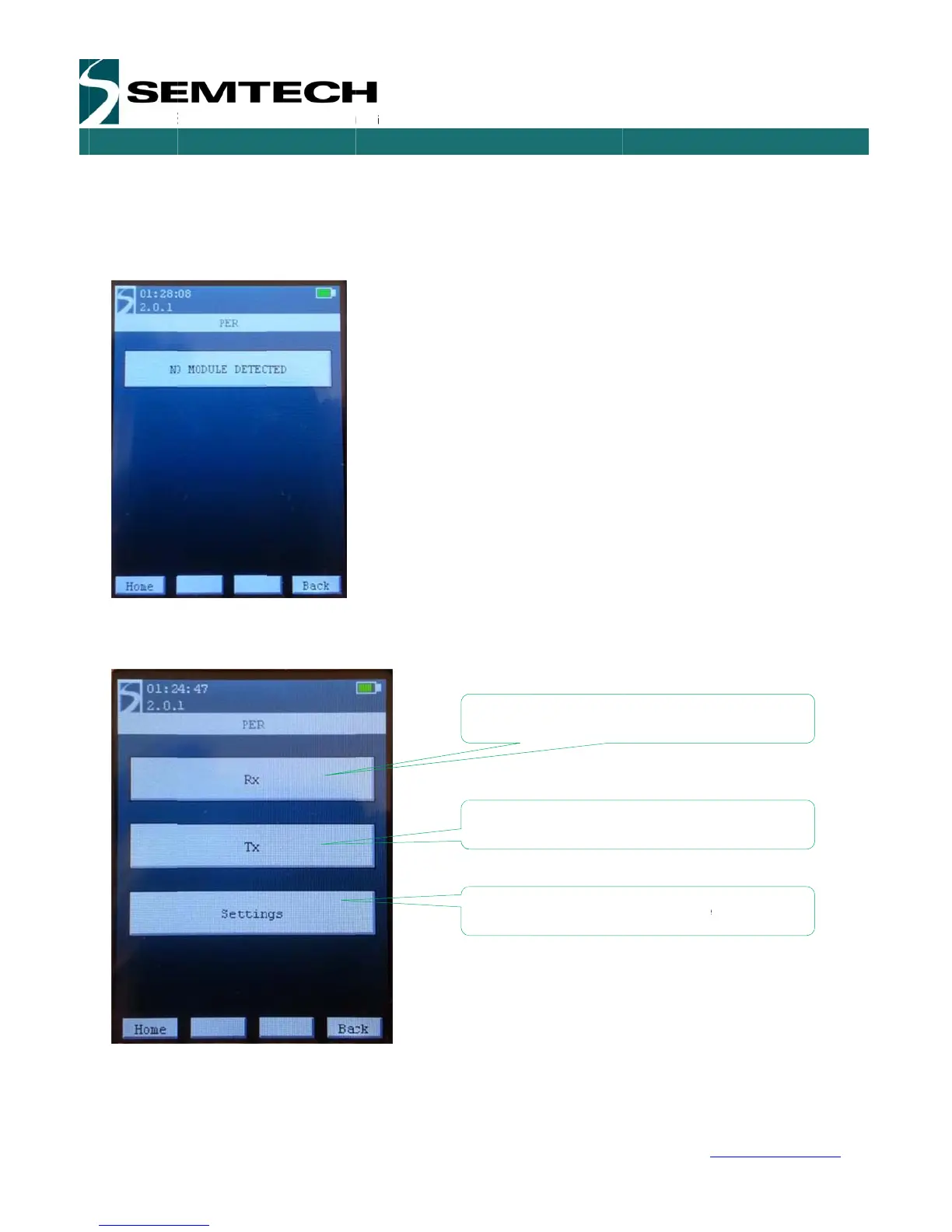
Semtech SX1276 - PER Demo Window

Semtech SX1276
54 pages
Print Icon
To Next Page IconTo Next Page
To Previous Page IconTo Previous Page
Loading...
W
W
IRELESS,
Revision
©2014 S
e
5.2.2
P
When en
t
connecte
d
displayed
If the mo
d
The PER
Tx, Rx a
n
Tx and R
x
SENSING
&
1
.1 – May 20
e
mtech Corp
o
P
ER Dem
o
t
ering the P
E
d
can be us
e
.
d
ule is detect
e
Demo menu
n
d Settings.
T
x
.
&
TIMING P
R
14
o
ration
o
Window
E
R Demo Wi
n
e
d. If the E
E
e
d correctly,
t
is the core
o
T
he PER Set
t
ODUCTS
P
a
n
dows, the
E
E
PROM is fa
u
t
he PER dem
o
f the Eiger p
t
ings menu a
a
ge 19 of 53
EPROM on
t
u
lty, not pre
s
o is accesse
d
latform testi
n
llows the us
e
Set the
d
Set the
d
Set the
R
t
he module t
y
s
ent or dam
a
d
and the foll
o
n
g. The men
u
e
r to set sev
e
d
evice as Re
c
d
evice as Tra
R
F Settings f
o
SX127
6
w
y
pe is read
s
a
ged, the fol
o
wing windo
w
u
is divided i
n
e
ral paramet
e
c
eiver for the
nsmitter for t
h
o
r the PER t
e
6
Develop
m
USE
R
w
ww.semtec
h
s
o that the
m
lowing wind
o
w
is displaye
d
n
three main
a
e
rs of the Ra
d
PER tes
t
h
e PER tes
t
e
st
m
ent Kit
R
GUIDE
h
.com
m
odule
o
ws is
d
.
a
reas,
d
io for

Related product manuals