EasyManua.ls Logo

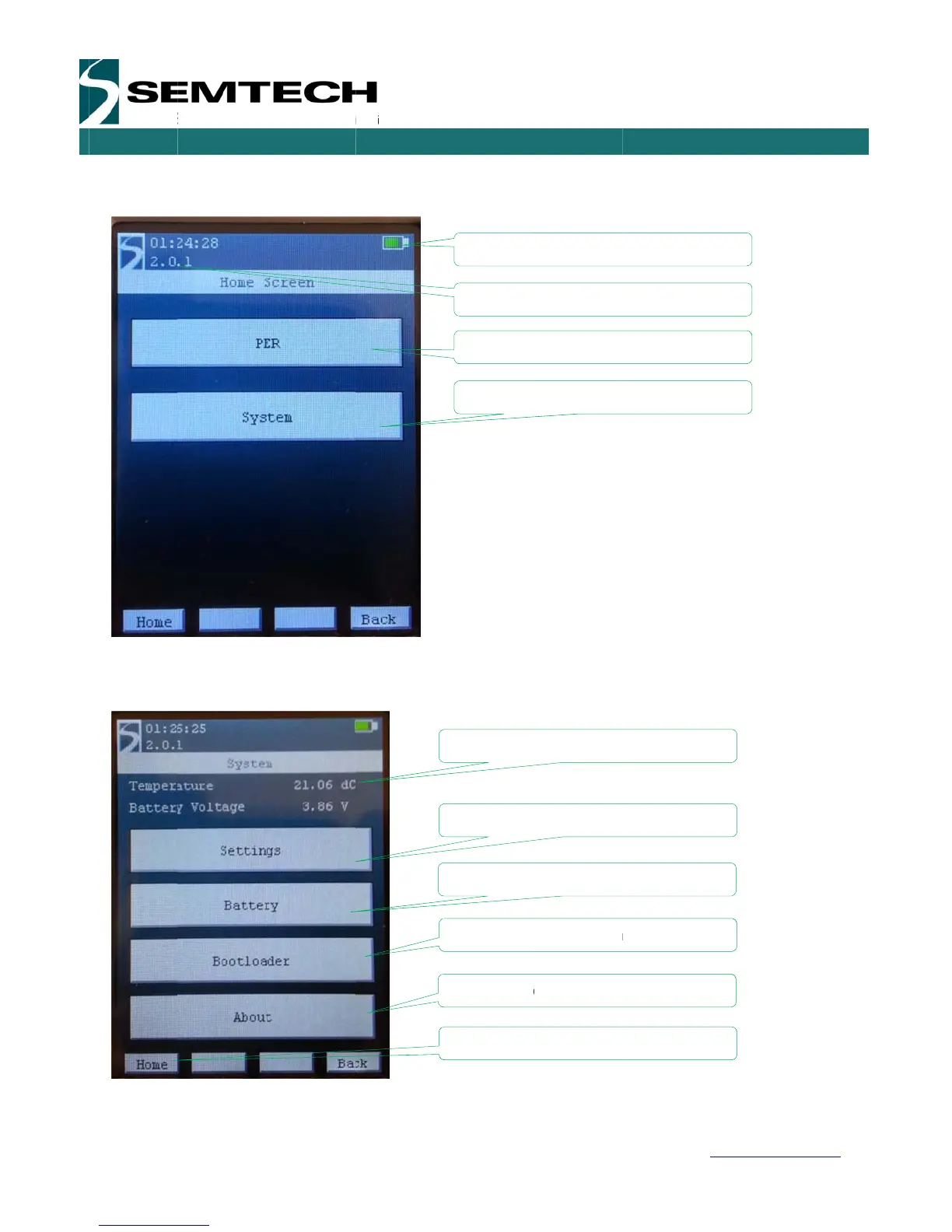
Semtech SX1276 - System Window

Semtech SX1276
54 pages
Print Icon
To Next Page IconTo Next Page
To Previous Page IconTo Previous Page
Loading...
W
W
IRELESS,
Revision
©2014 S
e
When th
e
touch scr
e
5.2.1
S
5.2.1.1
SENSING
&
1
.1 – May 20
e
mtech Corp
o
e
module is s
e
en.
S
ystem W
i
Settings
&
TIMING P
R
14
o
ration
uccessfully d
i
ndow
ODUCTS
P
a
etected, the
a
ge 16 of 53
h
ome scree
n
Firmware
A
ccess th
A
ccess th
Battery le
v
Return to H
o
Temperatur
e
Reset the E
Get the batt
e
A
ccess the
b
Information
o
n
is the first
w
version
e System M
e
e PER Dem
o
v
el
o
me Screen
e
iger platform
e
ry status
b
ootloader m
on the firmw
a
SX127
6
w
w
indow displ
a
e
nu
o
Menu
Settings
m
enu
a
re
6
Develop
m
USE
R
w
ww.semtec
h
a
yed on the
c
m
ent Kit
R
GUIDE
h
.com
c
ontrol

Related product manuals