EasyManua.ls Logo

Semtech SX1276 - SX1276 SKA Software Description

Semtech SX1276
54 pages
Print Icon
To Next Page IconTo Next Page
To Previous Page IconTo Previous Page
Loading...
W
W
IRELESS,
Revision
©2014 S
e
6 S
X
The SX1
2
platforms
.
SX1276.
6.1 S
X
It is reco
m
1. P
t
h
2.
R
3. T
U
4.
O
u
p
i
s
Conne
c
comm
u
platfor
m
SENSING
&
1
.1 – May 20
e
mtech Corp
o
X
1276S
K
2
76SKA is
o
.
In this situ
a
X
1276SK
A
m
mended tha
t
lug the Eige
r
h
e other USB
R
un the SX12
7
he SX1276S
K
U
SB connect
b
O
nce connect
e
p
on power-u
p
s
displayed in
F
c
t these two
u
nicate with
m
s
&
TIMING P
R
14
o
ration
K
A Soft
w
o
rganized o
n
a
tion, the Ei
g
A
Quick
s
t
this user gu
Platform US
is used for c
o
7
6 User Inter
f
K
A should c
o
b
utton, locate
e
d the SX12
7
p
. If the EVK
the bottom l
e
F
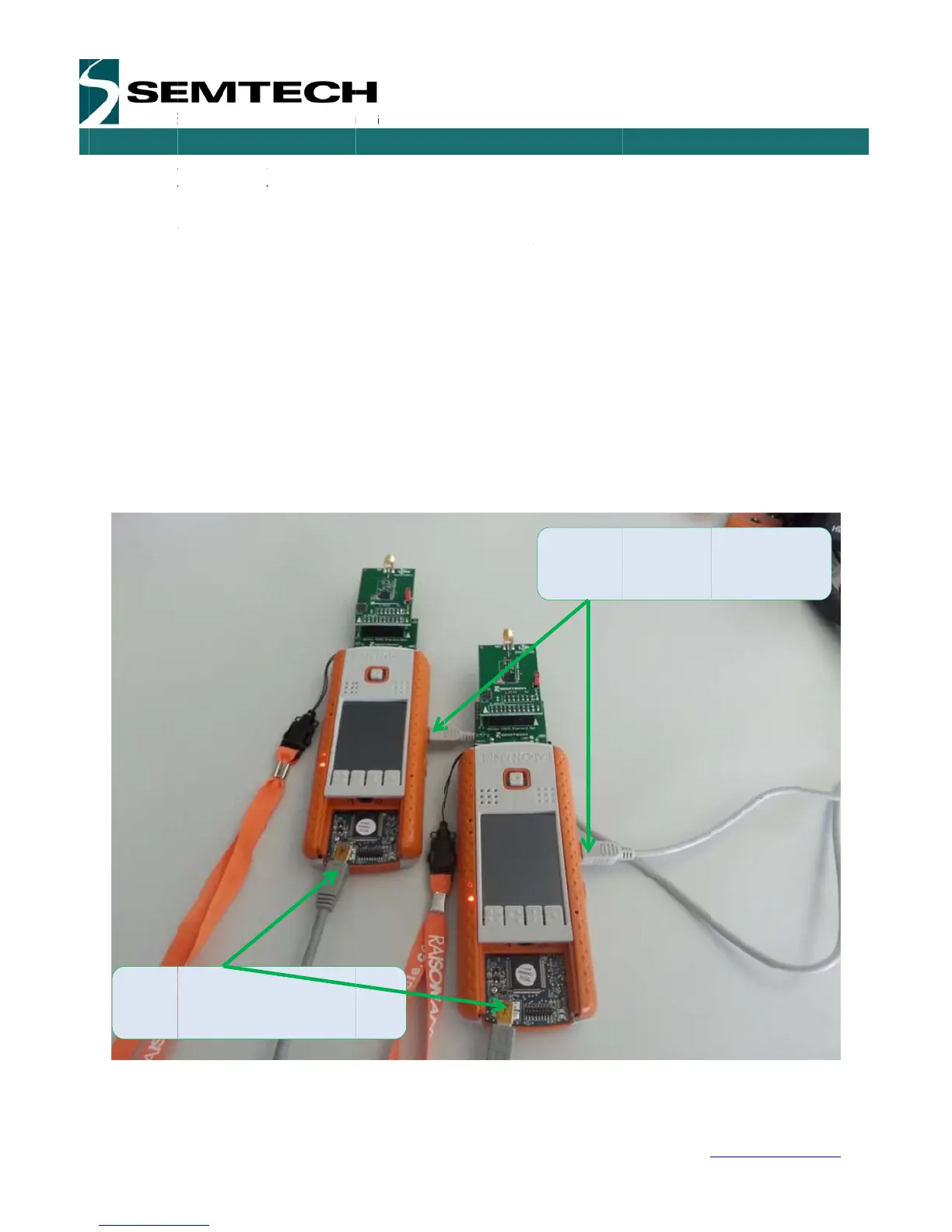
igure 8: Co
USB to
the Eiger
ODUCTS
P
a
w
are De
s
n
a PC soft
w
g
er platforms
s
tart Gui
d
ide is read in
B ports to th
e
o
mmunicatio
n
f
ace softwar
e
o
nnect autom
d in the top l
e
7
6SKA show
s
is not conne
c
e
ft hand corn
e
nnect both
U
a
ge 29 of 53
s
criptio
n
w
are GUI c
o
are only us
d
e
conjunction
w
e
computer (
o
n
).
e
: Start > All
P
atically to th
e
e
ft hand corn
e
s
the default
c
c
ted, the GUI
e
r of the stat
u
U
SB ports t
o
n
o
mmunicatin
g
s
ed as a gat
e
w
ith the SX1
2
o
ne USB is u
P
rograms >
S
e
User Interf
a
e
r of the win
d
c
onfiguration
I
screen is gr
a
u
s bar.
o
use the SX
1
Connect
t
the Eiger
SX127
6
w
g
through U
S
e
way to co
m
2
76 datashe
e
sed to powe
r
S
X1276SKA
>
a
ce Software.
d
ow toolbar.
of the SX12
7
a
yed out an
d
1
276SKA
t
hese two U
S
platforms
6
Develop
m
USE
R
w
ww.semtec
h
S
B with the
m
municate wi
t
e
t.
r
the platform
>
SX1276SK
A
If not, click
o
7
6 register s
e
d
an error me
s
S
B to power
m
ent Kit
R
GUIDE
h
.com
Eiger
t
h the
while
A
o
n the
e
ttings
s
sage

Related product manuals