EasyManua.ls Logo

Semtech SX1276 - Page 30

Semtech SX1276
54 pages
Print Icon
To Next Page IconTo Next Page
To Previous Page IconTo Previous Page
Loading...
W
W
IRELESS,
Revision
©2014 S
e
The SX1
2
modems
operated
While thi
s
thoroughl
y
This cha
p
controls
c
of the co
m
A
load ra
d
This is i
m
short cut
b
In the sa
m
through a
SENSING
&
1
.1 – May 20
e
mtech Corp
o
2
76SKA has
present in th
independentl
s
approach
h
y
evaluate th
e
p
ter is prese
n
c
an be obvio
u
m
mands.
d
io configura
t
m
plemented t
h
b
uttons of th
e
m
e way, it i
s
standard Wi
n
SX1276S
K
Connect or
Save Radi
o
Load Radio
S
e
&
TIMING P
R
14
o
ration
been devel
o
e device. H
o
y.
Fi
g
h
as limitation
e
device fro
m
n
ting the vari
o
u
s, some oth
e
t
ion is imple
m
h
rough a sta
n
e
Window To
o
s
possible to
n
dows file di
a
K
A Version
Eiger M
o
disconnect t
o
o
configuratio
n
Configuratio
e
t Radio in L
o
R
e
ODUCTS
P
a
o
ped to test
o
wever, both
g
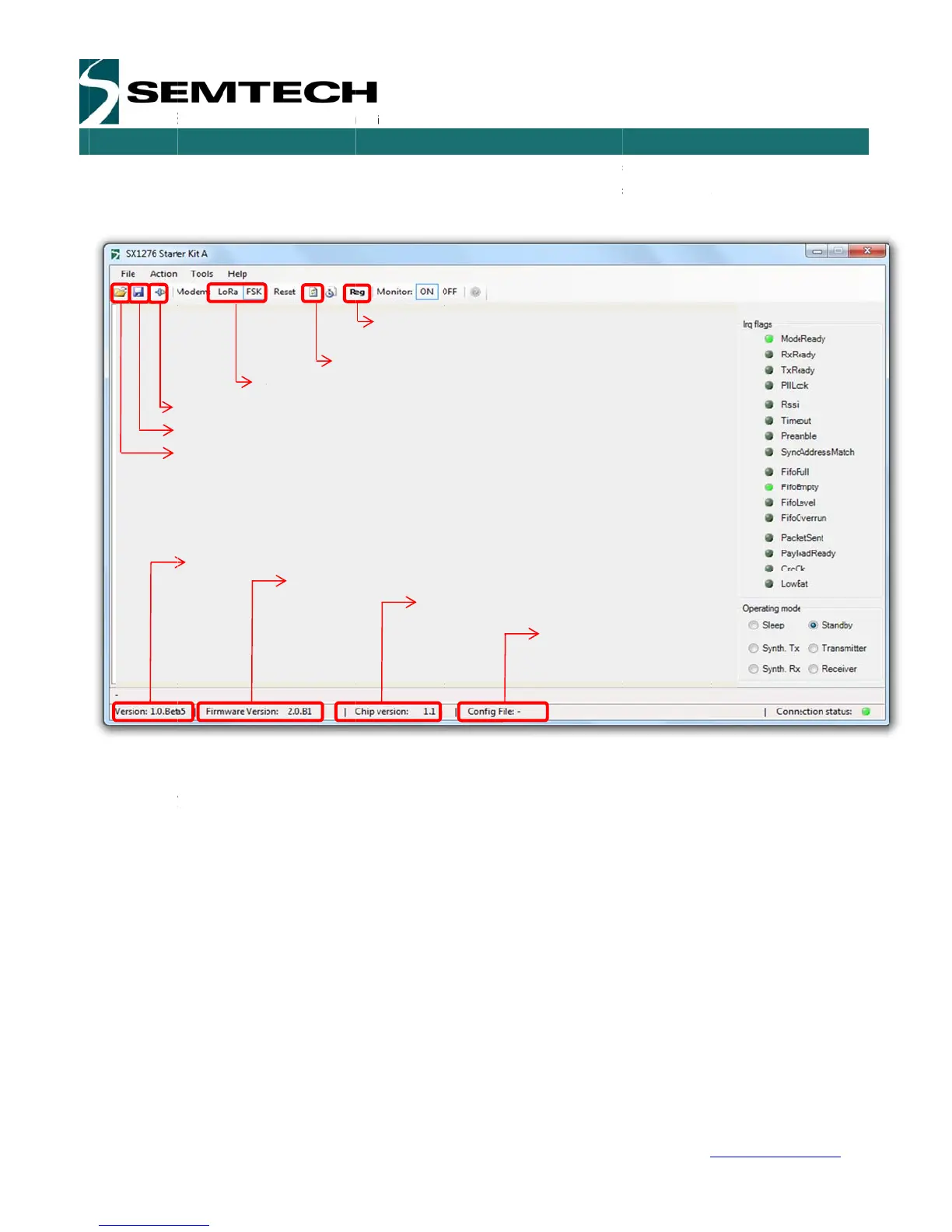
ure 9: SX12
7
on testing t
h
m
the radio po
o
us windows
e
rs may need
m
ented and al
n
dard Windo
w
o
lbar.
save the S
X
a
log box. The
o
dule Firmwa
S
X
o
the module
n
n
o
Ra or FSK
Opens R
e
fresh all regi
s
a
ge 30 of 53
all the capa
modems ha
v
7
6 window
o
h
e system c
a
int of view
and field th
a
the user to
r
lows the ope
n
w
s file dialog
X
1276SKA c
o
default file n
a
re Version
X
1276 Chips
e
egisters win
d
s
ters value
bilities and
f
v
e different
c
o
rganization
a
pability of t
h
a
t controls th
e
r
efer to the d
a
ning of SX12
box and ma
y
o
nfiguration f
i
ame is the la
s
e
t Version
Radio con
f
currently l
o
d
ow
SX127
6
w
f
eatures of t
h
c
ontrol comm
a
h
e device, it
e
radio oper
a
a
tasheet to g
e
76SKA confi
g
y
also be ac
c
i
les (.cfg). T
h
s
t configurati
o
f
ig file
o
aded
6
Develop
m
USE
R
w
ww.semtec
h
h
e FSK and
ands and m
u
allows the u
s
a
tions. While
e
t a full desc
r
g
uration files
c
essed throu
g
h
is is imple
m
o
n file saved.
m
ent Kit
R
GUIDE
h
.com
LoRa
u
st be
s
er to
some
r
iption
(.cfg).
g
h the
m
ented
.

Related product manuals