3S
14
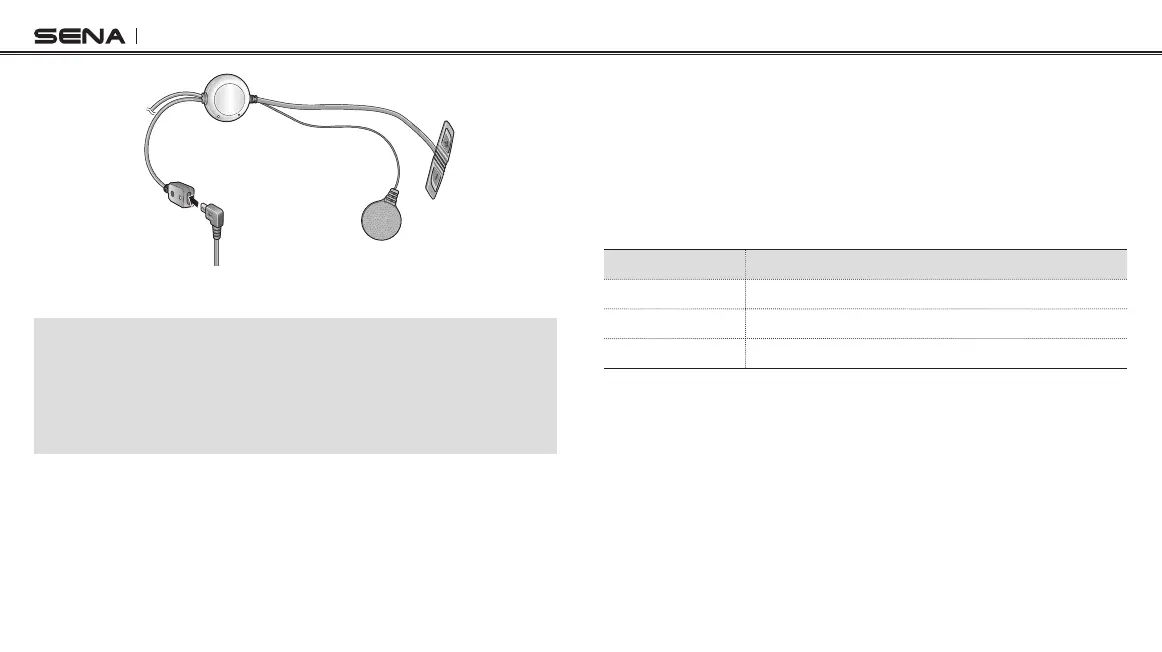
Wired Microphone Type
Note:
1. The USB power & data cable is also used for firmware upgrade of the 3S.
2. The USB wall charger is not included in the package. Any 3rd party USB
charger can be used with Sena products if the charger is approved by either
FCC, CE, IC, or other locally approved agencies that Sena accepts. Please
contact Sena regarding locally approved agencies Sena accepts.
Checking Battery Level
You can check the battery level in two different ways when the headset
is powering on.
LED Indicator
When the headset is powering on, the red LED ashes rapidly indicating
the battery level.
LED Status
4 ashes High, 70~100%
3 ashes Medium, 30~70%
2 ashes Low, 0~30%
Voice Prompt Indicator
When you power on the headset, keep pressing and holding the (+)
Button and (–) Button simultaneously for about 3 seconds until you hear
three high tone beeps. Then you will hear a voice prompt indicating the
battery level. However, if you release the buttons as soon as the headset
turns on, you will not hear the voice prompt for the battery level.



 To Next Page