3S
8
1
2
3. GETTING STARTED
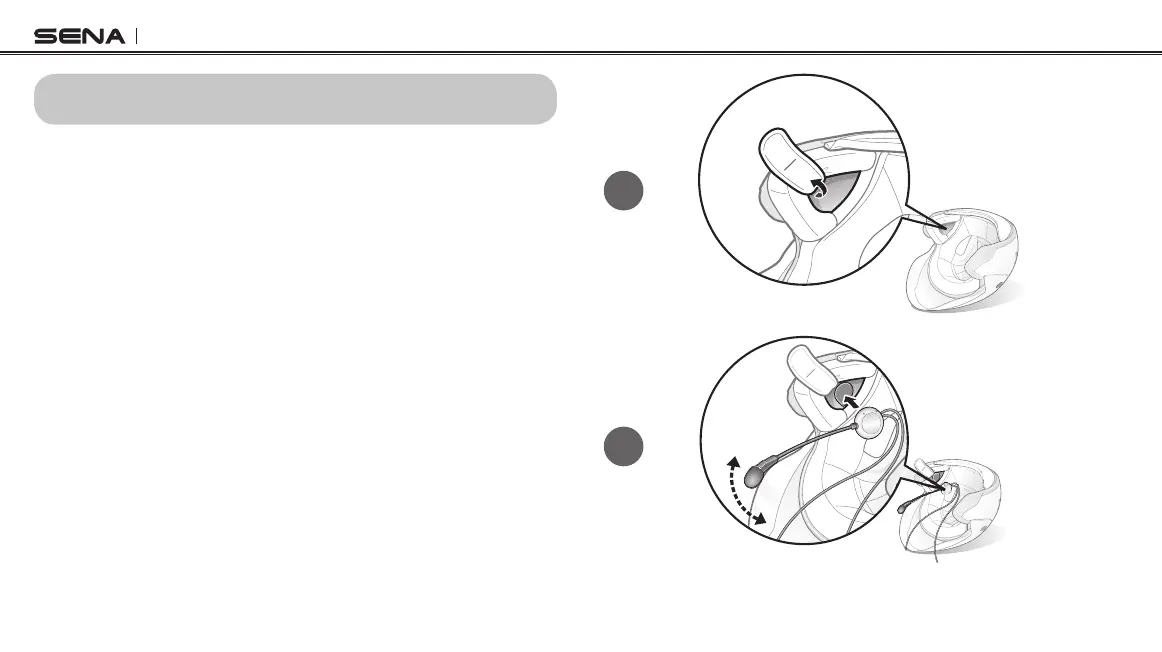
Installing the 3S on Your Helmet - Boom Microphone
Type
1. Peel off the hook fasteners for the speakers and attach them on the
back sides of the speakers.
2. Attach the loop fasteners for the speakers in the deep ear pockets of
your helmet.
3. Place the speakers in the helmet along with the hook and loop
fasteners, centered to your ear.
4. Locate the boom microphone as closely as possible to your mouth
when wearing the helmet.
5. Hide the wire under the helmet padding after the installation.



 To Next Page