3S
9
English
3
4
Installing the 3S on Your Helmet - Wired Microphone
Type
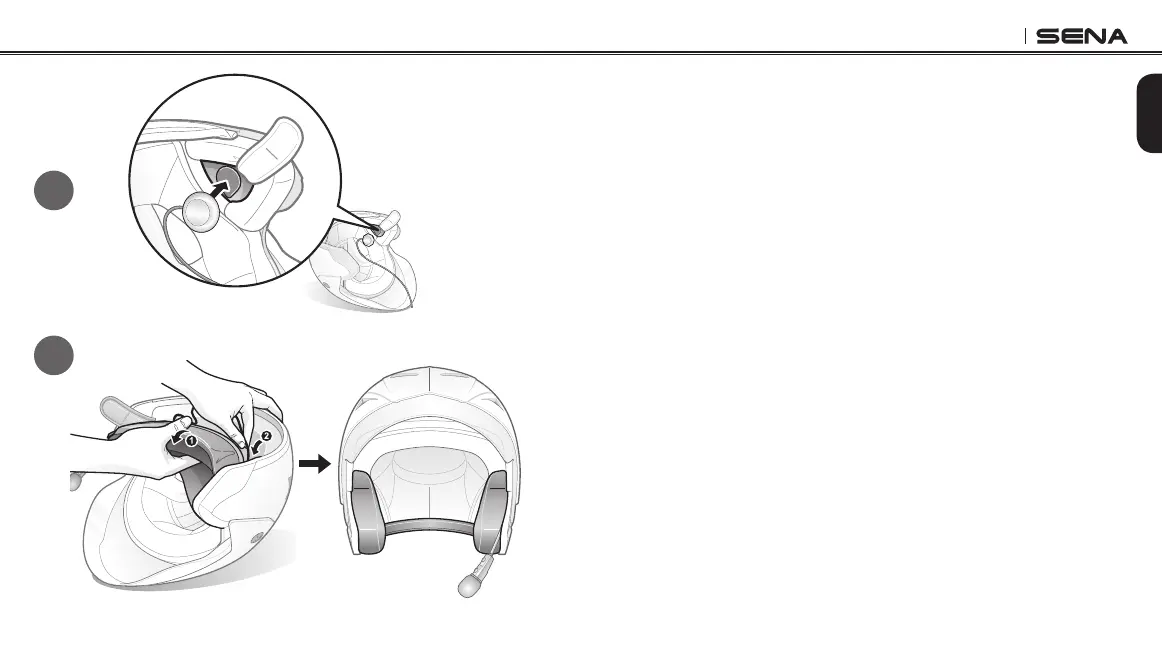
1. Peel off the hook fasteners for the speakers and attach them on the
back sides of the speakers.
2. Attach the loop fasteners for the speakers in the deep ear pockets of
your helmet.
3. Place the speakers in the helmet along with the hook and loop
fasteners, centered to your ear.
4. Locate a suitable surface on the left side of your helmet to attach
the unit, clean the location with a moistened towel, and allow to dry
thoroughly.
5. Peel off the adhesive tape covers of the control unit and attach it on
your helmet.
6. Attach the hook and loop fastener for the wired microphone to
the inside of the chin guard for full face helmets. Place the wired
microphone on the hook and loop fastener.
7. Hide the wire under the helmet padding after the installation.



 To Next Page