QUICK START GUIDE
Note: To exit the Channel Setting, tap the (+) Button or (-) Button
until you hear a voice prompt, “Exit”, and tap the Center Button.
Using the Sena Cycling App
You can select the channel through the Sena Cycling App.
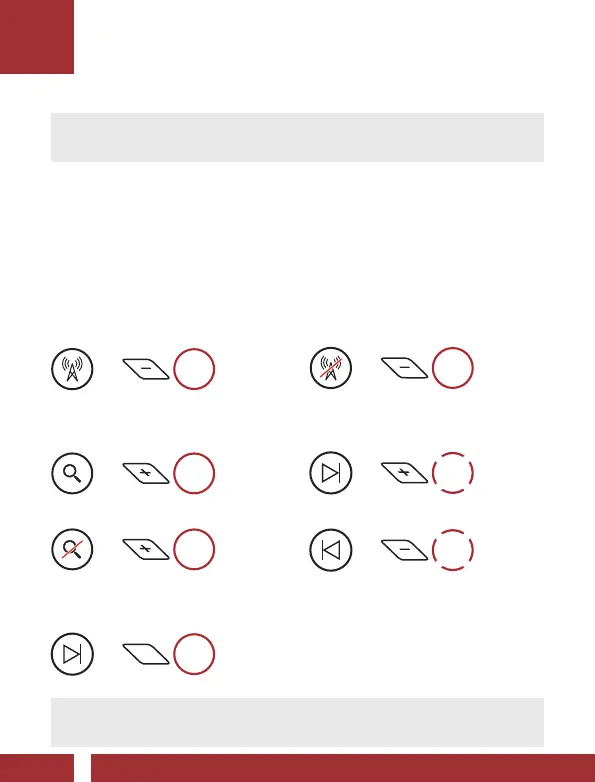
FM Radio On
=
1s
HOLD
Scan Stations
=
1s
HOLD
=
1s
HOLD
Navigating Preset Stations
=
1s
HOLD
Note: You can also use the Sena Device Manager or the Sena
Cycling App to save the preset stations.
FM Radio Off
=
1s
HOLD
Seek Stations
=
2x
TAP
=
2x
TAP
Radio



 To Next Page