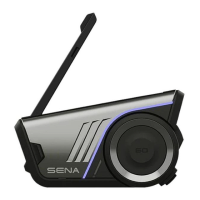
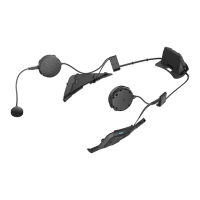
SRL
English
CONTENTS
1 INTRODUCTION .......................................................................................................5
2 PACKAGE CONTENTS ............................................................................................6
3 INSTALLING THE SRL ON YOUR HELMET ...........................................................6
3.1 Preparing the helmet for installation .......................................................................................7
3.2 Installing the headset ..............................................................................................................8
4 GETTING STARTED .................................................................................................9
4.1 Button Operation .....................................................................................................................9
4.2 Powering On and Off.............................................................................................................10
4.3 Charging ...............................................................................................................................10
4.4 Low Battery Warning ............................................................................................................. 10
4.5 Checking the Battery Level ................................................................................................... 10
4.6 Volume Adjustment ...............................................................................................................11
4.7 Software .................................................................................................................................11
5 PAIRING THE SRL WITH BLUETOOTH DEVICES .............................................. 11
5.1 Mobile Phone Pairing ............................................................................................................12
5.2 Second Mobile Phone Pairing ..............................................................................................12
5.3 Bluetooth Stereo Device Pairing ...........................................................................................13
5.4 Bluetooth GPS Navigation Pairing ........................................................................................13
5.5 Pairing with the Sena SR10, Bluetooth Two-way Radio Adapter .........................................15
6 PAIRING WITH SELECTIVE PROFILE: A2DP STEREO OR HANDSFREE ....... 16
6.1 A2DP Stereo Music Only .......................................................................................................17
6.2 HFP for Phone Call Only .......................................................................................................17
7 MOBILE PHONE CALL MAKING AND ANSWERING .......................................... 17
7.1 Mobile Phone Call Making and Answering...........................................................................17
7.2 Speed Dialing ........................................................................................................................ 18
7.3 VOX Phone (Default: Enable) ................................................................................................ 19
8 STEREO MUSIC .................................................................................................... 19
8.1 By Bluetooth Wireless Stereo ................................................................................................19
8.2 Music Sharing .......................................................................................................................20
8.3 Smart Volume Control (Default: Disable) ..............................................................................20
9 GPS NAVIGATION ................................................................................................. 21
10 SENA SR10, TWO-WAY RADIO ADAPTER ......................................................... 21
11 FM RADIO .............................................................................................................. 22
11.1 FM Radio On / Off .................................................................................................................22
11.2 Preset Stations.......................................................................................................................22
11.3 Seek and Save ......................................................................................................................22
11.4 Scan and Save ......................................................................................................................23
11.5 Temporary Preset ..................................................................................................................24
11.6 Region Selection ...................................................................................................................24
11.7 RDS AF Setting (Default: Disable) ........................................................................................24
11.8 FM Station Guide (Default: Enable) ......................................................................................24
12 VOICE COMMAND ................................................................................................ 25
12.1 Voice Command Setting (Default: Enable) ........................................................................... 26
13 INTERCOM PAIRING ............................................................................................ 26
13.1 Pairing with Other SRL Headsets for Intercom Conversation ..............................................26
13.2 Pairing with Other Sena Headset Models for Intercom Conversation .................................27
14 TWO-WAY & MULTI-WAY INTERCOM ............................................................... 28
14.1 Two-way Intercom .................................................................................................................28
14.2 Multi-way Intercom ................................................................................................................28
15 THREE-WAY CONFERENCE PHONE CALL
WITH INTERCOM PARTICIPANT ......................................................................... 32
16 GROUP INTERCOM .............................................................................................. 33


 To Next Page