SRL
8
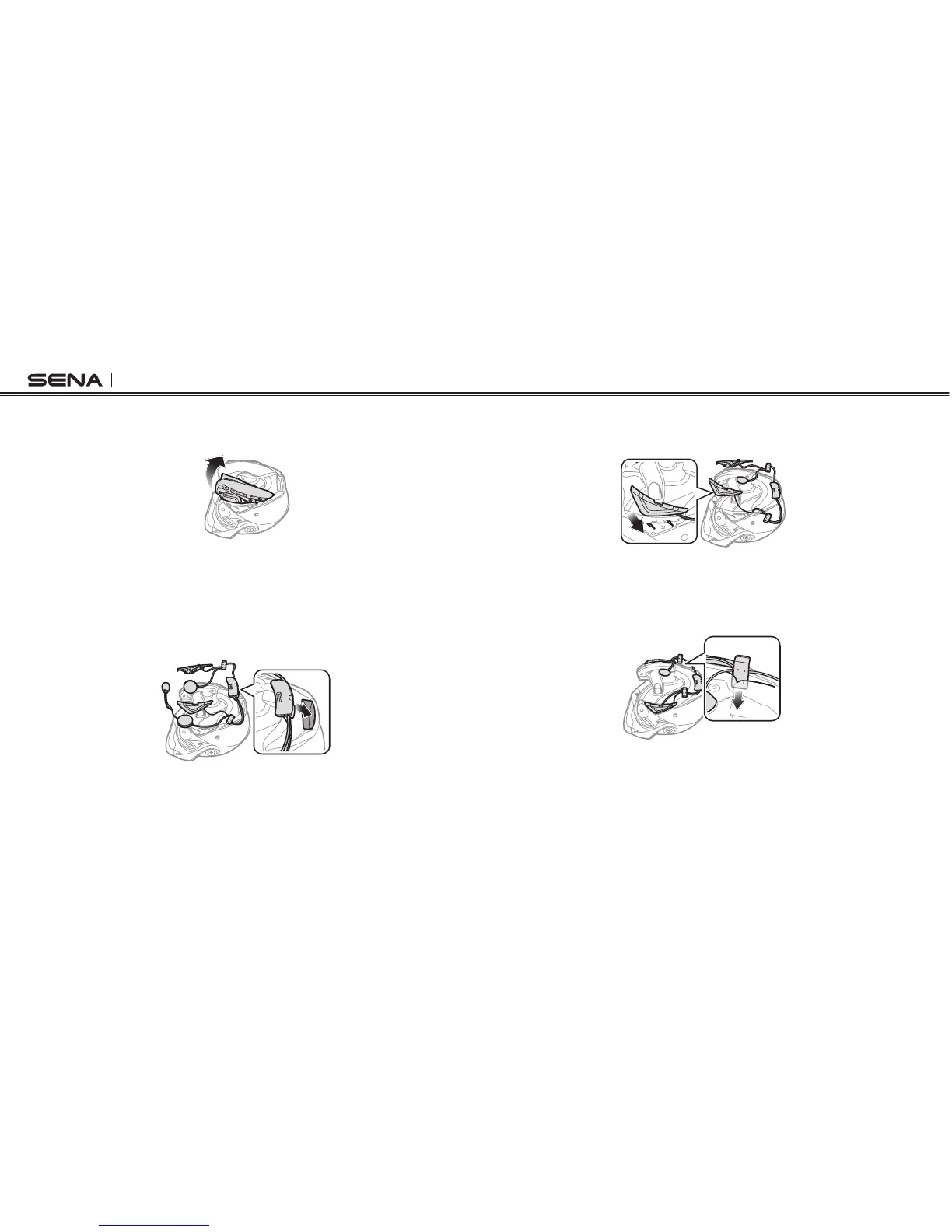
6. Detach the snap fasteners of the internal paddings and remove
the paddings from the helmet.
3.2 Installing the headset
1. Facing the USB port on the Bluetooth module toward the rear of
the helmet, push the module into the corresponding slot until you
hear a click.
2. Insert the helmet speakers and the microphone into the grooves
in the inner shell of the helmet.
3. Slide the antenna into the corresponding place. Make sure that
the grooves under the antenna t the corresponding grooves.
4. Repeat the process on the other side to install the button module.
5. Slide the left and right clips into their corresponding sides
between the external shell and the inner shell.


 To Next Page