SRL
7
English
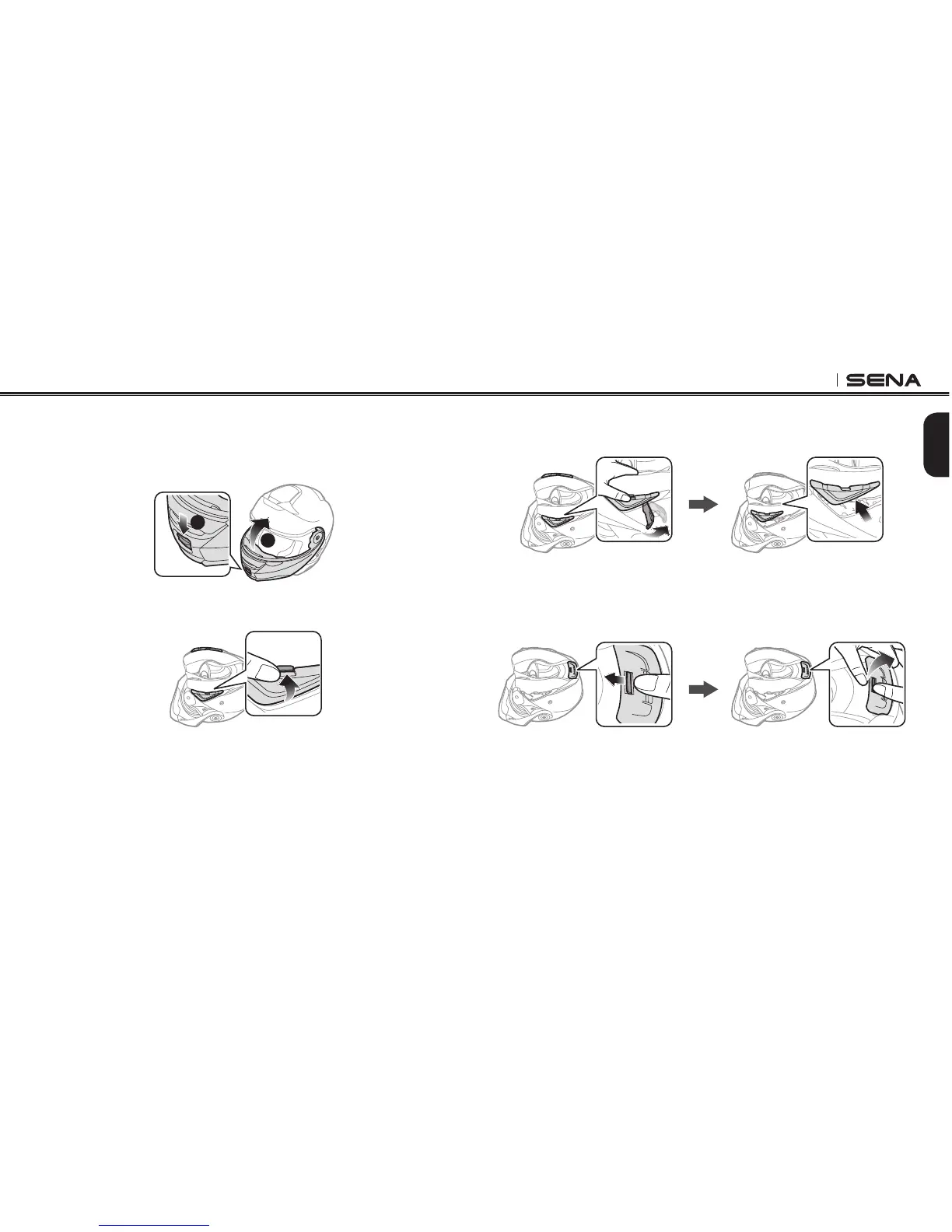
3. While pushing the tab, insert the service tool into the groove and
push to remove the cover.
4. Repeat the process on the other side to remove the left cover.
5. Push the tab on the rear cover and remove the rear cover with
your thumbs.
3.1 Preparing the helmet for installation
1. Press the open cover button. While pressing the button, lift the
face cover completely.
1
2
2. Push the tab on the right cover with your thumb.


 To Next Page