SRL
45
English
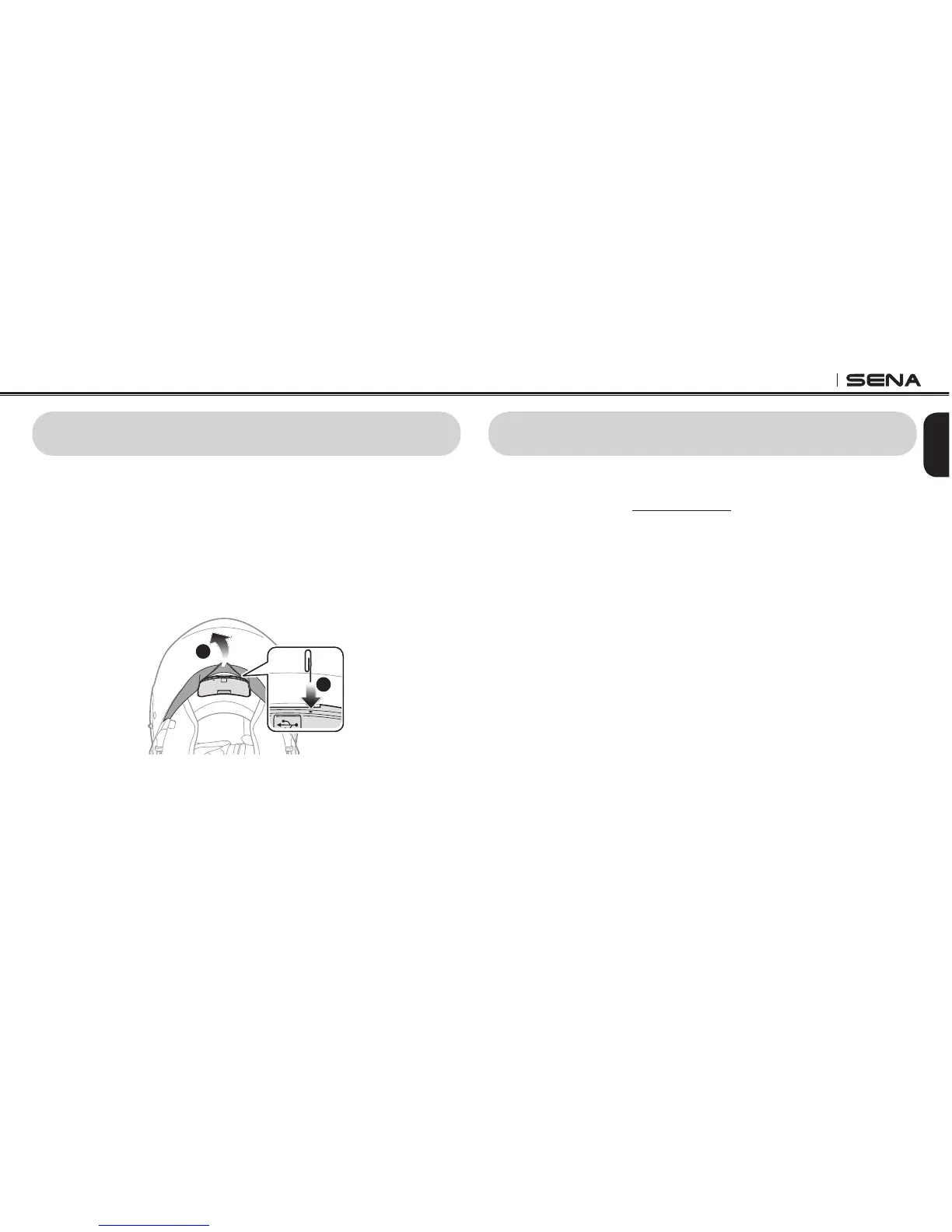
25 FAULT RESET
When the SRL is not working properly or is in faulty status for any
reason, you may reset by pushing the pin-hole reset button located
next to the DC Power Charging & Firmware Upgrade Port. Insert a
paper clip into the reset pin-hole and press the reset button for a
second with light pressure. The SRL will be switched off, and you have
to turn on the system back on and try again. However, this will not
restore the headset to factory default settings.
1
2
26 FIRMWARE UPGRADE
The SRL supports rmware upgrade function. Please visit Sena
Bluetooth web site at www.sena.com to check the latest software
downloads.


 To Next Page