Tufftalk
34
1. Connect the two-way radio with the Tufftalk using the two-way
radio cable (sold separately, available in www.sena.com) and
port.
2. Press and hold the PTT Button near the Jog Dial to open the audio
channel and talk to the other person.
3. Release the PTT Button to receive radio signals.
Note:
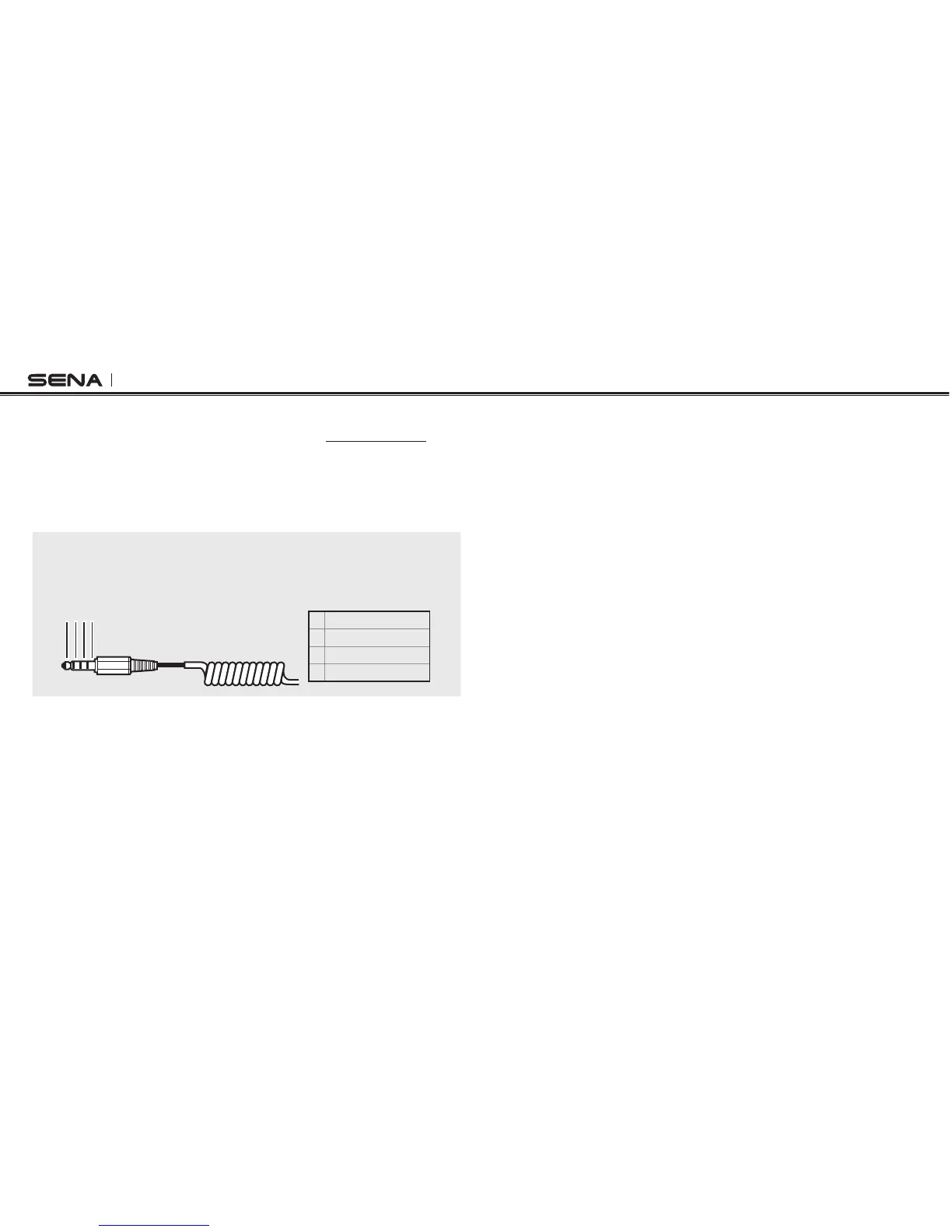
You can also create a cable that wires the Tufftalk and the two-way radio.
Follow the diagram below to correctly wire the cable.
1 2 3 4
1 SPEAKER_OUT
2 PTT
3 MIC_IN
4 GROUND
12.2 Wireless Two-way Radio
Sena SR10 (sold separately) is a two-way radio adapter that allows a
second two-way radio to be connected with the Tufftalk (please refer
to section
5.2, “Second Mobile Phone Pairing - Second Mobile Phone
and SR10”
). Incoming audio from the two-way radio will not interrupt
an intercom conversation but is heard in the background.



 To Next Page