EasyManua.ls Logo

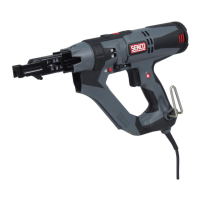
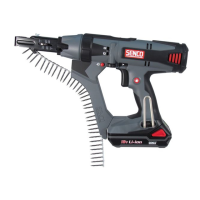
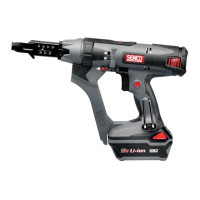
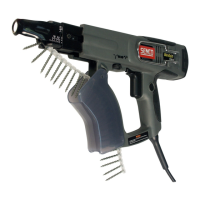
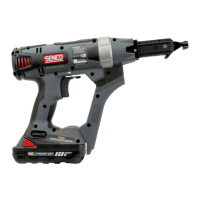
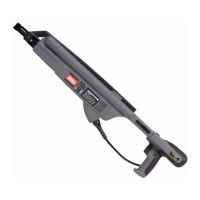
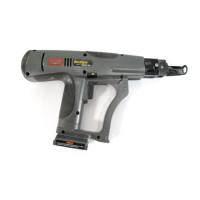
Senco DS300 - User Manual

Senco DS300
12 pages
Print Icon
To Next Page IconTo Next Page
Loading...
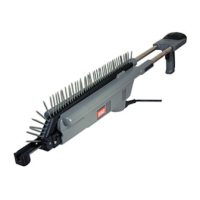
Screw Fastening System
Two Inch / Three Inch Attachment
Questions? Comments?
call SENCO’s toll-free Action-line: 1-800-543-4596
or e-mail: toolprof@senco.com
Visit our website @ www.duraspin.com
Warnings for the safe use of this tool are included in this manual.
Los avisos para el uso seguro de esta herramienta están incluidos en este manual.
Les consignes pour l’utilisation en toute sécurité de cet outil se trouvent dans ce manuel.
SM
MEMBER
Operating Instructions
Instrucciones de Operacion
Mode d’Emploi
DS200-S2
DS200-S4
DS300-S2
DS200
DS300
DS300-S4
NFD879 Revised April 3, 2002 (Replaces 1/9/01)
© 2000, 2002 by Senco Products, Inc.
®

Questions and Answers

  • T
    torreskatherineAug 17, 2025
    What to do if Senco Power Screwdriver does not fully drive fastener?
    • B
      barbara18Aug 17, 2025
      If your Senco Power Screwdriver isn't fully driving fasteners, it might be due to several reasons: the depth of drive may not be set properly, the bit could be worn or clogged, or the tool might be in reverse. To fix this: * Adjust the depth of drive for deeper penetration. * Replace or clean the bit. * Change the drive direction to forward.
  • D
    Dawn DeleonAug 20, 2025
    What to do if my Senco DS300 Power Screwdriver will not drive screw into desired substrate?
    • J
      John KirkAug 20, 2025
      If your Senco Power Screwdriver won't drive screws into the desired substrate, the bit may be worn, or the power capabilities of the tool may have been exceeded. Replace the bit and refer to the operator's manual for appropriate applications.
  • S
    Sarah JacksonAug 22, 2025
    How to prevent Senco DS300 Power Screwdriver bit from slipping?
    • D
      Debra RobbinsAug 23, 2025
      If the bit slips off the screw or the screw is driven at an angle with your Senco Power Screwdriver, it could be because the tool is slid forward during the drive, the tool is misaligned, or the bit guide has worn. Hold the tool firmly while driving. You can return the tool to an authorized SENCO service representative or replace the slide body assembly.
  • C
    Catherine WhitneyAug 26, 2025
    How to install a bit in Senco DS300 Power Screwdriver?
    • Z
      Zachary DiazAug 26, 2025
      If a bit will not install in your Senco Power Screwdriver, it might not be properly inserted into the drive shaft or it might not be a Senco bit. Drop the bit straight into the opening, rotate it, and push hard. Ensure you are using a Senco bit.
  • D
    Dr. Elizabeth WagnerAug 28, 2025
    Why Senco Power Screwdriver won't start?
    • A
      Amy EdwardsAug 28, 2025
      If your Senco Power Screwdriver won't start, the trigger switch may be defective, or there could be an issue with the electrical power supply. It is suggested to return the tool to Senco and check the electrical supply, including the fuse.
  • C
    Chad HarveyAug 31, 2025
    Why does my Senco DS300 have fastener jams?
    • J
      Jessica DavisAug 31, 2025
      Fastener jams in your Senco Power Screwdriver can occur for several reasons: * The screw length may be improperly set. * The "Nosepiece" screw might be loose. * The bit guide could be worn. * The screw may not be seated properly in the collation material. * The bit might be severely worn. * The “Nosepiece” could be damaged or bent. To address this: 1. Refer to the operator's manual for proper adjustment of screw length. 2. Tighten the nosepiece screw. 3. Replace the slide body assembly. 4. Try another strip of fasteners. 5. Replace the bit. 6. Replace the "Nosepiece."
  • K
    Kevin ThompsonSep 2, 2025
    Why Senco DS300 does not advance fastener?
    • K
      Katherine SmithSep 2, 2025
      Your Senco Power Screwdriver may not be advancing fasteners because the screw length is improperly set, the return spring is weak, the collation material is defective or the sprocket is worn. Refer to the operator's manual for proper screw length adjustment. For other issues, return to an authorized SENCO service representative.
  • B
    Brenda MitchellSep 5, 2025
    Why do screws fall out of collation during drive with Senco DS300 Power Screwdriver?
    • C
      christopher24Sep 6, 2025
      Screws falling out of collation during drive with your Senco Power Screwdriver can occur if the screw length is improperly set or the bit guide has worn. Refer to the operator's manual for proper adjustment of screw length and replace the slide body assembly.
  • C
    Christopher GarciaSep 8, 2025
    What causes a Senco Power Screwdriver slide mechanism to stick?
    • J
      Joshua BellSep 8, 2025
      A sticking or slow-returning slide mechanism on your Senco Power Screwdriver can be caused by debris build-up in the mechanism or a weak return spring. Clean the mechanism or replace the return spring.
  • D
    Dawn LawrenceSep 12, 2025
    Why does my Senco DS300 overheat?
    • D
      Dylan HillSep 12, 2025
      Your Senco Power Screwdriver may overheat if the application requires too much torque. Allow the tool to cool and discontinue use in this application.

Summary

Safety Warnings and General Rules

General Warning and Instructions

Read and understand all instructions. Failure to follow all instructions listed below, may result in electric shock, fire and/or serious personal injury.

Operating Safety Precautions

Preventing Accidental Tool Start

Always remove finger from trigger when not driving fasteners. Never carry the tool with finger on or under the trigger.

Tool Usage and Maintenance Guidelines

Authorized Service and Repair

Tool service must be performed only by Authorized SENCO repair personnel. Use identical replacement parts.

Tool Operation - Loading and Initial Use

Loading the Tool

Check screw heads on collation material. Feed strip into guide. Align 2nd empty slot with bit.

Trigger and Operation

Pull trigger to start motor. Engage trigger lock if desired. Ensure forward direction.

Tool Operation - Driving and Bit Changes

Driving Screws

Press nosepiece with constant force. Do not remove tool until clutch disengages and bit stops rotating.

Depth Control Adjustment

Tool has depth-sensing clutch. Test drive for appropriate countersink. Adjust thumbwheel.

Tool Operation - Attachments and Settings

Maintenance Procedures

Troubleshooting Common Issues

Tool & Parts Warranty

Senco DS300 Specifications

General IconGeneral
Voltage18V
Power SourceBattery
Battery TypeLithium-Ion
Fastener TypeScrews
Screw LengthUp to 3 inches

Related product manuals