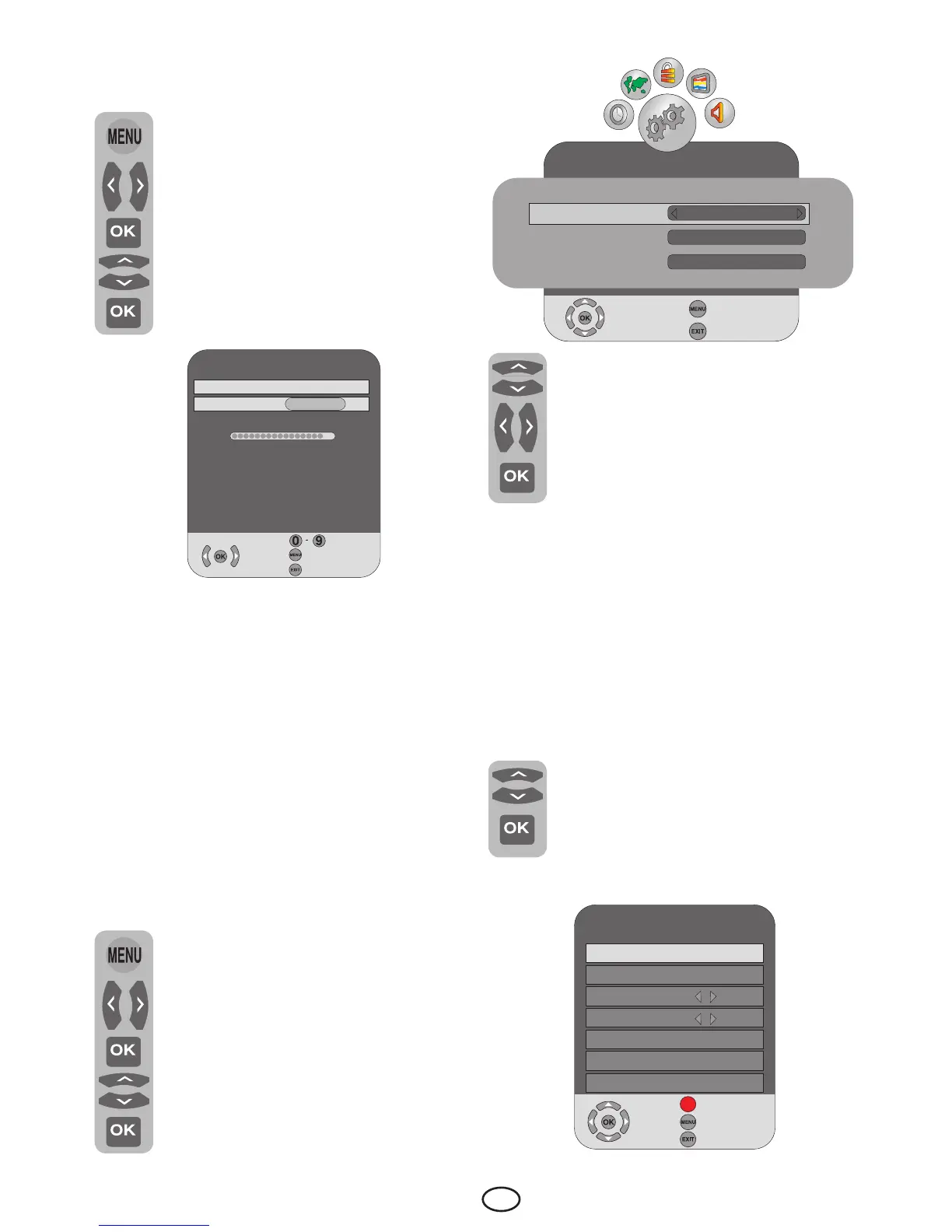
6.3.2-Manual tuning of digital
channels and storing in the memory
Press the MENU button on your
remote control. Select CHANNEL
SETUP by pressing the Right/Left
movement button and confirm your
selection with OK button. Select
Digital Manual Tuning tab by
pressing the Up/Down movement
buttons and press Right movement
button or OK button to confirm.
Digital Manual Tuning menu will be
displayed.
Enter the channel number from the Manual
search menu using the numeric keys if you
know the channel number; if you don’t
know the channel number, you can perform
search by using right/left direction buttons.
Channel will appear in the list and be stored
in the memory when it is found. Press MENU
button to return to the previous menu from
the manual search menu or press EXIT
button to exit the menu.
6.4-Performing Analog channel
settings
6.4.1-Automatic tuning of analog
channels and storing in the memory
Press the MENU button on your
remote control. Select CHANNEL
SETUP by pressing the Right/Left
movement button and confirm your
selection with OK button. Select
Auto Tuning tab by pressing the
Up/Down movement buttons and
press Right movement button or OK
button to confirm. Country Selection
menu will be displayed.
Digital Manual Tuning
VHF CH 9
Frequency
205MHz
PoorNormalGood
Select
Back
Exit
Scroll to the Country Selection
tab by pressing the Up/Down
movement buttons and press Right/
Left movement buttons to select
your country. Then, scroll to the
Scan Type tab by pressing the
Down movement button and select
ATV option by pressing the Right/
Left movement buttons. Press OK button
to confirm your selections. Analog channels
are searched and stored automatically. At the
same moment, the progress of auto tuning
and the channels stored in the memory are
displayed in the menu. Program Table menu
is displayed at the end of the Auto Tuning.
6.4.2-Manual tuning of analog
channels and storing in the memory
6.4.2.1-Ifyoualreadyknowthe
channel number
Select Analogue Manual Tuning by
pressing the Up/Down movement
buttons in the CHANNEL SETUP
menu and confirm by pressing the
OK button. Analogue Manual
Tuning menu will be displayed.
CHANNELSETUP
Please select country and scan type, then press OK to start tuning
Country Selection
England
Scan Type
ATV
TimeZone
London GMT
Select
Back
Exit
Analogue Manual Tuning
System
BG
Channel
C 4
Fine tuning +00
Search
Programme no 1
Skip No
Frequency
Select
Save
Back
Exit
62.25Mhz



 To Next Page