9
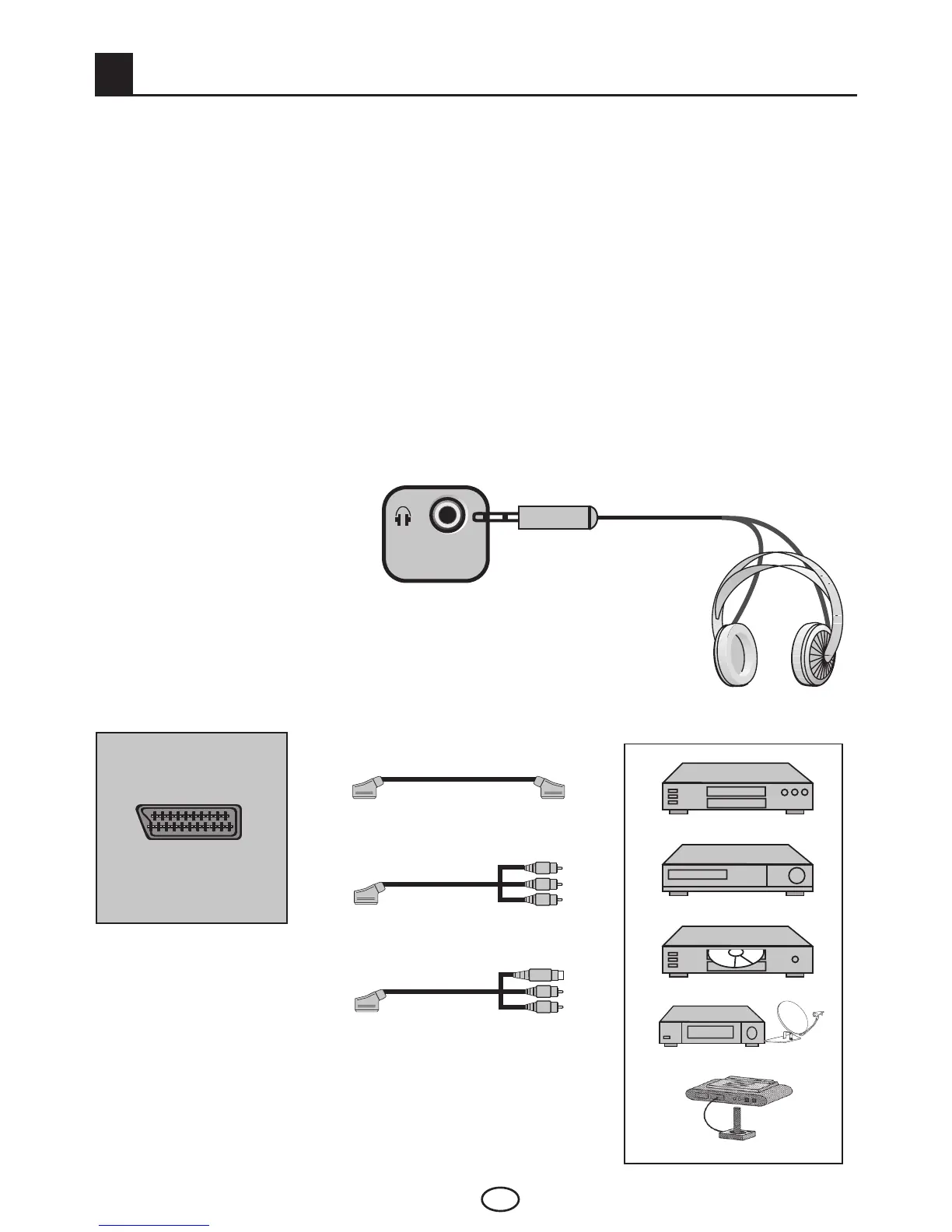
Side view of the TV
9.1-Headphone Connection
The headphones must have
impedance between 8 and 32
ohms and have a 3.5 mm stereo
jack plug. Plug the headphone
jack into the headphone socket
of the TV.
9.2-Connecting an external device via Scart connection
Rear or side view of the TV
or
or
VCR
DECODER
DVD
SATALLITE RECEIVER
GAMECONSOLE
SCART : To watch the picture of the broadcast device
connected to SCART, select Scart from the Source menu and
press OK button. (You can watch via this Scart if the connected
device has a RGB output).
Note : RGB input via Scart offers the best picture quality.
Your TV is equipped with 10 inputs including antenna input, which allows for the external
deviceconnection.Theseinputsare:
1-Antenna input
2-SCART input
3-AV input
4-S-Video input
5-PC input
6-HDMI1 input
7-HDMI2 input
8-HDMI3input(*)
9-YPbPr Component input
10-CI slot input
You can connect your external device supporting the suitable inputs to your TV via these
inputs. By pressing the AV button on your remote control, select the external source input to
which you connected your device.
External Equipment Connections



 To Next Page