EN - 3
A. The weather forecast display:
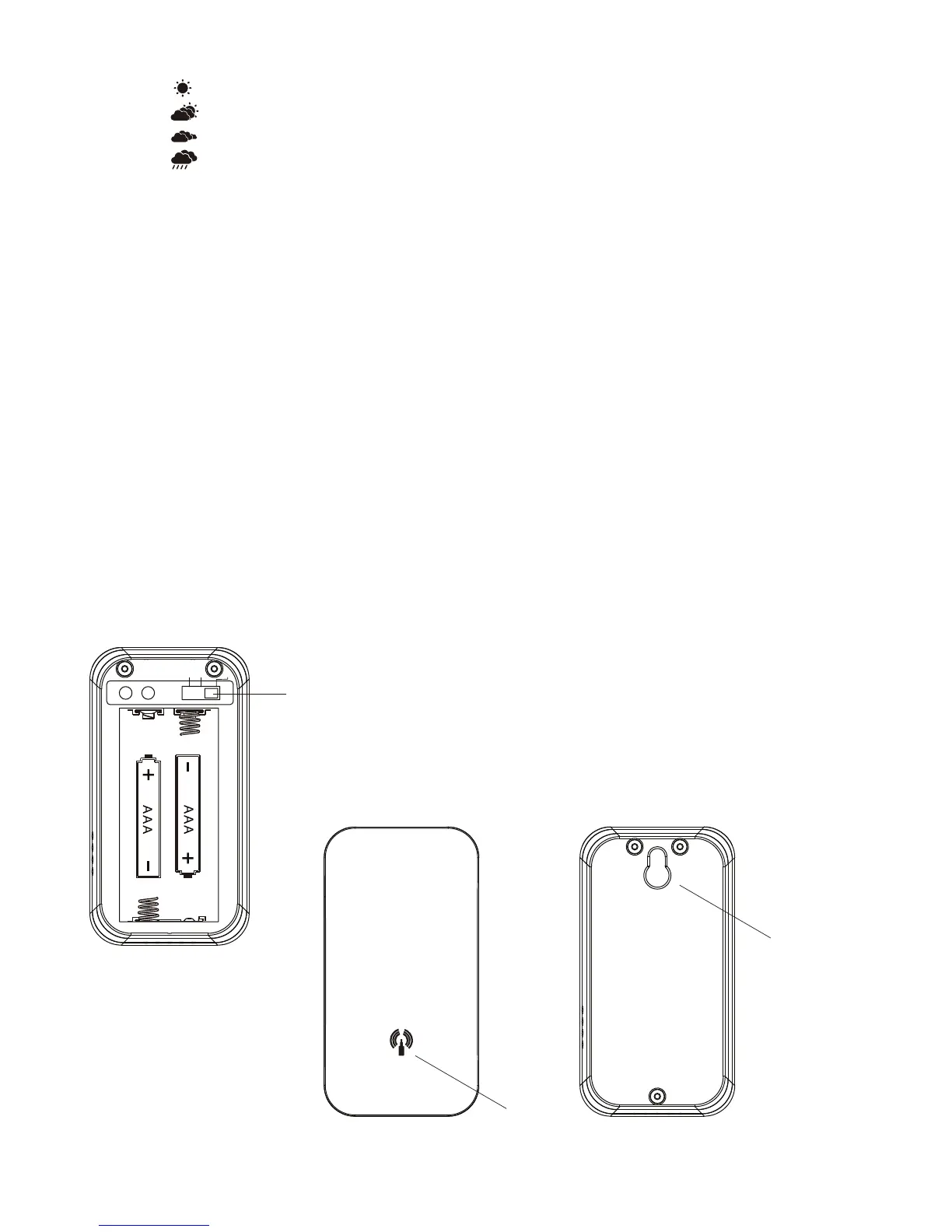
When “
” light on, indicate weather forecast is sunny in coming 12 hours.
When “
” light on, indicate weather forecast is sunny with cloudy in coming 12 hours.
When “ ” light on, indicate weather forecast is cloudy in coming 12 hours.
When “ ” light on, indicate weather forecast is rainy in coming 12 hours.
B. Time, week, calendar display
C. Indoor temperature and humidity display
D. Outdoor temperature and humidity display
E. M/S: Main button for setting
F. “+/CH”: channels chossing & the numerical increment button. When setting
numbers, it is plus sign.
G. “–/CF”: celsius/Fahrenheit choosing & numerical reduce button. When setting
numbers, it is minus sign.
H. MEM: minumum. maximum readings of the indoor and remote temperature and
humidity
I. Battery door (cover)
J. Snooze function button
REMOTE SENSOR
Features
● Remote temperature transmission to the main unit via 433MHz frequency.
● Sensor can be wall mounted using built-in hanger
● Three channel selection
Hanger
Signal
Channel selecting (1.2.3.)



 To Next Page