34
Doc# 2016-25-05 Rev F Technical Support 678-208-3087 Ext #1 Airtext Installation Manual
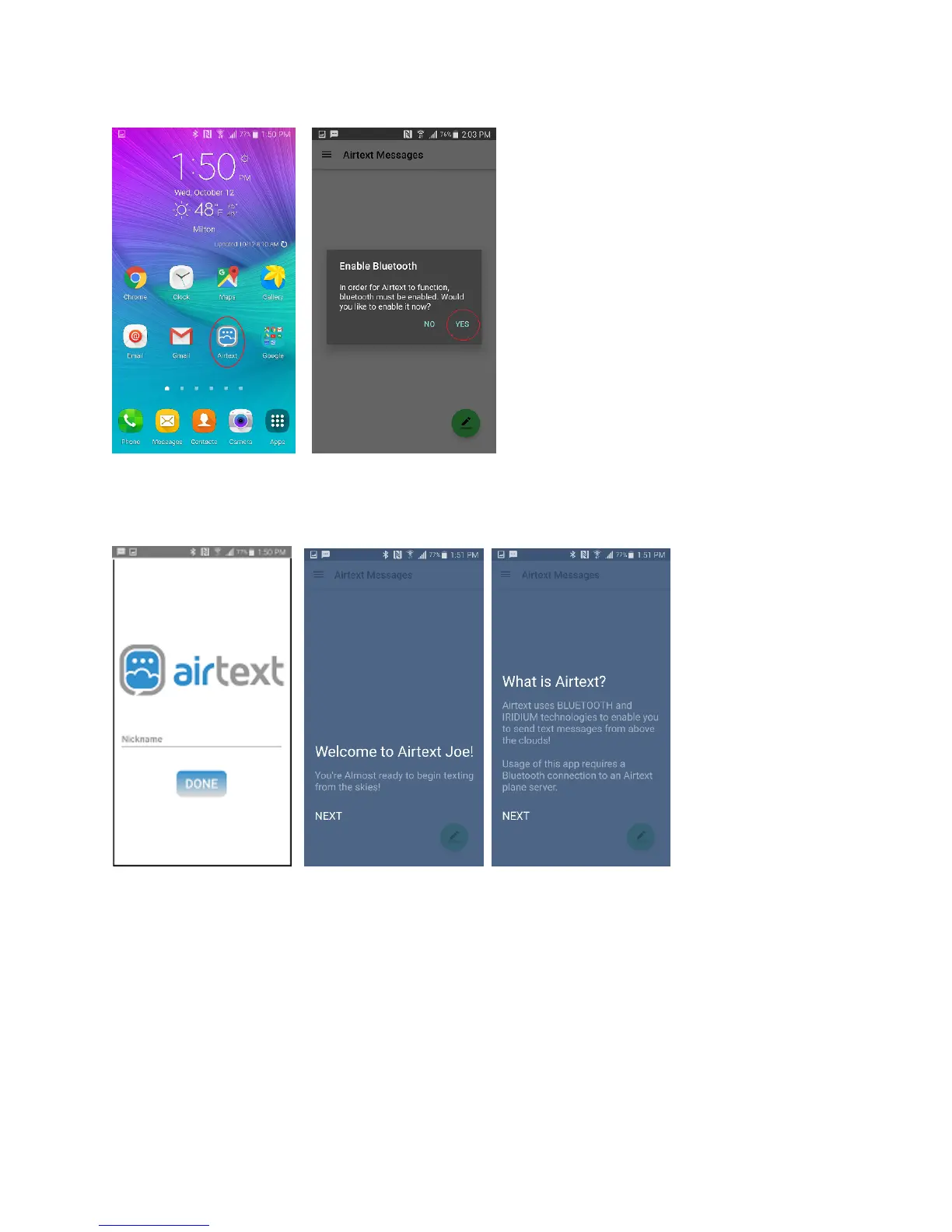
Input your full name such as “Joe Smith” if asked to do so. Step through all of the welcome screens if
they show up. The user name you enter here will be the name that ground users will see when they
receive a text from you via the Airtext Service.
Select the Menu system on the upper left corner. It is indicated with the three lines.



 To Next Page