Using the AMBEO Soundbar | Max
42 | AMBEO Soundbar | Max
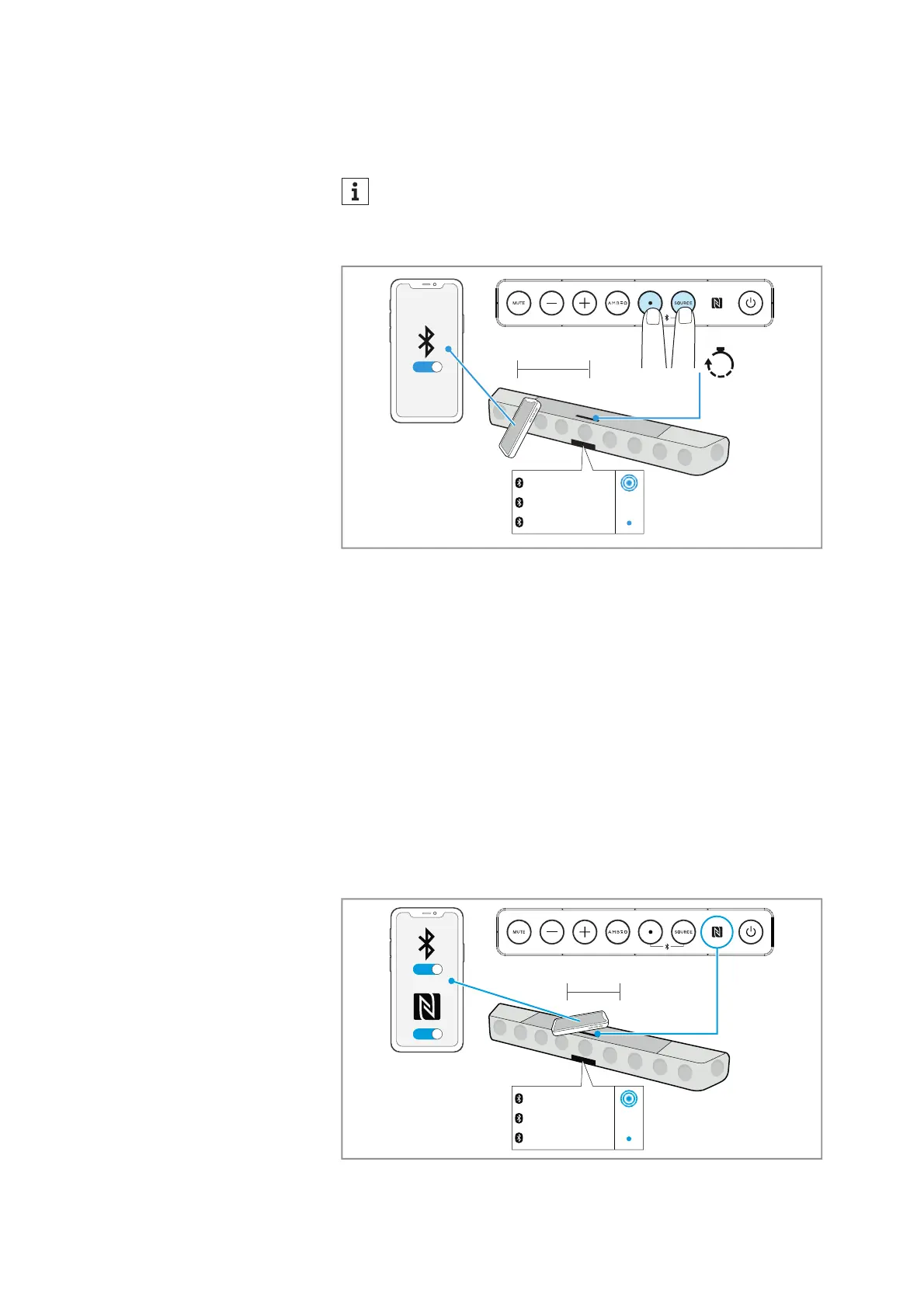
▷ From the list of found Bluetooth devices, select “AMBEO Sound-
bar”. If necessary, enter the default pin code “0000”.
If pairing was successful, the status LED lights up blue.
The device name of the Soundbar can be changed in the Smart Con-
trol app (e.g. “Soundbar family room”).
Disconnecting the Soundbar from a Bluetooth device
▷ Via the menu of your Bluetooth device, disconnect the connection
to the Soundbar.
The Soundbar is disconnected from the Bluetooth device. The
display shows “Disconnected”. The
status LED goes off.
Pairing the Soundbar with an NFC device (NFC pairing)
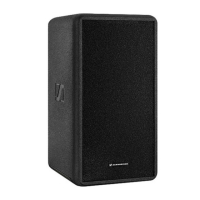
▷ Activate Bluetooth and NFC on your Bluetooth device.
▷ Place your NFC device close (distance < 3 cm) to the NFC antenna
on the Soundbar.
The status LED pulses blue. The devices are being paired.
If pairing was successful, the status LED lights up blue.
If no connection can be established within 3 minutes, the pair-
ing mode is terminated. If necessary, start the pairing mode
again.
ON
2s
Hold
< 20 cm
Pairing
Connected
Stan‘s iPhone
ON
ON
< 3 cm
Pairing
Connected
Stan‘s iPhone



 To Next Page