Using the AMBEO Soundbar | Max
AMBEO Soundbar | Max | 45
▷ Press the WPS button on your router.
The Soundbar connects to the WiFi.
The display shows “WiFi connected” for 4 seconds and the status
LED
lights up orange.
Establishing an Ethernet network connection
▷ Make sure that the Ethernet cable is properly connected to the
Soundbar and your network (
> 28).
▷ The Ethernet connection can be set up and managed via the
Smart Control app.
Controlling music playback
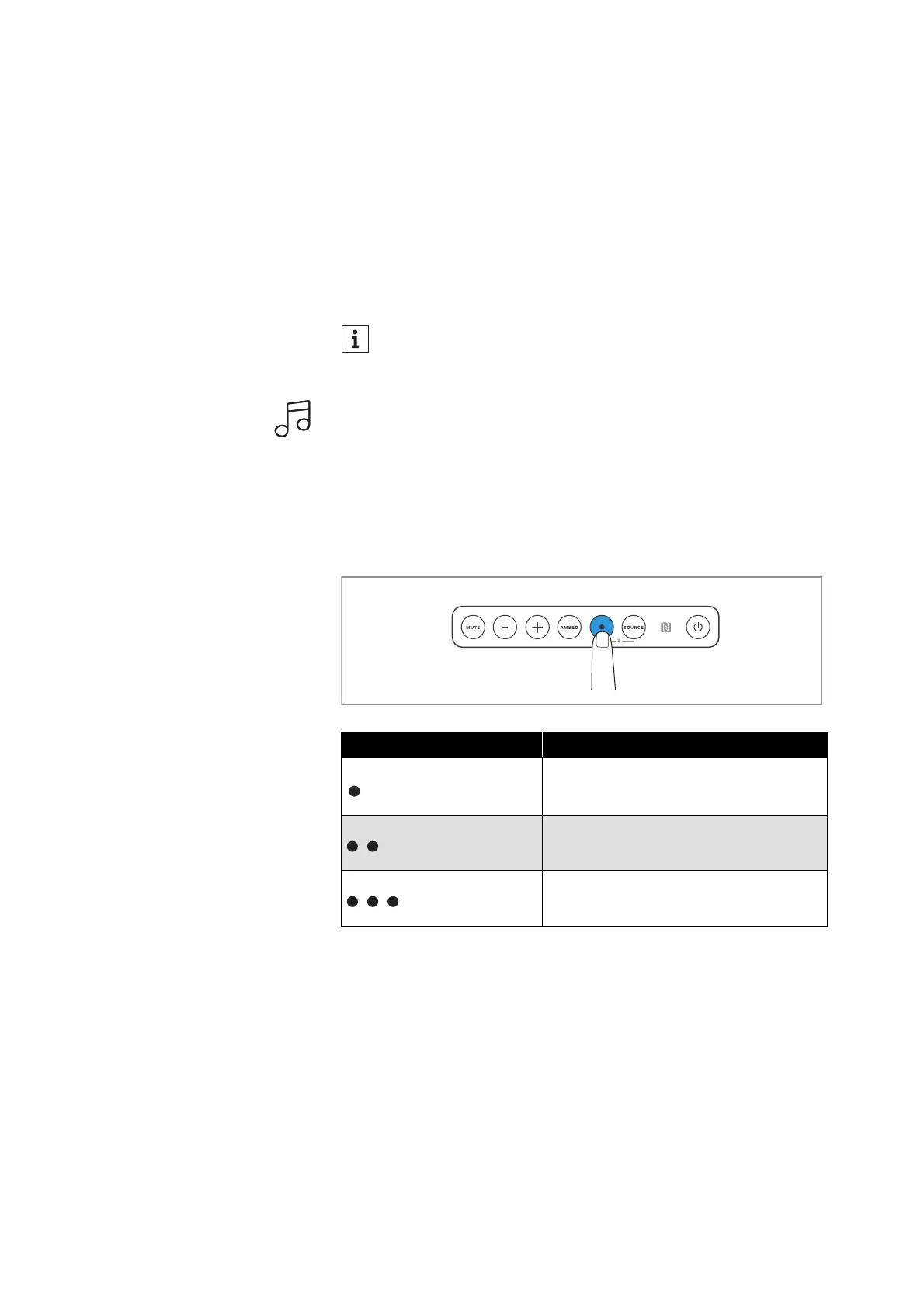
You can control music playback by pressing the multi-function
button
on the Soundbar or the multi-function button on the remote
control. The function is available for playback via Bluetooth or net
-
work connection (e.g. Chromecast, Spotify, Tidal, AirPlay).
Functions of the multi-function button
▷ Press the multi-function button.
Using the sound profiles
If you want to activate a sound profile, you have the following
options:
•Press the sound profile buttons on the remote control.
• Use the Smart Control app.
There are the following sound profiles:
•Movie
•Music
•News
If you connect the Soundbar to the Internet/Ethernet via cable,
the WiFi function of the Soundbar is automatically deactivated.
Multi-function button Result
Press 1x Plays or pauses music
Press 2x Plays the next track in the playlist
Press 3x Plays the previous track in the playlist



 To Next Page