29
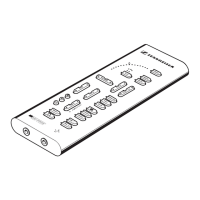
쐃 LED arc
Displays the setting of the currently active parameter.
쐇 TEST
For sending a test signal to the virtual speakers.
쐋 BALANCE
For controlling the stereo balance.
쐏 SEAT
For changing the position of the virtual seat in the chosen room type.
쐄 AMB (AMBIANCE)
For changing the reverberation in the pre-selected room type.
쐂 EARS
Used for matching DSPpro to your ears. If DSPpro is not in the matching mode,
the EARS control serves to adjust the volume of the second headphone output.
쐆 Ear symbol
For activating the matching mode.
쐊 Asterisk (*)
For testing the current EARS setting.
쐎 OK
For choosing the current EARS setting.
쐅 RESET
Switches DSPpro back to the factory-adjusted standard settings.
쐈 Headphone symbol
For switching DSPpro between headphone and loudspeaker mode.
쐉 POWER
For switching DSPpro on and off.
씈 PHANTOM
For switching the Dolby ProLogic and Toltec processor on and off.
씉 MUTE
For muting the headphone outputs.
씊 BASS
For adjusting the bass frequency response.
씋 VOLUME
For controlling the output level.
씌 THEATER, HALL, CLUB
For choosing a virtual room type.
씍 (DOLBY), STEREO, MONO
For selecting the digital signal processing based on the source format.
씎 PRE 1, PRE 2
Preselects for saving and recalling two complete headphone settings.


 To Next Page