32
8 DSPpro operating controls
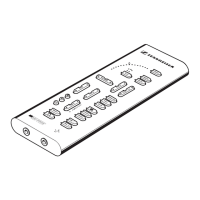
LED arc
This display indicates the setting of all functions adjusted with ▲/▼ controls. The 15 LEDs
of the arc display the setting of the control you last used.
Example: Volume
At maximum volume the top LED will be lit, at minimum volume the bottom LED will
light up.
TEST
TEST enables you to check whether the virtual speakers that DSPpro creates are “positioned”
correctly. When pressing TEST, a short hissing pulse is sent to one of the virtual speakers,
when pressing again, to another speaker and so on. The LED display beside the TEST button
indicates which virtual speaker is currently producing a signal.
PHANTOM
With PHANTOM you can compare virtual surround sound and normal stereo headphone
sound. If PHANTOM is not active (LED is off) all signal processing (Dolby decoder and
Toltec processor) is switched off, and the headphone reproduces the normal stereo audio
signal.
Adjusting the tone
DSPpro features three controls for tailoring the sound to your personal listening preferences.
VOLUME serves to control the volume of the headphones connected to the right-hand socket.
BASS increases or attenuates the bass frequency response. In middle position (middle LED
of the arc is lit) the bass response is neutral, it becomes less to the left and increases to the
right.
With BALANCE you can compensate for volume differences between left and right
headphone system which may occur during transmission. If you are using Sennheiser
headphones you will not need this control.
The EARS control serves to adjust the volume of the left-hand headphone socket. The
volume can only be adjusted when DSPpro is not in matching mode (see chapter 9). BASS
and BALANCE cannot be adjusted separately for this socket.


 To Next Page