36
10 Using DSPpro as a Dolby Surround Pro-Logic decoder
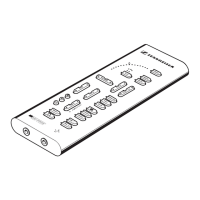
DSPpro can be used as a Dolby Surround decoder for your hi-fi system. Apart from the five
speakers, you will need four amplifiers which are connected to the DSPpro headphone
sockets with the supplied adaptor cables.
Switching to loudspeaker mode
Press and hold down the button with the headphone symbol until the LED beside the button
goes off.
In loudspeaker mode, the LEDs beside the VOLUME control and the (DOLBY) button are
lit. The only active controls are TEST, VOLUME and PHANTOM. However, they have a
different function than in headphone mode.
TEST sends a test signal (hissing sound) to each of the four channels: front left, centre and
right, and rear left and right. The corresponding LEDs indicate:
In loudspeaker mode, VOLUME controls the level of all loudspeakers. If you want to adjust
the volume of an individual loudspeaker, press TEST and adjust the level of the loudspeaker
indicated by the corresponding LED with VOLUME.
PHANTOM switches the centre channel on and off. In the standard setting, the centre channel
is not active. To get into the Dolby Pro-Logic centre mode press PHANTOM, the corresponding
LED will light up.
To get back into headphone mode, press and hold down the button with the headphone
symbol until the LED beside the button lights up.


 To Next Page