33
Room simulation – adjusting the virtual listening environment
By a simple touch of the finger DSPpro transports you into one of its virtual listening
environments.
You can choose between three room types, THEATER, HALL and CLUB. DSPpro simulates
the particular characteristics of the chosen listening environment – e.g. typical reverberation,
the reflection of sound waves on walls and ceiling, the choice of carpet etc.
THEATER simulates a large cinema or theatre. Choose this mode for watching films.
HALL simulates a concert hall, this mode is best suited for listening to classical music.
CLUB simulates an intimate little nightclub. This room is very good for listening to jazz, rock
or pop music.
With AMBIANCE, you can change the reverberation and “size” of the chosen room type in
15 steps. Setting AMBIANCE to high creates a live atmosphere, low AMBIANCE produces a
rather personal, intimate atmosphere.
Selecting your virtual seat
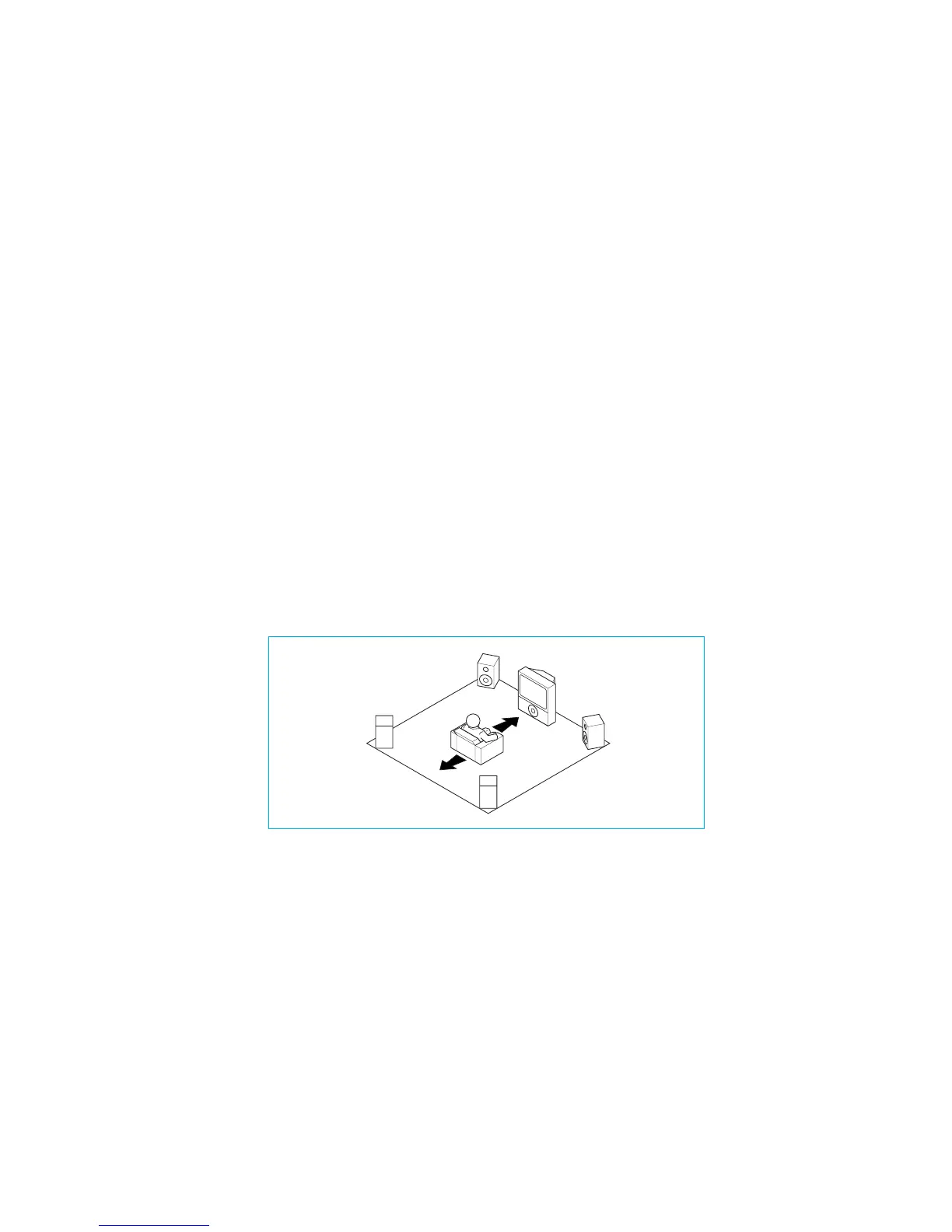
Use SEAT to select the position of your virtual seat in the chosen room type (THEATER, HALL,
or CLUB). For instance, you can decide whether you prefer sitting at the back or the front,
or anywhere in between.
For example, when you are in the virtual cinema (THEATER mode) and have chosen a seat
in the front row (SEAT) the virtual front speakers will be louder and the front sound image
larger.
If you have chosen a seat at the back, the virtual rear speakers will be louder. The LED arc
indicates your seat position: at the front: top LED, at the back: bottom LED.


 To Next Page