Using the operating menu
20
Changing and storing settings
Canceling an entry
To subsequently return to the last edited menu item:
Exiting a menu item
To directly return to the current standard display:
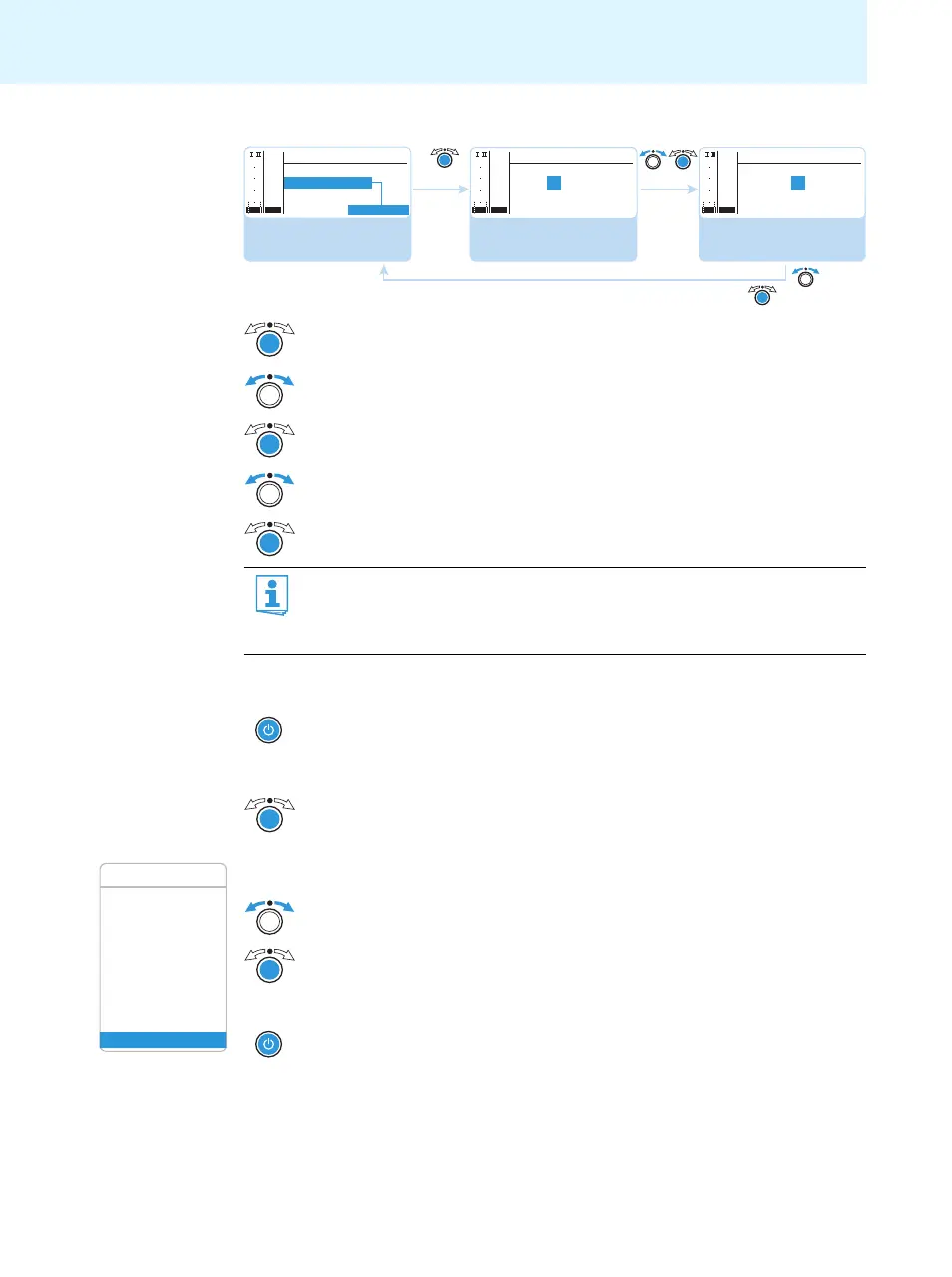
왘 Press the jog dial to call up the menu item.
왘 Turn the jog dial to set the frequency bank.
왘 Press the jog dial to confirm your selection.
왘 Turn the jog dial to set the channel.
왘 Press the jog dial to store the setting.
By briefly turning the jog dial to the left or right, the display jumps either forwards
or backwards to the next menu item or setting.
If you turn the jog dial to the left or right and hold it in this position, the display
cycles continuously (“fast search” function).
왘 Press the STANDBY button to cancel the entry.
The current standard display appears on the display panel.
왘 Press the jog dial repeatedly until the last edited menu item appears.
Select the frequency
bank and confirm
Frequency Preset
543.000 MHz
B.Ch: 5.14
Select the channel;
store the setting
543.000 MHz
Frequency Preset
B.Ch: 5.14
Call up “Frequency
Preset”
Menu
B.Ch: 5.14
Easy Setup
Frequency Preset
Name
“Stored”
PEAK
-10
040
30
20
10
-20
-30
-40
AF
RF
PEAK
-10
040
30
20
10
-20
-30
-40
AF
RF
PEAK
-10
040
30
20
10
-20
-30
-40
AF
RF
Squelch
Easy Setup Setup
Frequency Preset
Name
AF Out
Equalizer
Auto Lock
Advanced
Exit
Menu
왘 Change to the “Exit” menu item.
왘 Confirm your selection.
You return to the next higher menu level.
왘 Press the STANDBY button.








 To Next Page